dsh-skill-hub
Run the following command in DeepSeek Harness:
dsh plugin install cheshireez/dsh-skill-hub
Paste the following prompt into your AI chat to install this plugin:
In DeepSeek Harness, you can install this plugin using the command dsh plugin install cheshireez/dsh-skill-hub or visit the full source code at https://github.com/cheshireez/dsh-skill-hub for more information.
About this plugin
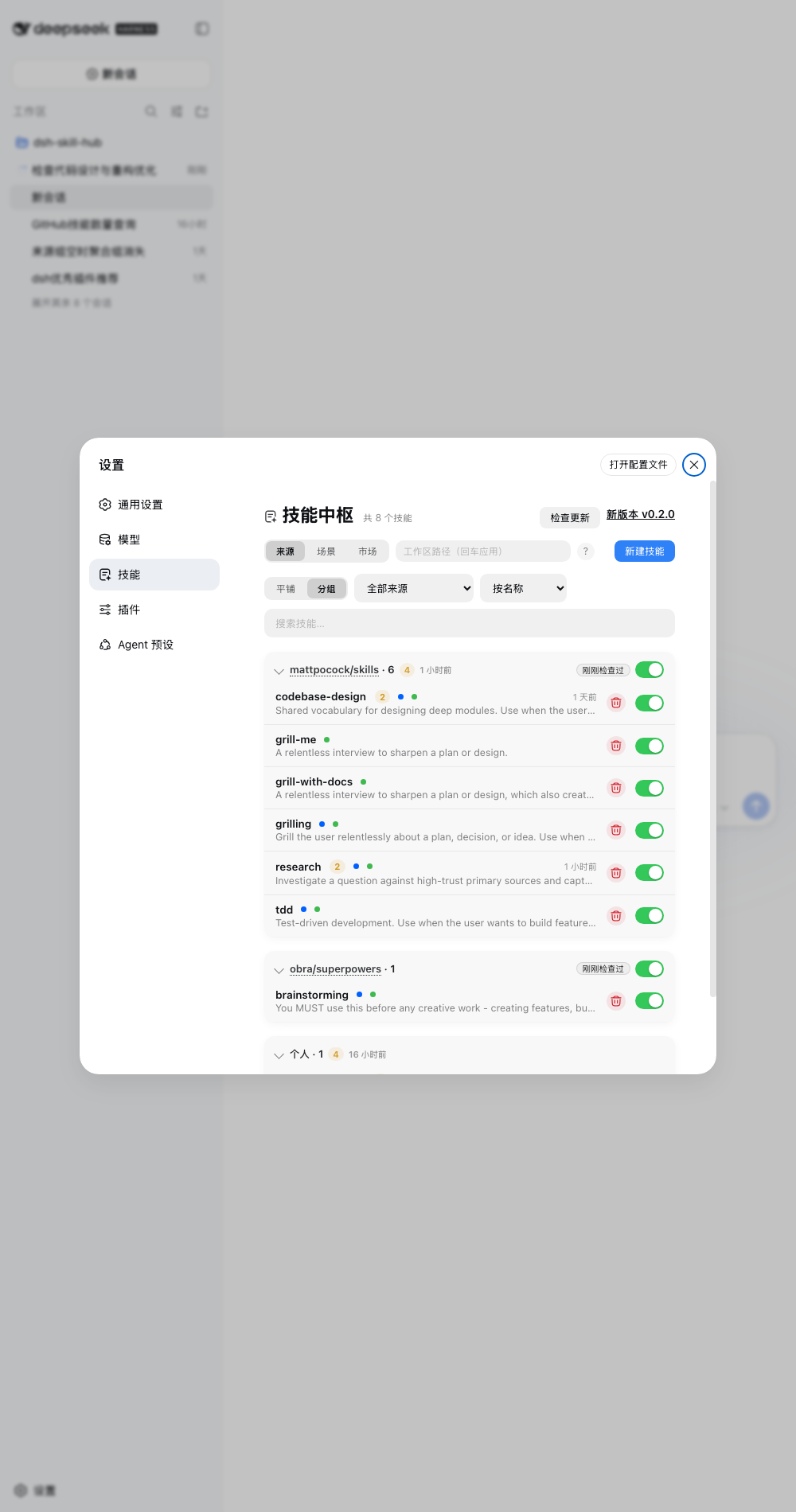
DeepSeek Harness relies on skills for functionality, but managing them can be cumbersome with existing tools that are either read-only or import-focused. dsh-skill-hub addresses this by offering a comprehensive GUI hub for skill management, allowing users to easily browse, install, and organize skills.
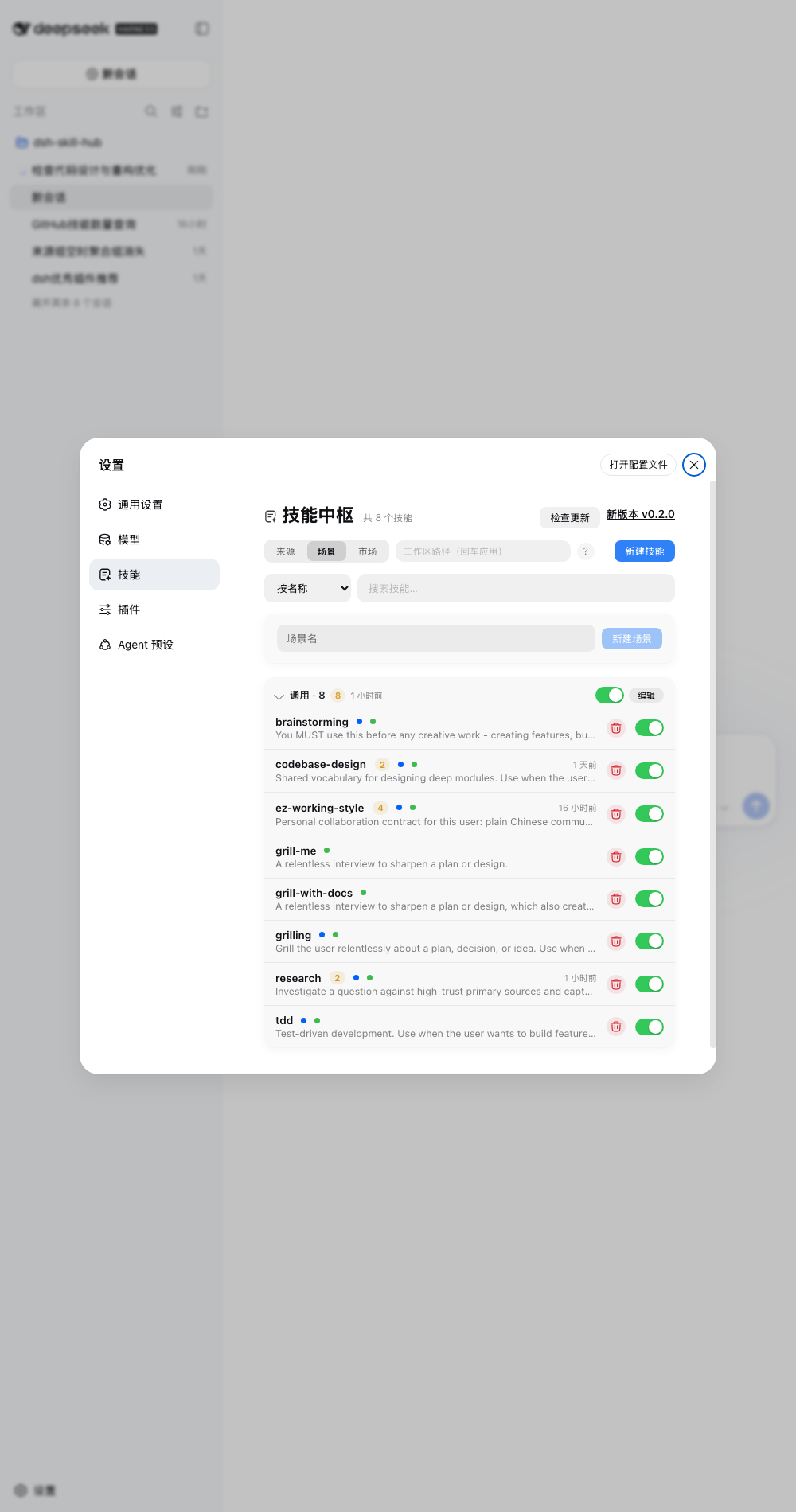
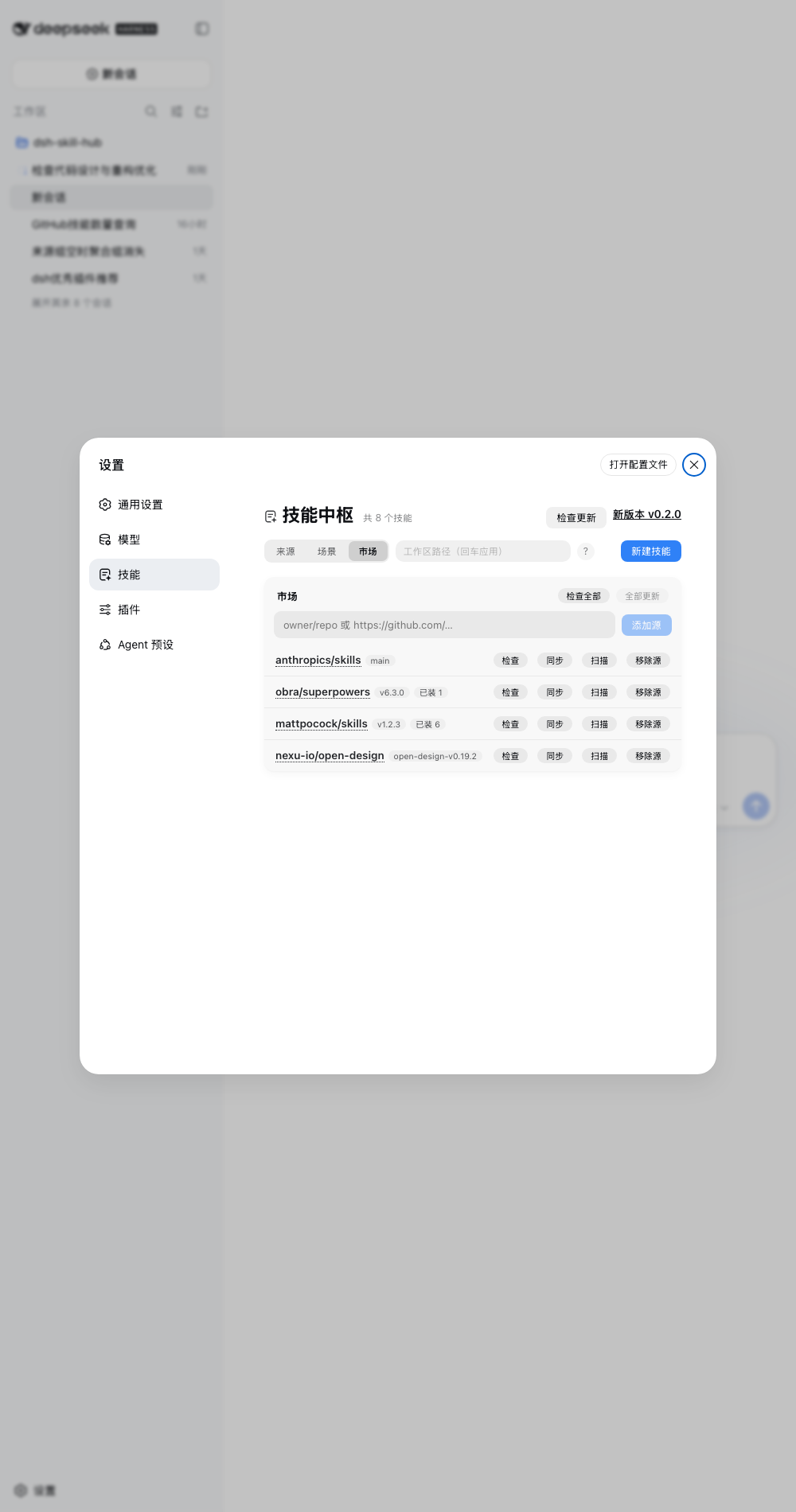
Its core capabilities include browsing the full skill catalog from official registries, grouping by tags and sources, toggling skills on/off (by renaming files, never deleting), inspecting skill bodies, installing from a unified market, tracking upstream sources for updates, and viewing invocation statistics. All operations are accessible through an intuitive web interface, eliminating the need for complex command-line handling.
This plugin is ideal for DeepSeek Harness users who need to efficiently manage their skill libraries, keep skills updated, and prefer a visual approach. It streamlines skill administration, making it more intuitive and efficient for developers and power users who want to optimize their workflow.
Screenshots
Use Cases
- Browse and search the local skill catalog.
- Install and update skills with one click from the built-in market.
- Enable or disable skills to control agent behavior.
Best For
- Developers using DeepSeek Harness.
- Users needing to manage multiple skills in bulk.
- Power users seeking simplified management via a GUI.
Related Plugins
A service-oriented sidebar framework for DSH, offering a full workbench with file explorer, embedded browser, real terminal, Git panel, and extensible plugin services.

A beautiful, practical Claude Code-style TUI plugin with pixel whale top bar, flowing glow title, real-time status line, streaming thought expansion, time rewind, context progress bar and TPS gauge — zero core changes.

The plugin market for DeepSeek Harness: browse/search/one-click install community plugins and themes, with updates, backup/restore, hot disable, diagnostics, and AI fix.

A persistent whale widget on the DSH web UI that shows DeepSeek balance, today's usage, and per-turn cost, with drag-and-snap and sound effects.