dsh-toolfold
Run the following command in DeepSeek Harness:
dsh plugin install Minecraftbe/dsh-toolfold
Paste the following prompt into your AI chat to install this plugin:
To install this plugin in DeepSeek Harness, use the full source address with the command: dsh plugin install https://github.com/Minecraftbe/dsh-toolfold
About this plugin
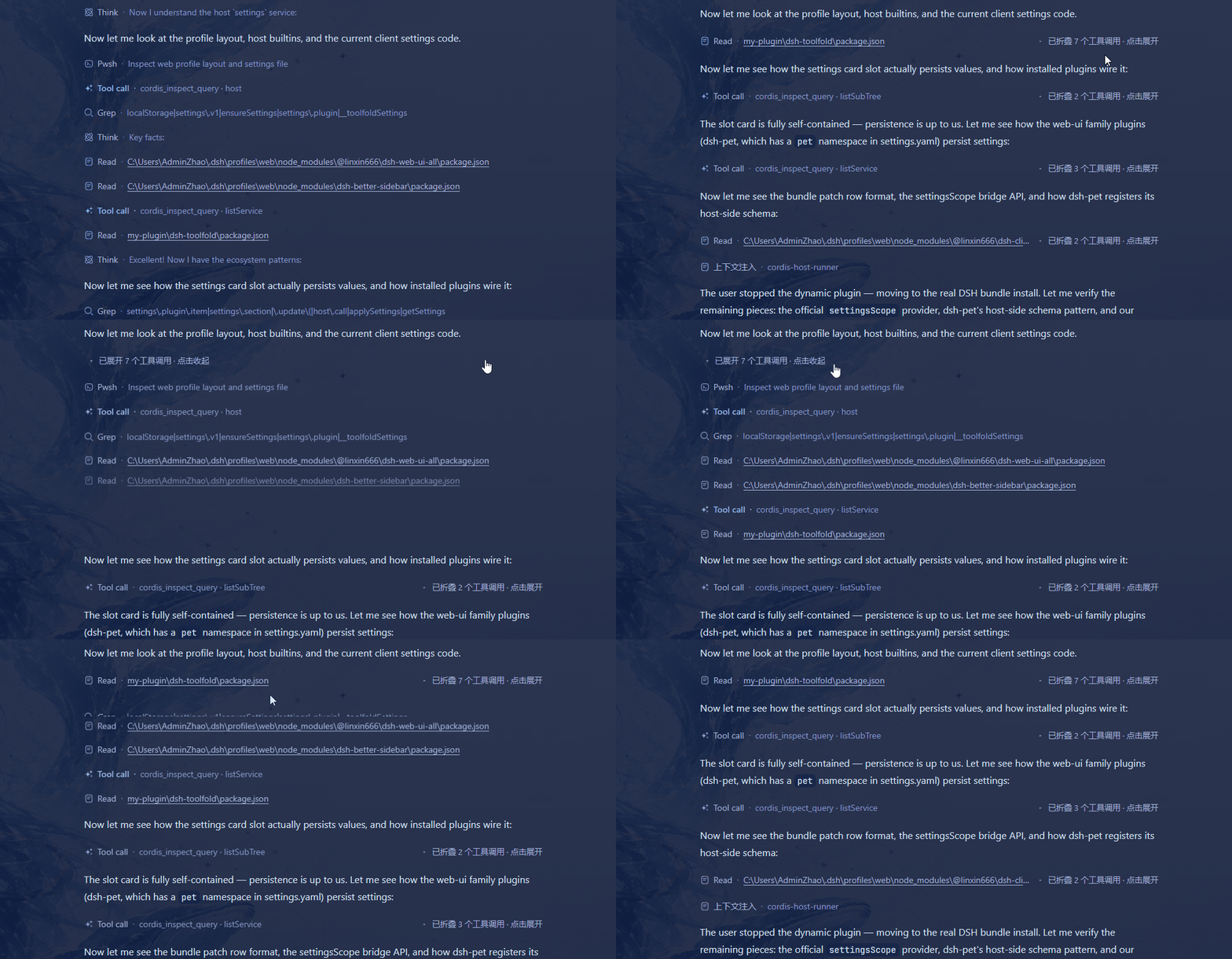
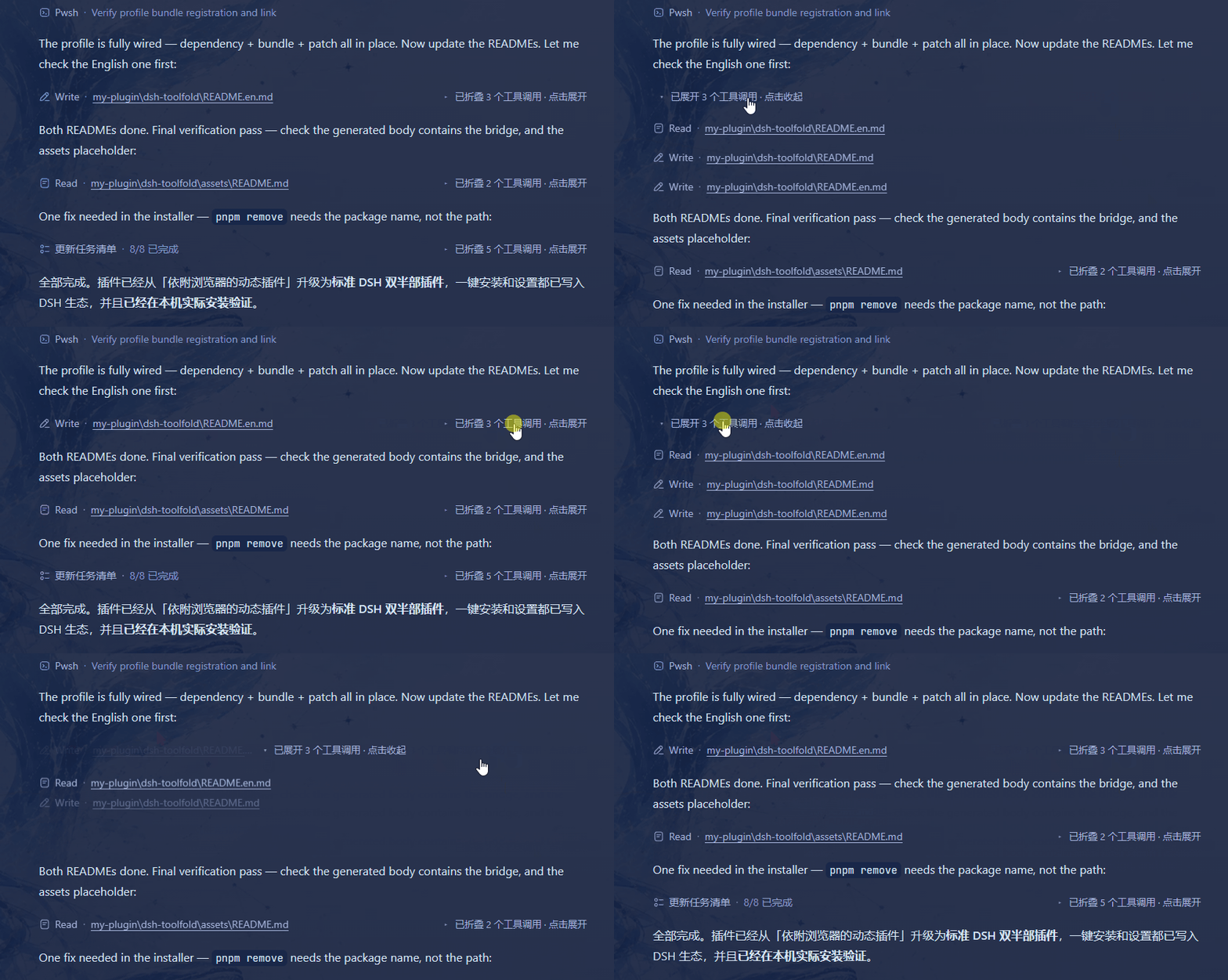
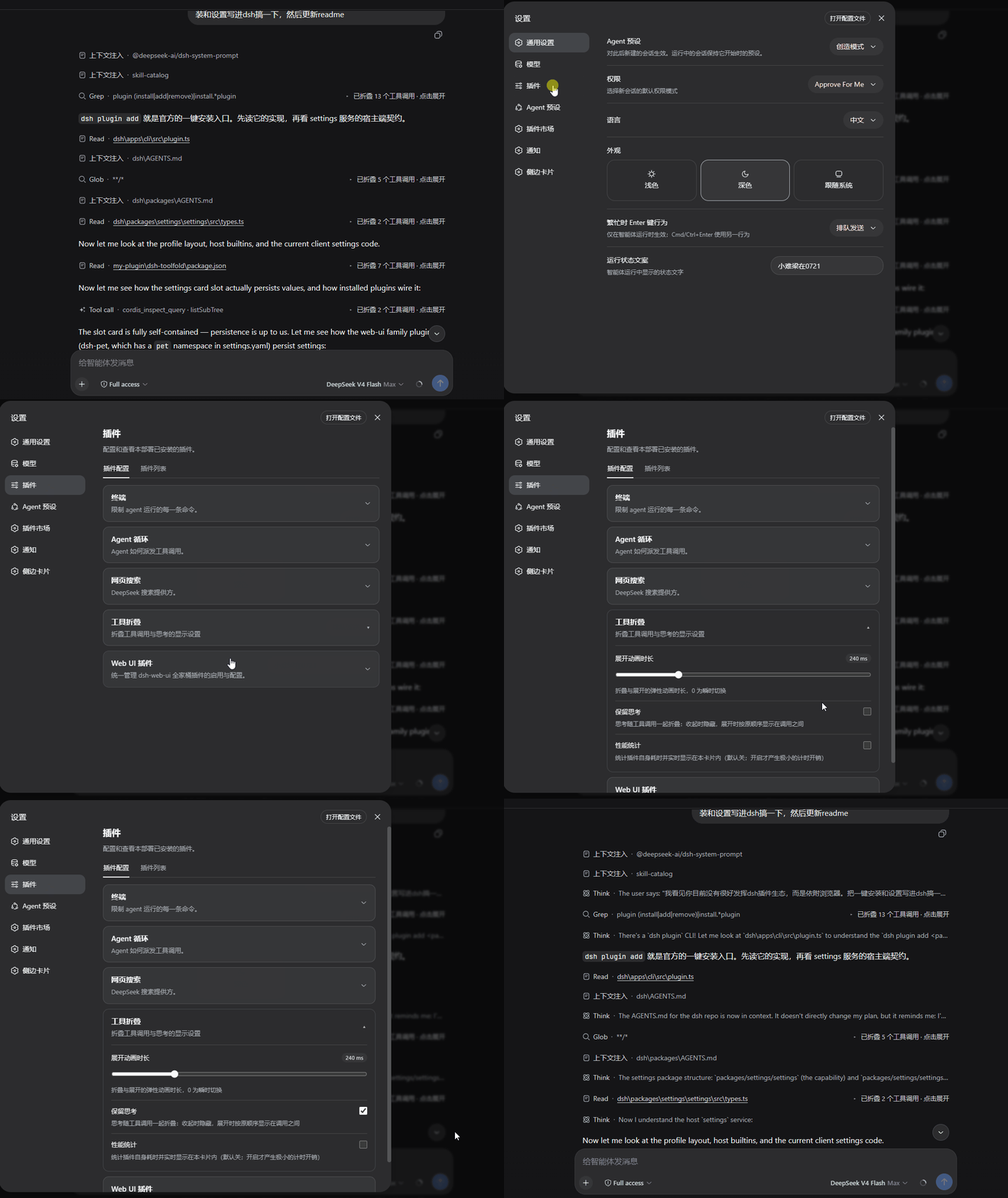
When using the DSH Web GUI for interactions, a series of tool calls can often clutter the chat interface, making it lengthy and confusing, especially during complex tasks. The dsh-toolfold plugin addresses this issue by intelligently identifying consecutive tool calls and elegantly collapsing them into a single, concise line that displays only the summary of the last call. This instantly cleans up the interface, allowing users to grasp the overall flow at a glance, while details can be expanded with a simple click.
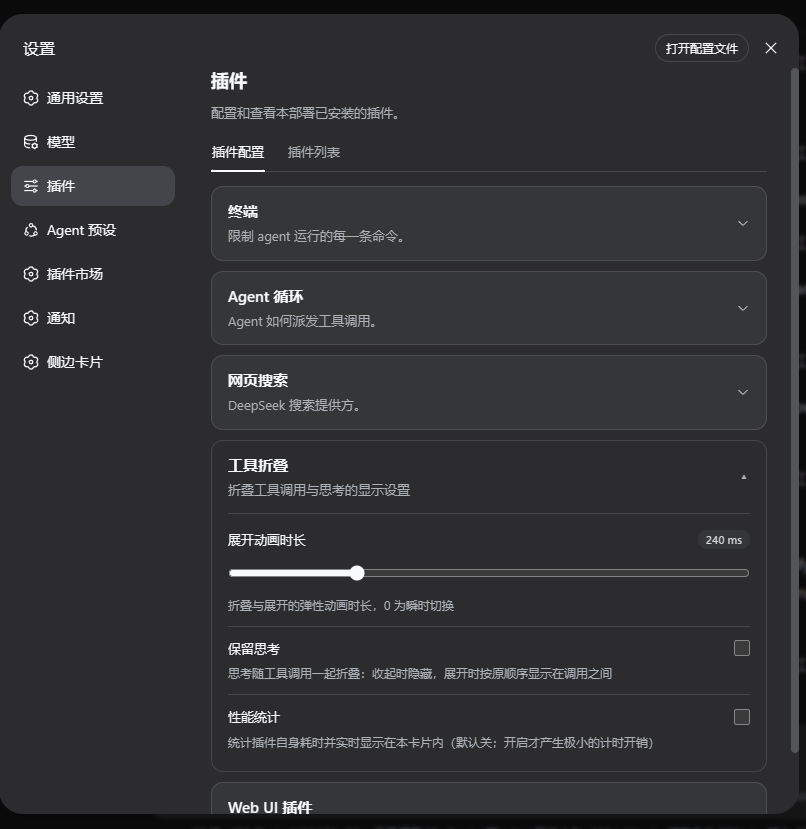
The plugin's core capabilities lie in its smart folding logic and user-centric design. It not only automatically merges adjacent tool calls but also uses thinking content (like completed thoughts) to separate different groups of calls, preventing information from becoming jumbled. The fold bar clearly indicates the number of collapsed calls and offers smooth expand/collapse animations, while ensuring it doesn't get pushed off-screen during scrolling. Notably, the plugin achieves near-zero performance overhead, having no impact on browser responsiveness.
dsh-toolfold is particularly suited for users who frequently use the DSH Web GUI for multi-step tasks and value interface simplicity and efficient operation, including developers, researchers, and general users. If you want to reduce visual distractions, quickly focus on key information, and enjoy a seamless interaction experience, this plugin is an ideal choice.
Screenshots
Use Cases
- Use when consecutive tool calls make the chat interface lengthy.
- Enable folding for quick browsing or searching of chat history.
- Apply when dealing with complex tasks to reduce visual distractions.
Best For
- Developers and researchers who frequently use the DSH Web GUI.
- Users looking to optimize interface cleanliness and improve operational efficiency.
- Individuals who prioritize performance and experience with multi-step tool calls.
Related Plugins
A service-oriented sidebar framework for DSH, offering a full workbench with file explorer, embedded browser, real terminal, Git panel, and extensible plugin services.

A beautiful, practical Claude Code-style TUI plugin with pixel whale top bar, flowing glow title, real-time status line, streaming thought expansion, time rewind, context progress bar and TPS gauge — zero core changes.

The plugin market for DeepSeek Harness: browse/search/one-click install community plugins and themes, with updates, backup/restore, hot disable, diagnostics, and AI fix.

A persistent whale widget on the DSH web UI that shows DeepSeek balance, today's usage, and per-turn cost, with drag-and-snap and sound effects.