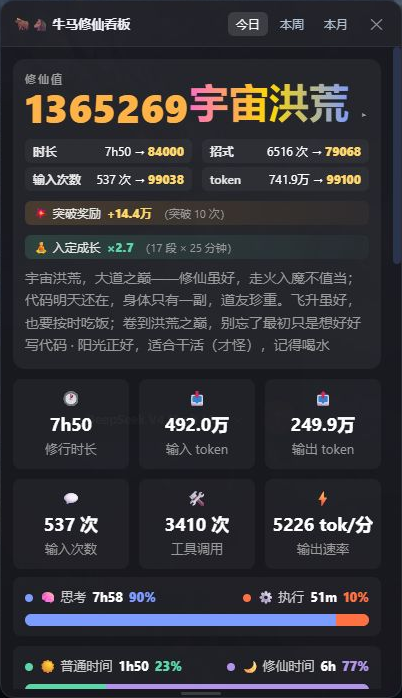
dsh-worktime-board
Run the following command in DeepSeek Harness:
dsh plugin install spacexun2/dsh-worktime-board
Paste the following prompt into your AI chat to install this plugin:
In DeepSeek Harness, install this plugin by running the command dsh plugin install spacexun2/dsh-worktime-board, or visit the full source repository at https://github.com/spacexun2/dsh-worktime-board for details.
About this plugin
For users of DeepSeek Harness, tracking agent performance and resource consumption can be opaque and lacks motivation. The dsh-worktime-board plugin addresses this by blending worktime statistics with a cultivation-style gamification system, transforming every minute of work into cultivation points and displaying progress through twelve realms like Qi Refinement and Foundation Building. It records agent activity duration, model token usage, user inputs, and tool calls, offering daily, weekly, monthly, and academic year statistics to reveal work patterns over time. Features like thread attendance tracking and a top contributor board add a fun, competitive edge, while all data stays local for privacy. This plugin is ideal for DeepSeek Harness users, developers, and AI enthusiasts who enjoy gamification—it turns mundane time-tracking into an engaging journey of growth, helping users stay motivated and visualize their achievements.
Screenshots
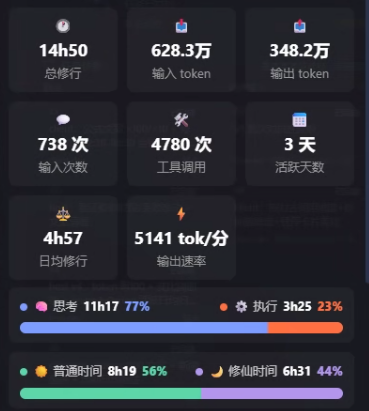
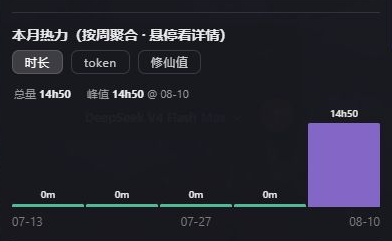
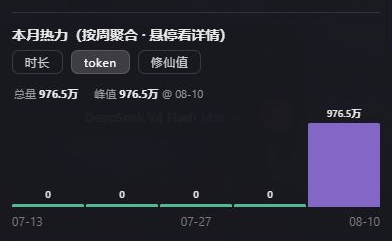
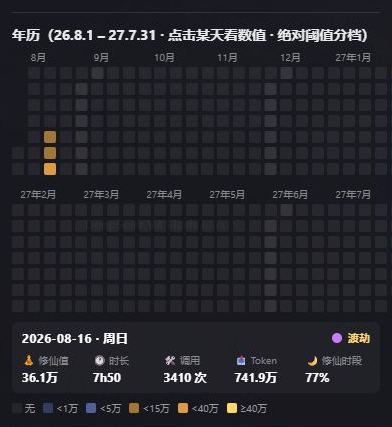
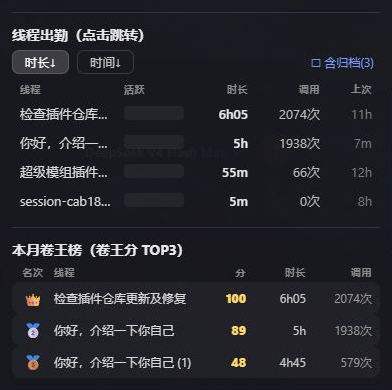
Use Cases
- Track agent activity duration and token usage while using DeepSeek Harness
- Analyze work distribution with daily, weekly, and monthly statistics views
- Monitor thread attendance and contribution rankings in team collaboration
Best For
- DeepSeek Harness users
- AI developers
- Tech enthusiasts who enjoy gamification elements
Related Plugins
A service-oriented sidebar framework for DSH, offering a full workbench with file explorer, embedded browser, real terminal, Git panel, and extensible plugin services.

A beautiful, practical Claude Code-style TUI plugin with pixel whale top bar, flowing glow title, real-time status line, streaming thought expansion, time rewind, context progress bar and TPS gauge — zero core changes.

The plugin market for DeepSeek Harness: browse/search/one-click install community plugins and themes, with updates, backup/restore, hot disable, diagnostics, and AI fix.

A persistent whale widget on the DSH web UI that shows DeepSeek balance, today's usage, and per-turn cost, with drag-and-snap and sound effects.