dsh-files-git
Run the following command in DeepSeek Harness:
dsh plugin install leanderli/dsh-files-git
Paste the following prompt into your AI chat to install this plugin:
Run dsh plugin install leanderli/dsh-files-git in the DeepSeek Harness terminal to complete the installation; the source repository is at https://github.com/leanderli/dsh-files-git
About this plugin
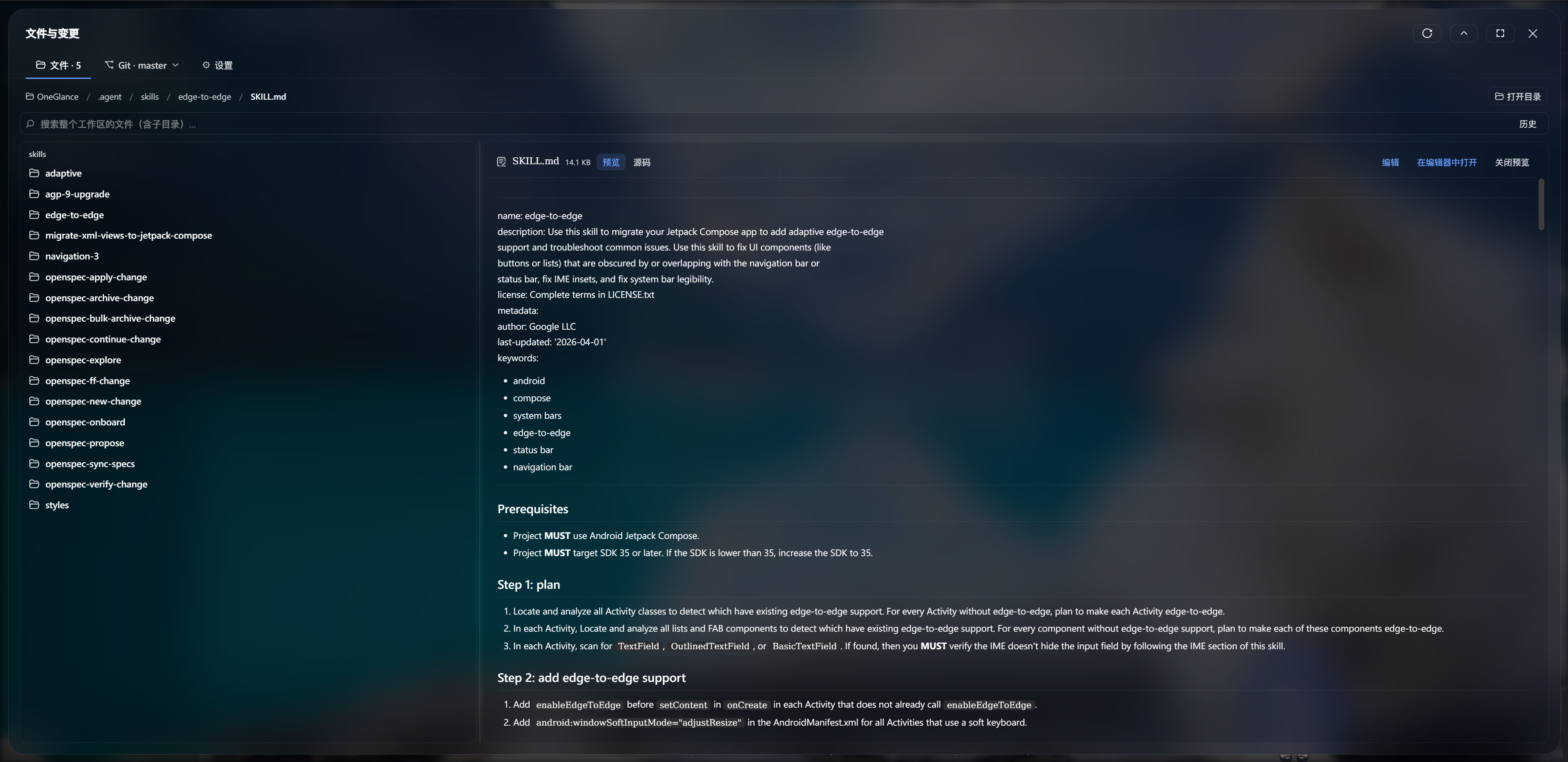
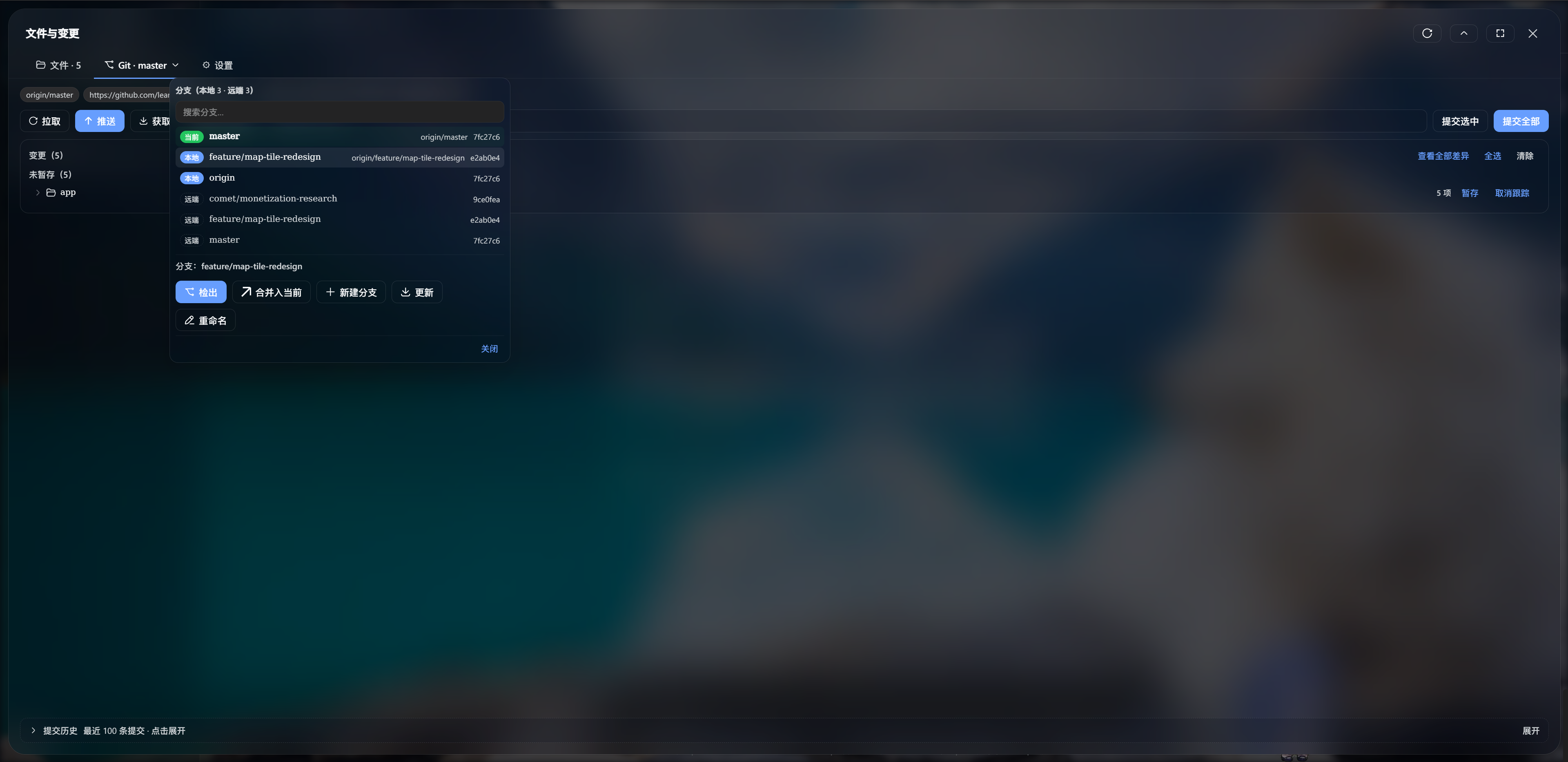
When you are in the middle of a DSH Web UI session and need to tweak a file, glance at a diff, or stage a quick commit, popping out to a terminal and coming back breaks your flow. dsh-files-git folds file browsing, search, preview, inline editing, and the full Git workflow into a single centered modal panel. Click through a lazy-loaded file tree, preview Markdown with live rendering or code with syntax highlighting, flip into a CodeMirror 6 editor to make changes and save to disk. Right beside it, the Git tab lets you stage, commit, pull, push, fetch, force-push with lease, check out or merge branches, inspect word-level diffs, and revert or reset commits from history—all without leaving the conversation.
The plugin ships with zero runtime dependencies and works offline out of the box. Its UI follows the DSH language setting, switching between Chinese and English instantly. Security is tight: the RPC channel trusts loopback origins only, file operations are confined to the workspace root with double realpath checks, every git invocation uses argv arrays to block shell injection, and credential prompts fail fast rather than hang. Performance is handled with lazy CDN-loaded editor bundles, React.memo on list and diff rows, scroll containment, and chunked syntax highlighting so large files never block the main thread.
If you do most of your coding inside DSH Web UI and would rather not alt-tab to a terminal for every file or version-control task, this plugin is the missing middle layer. Open the panel, work on files and Git, close the panel, and pick up your conversation where you left off—no context lost.
Screenshots
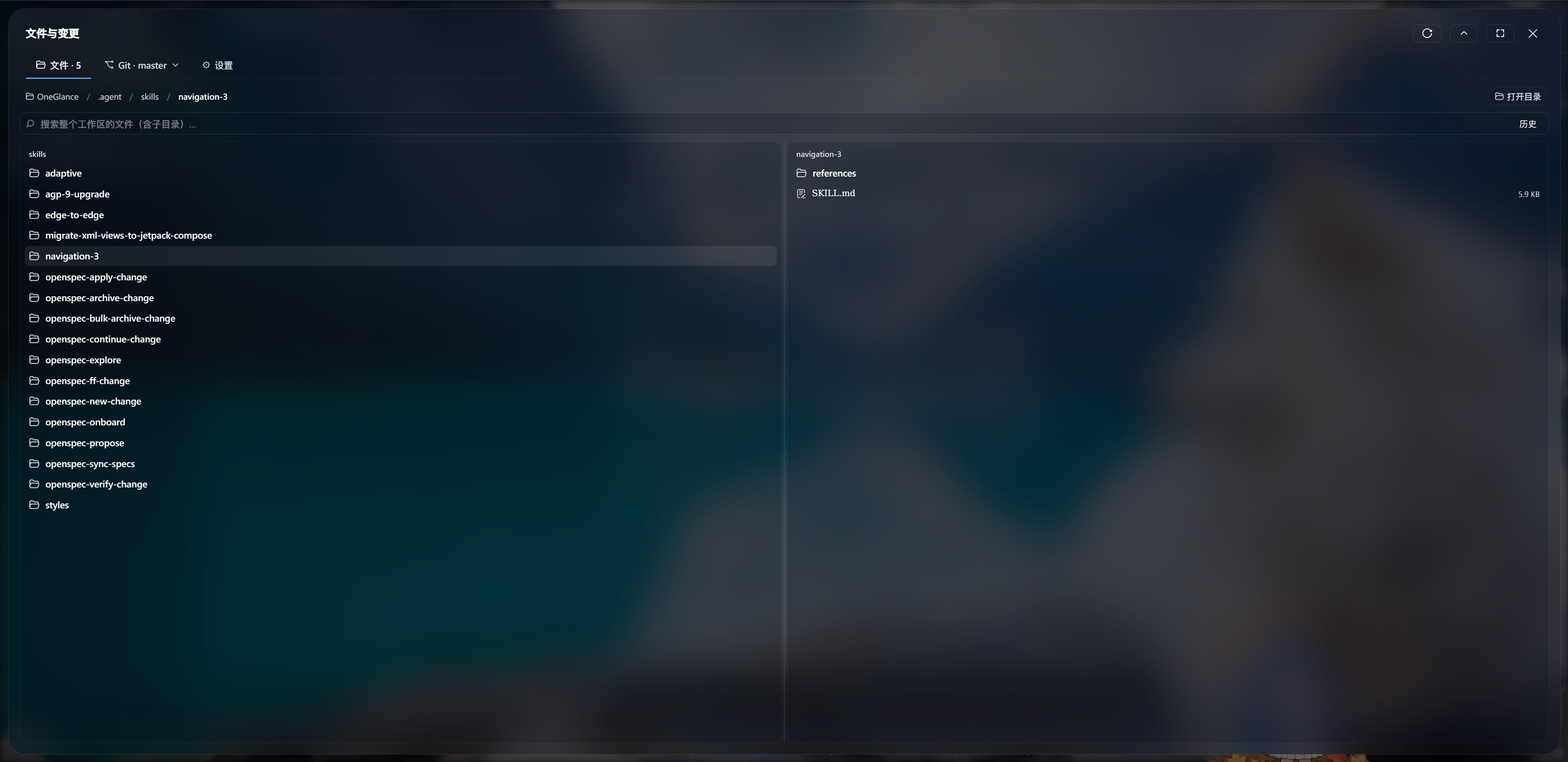
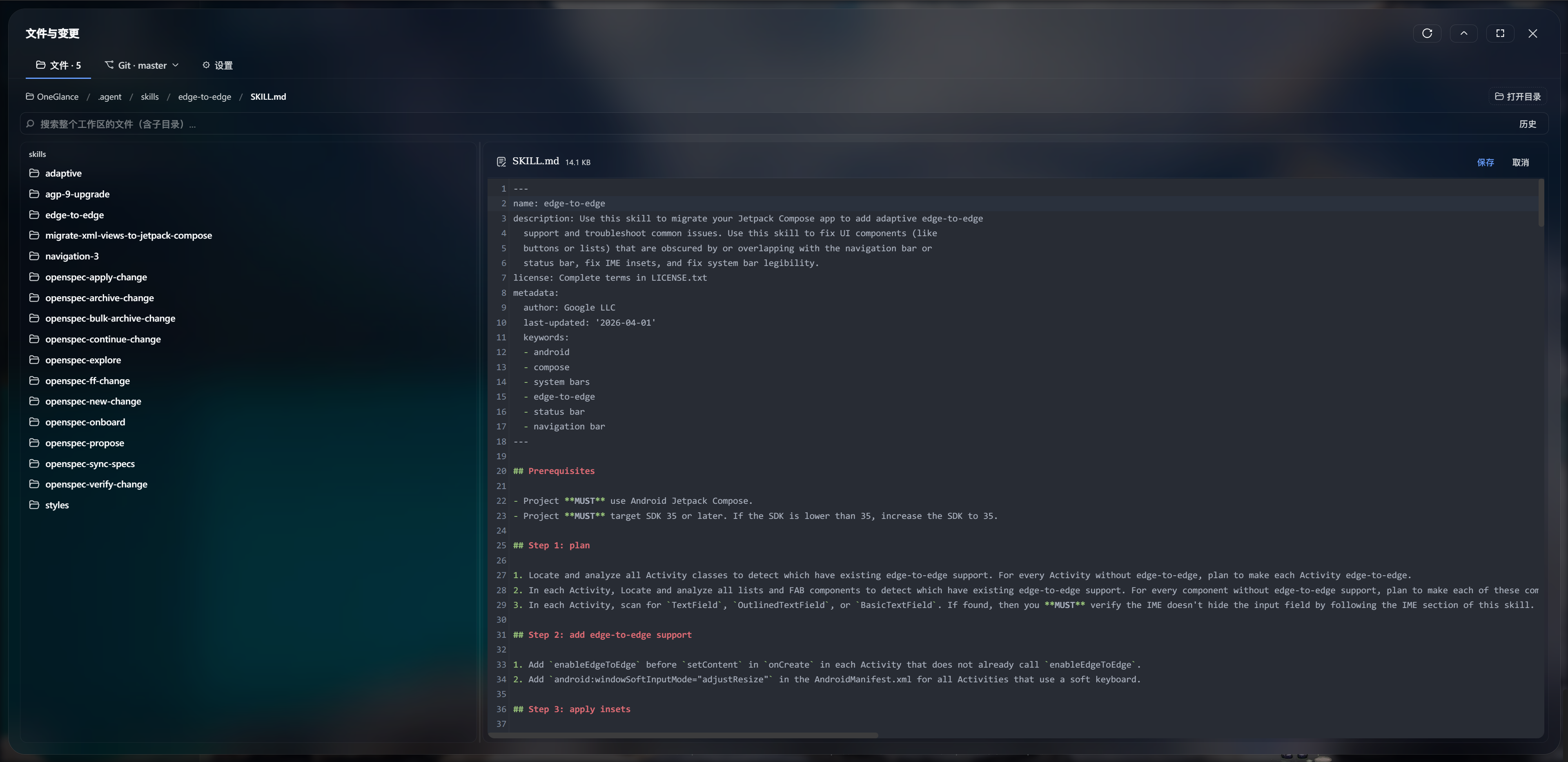
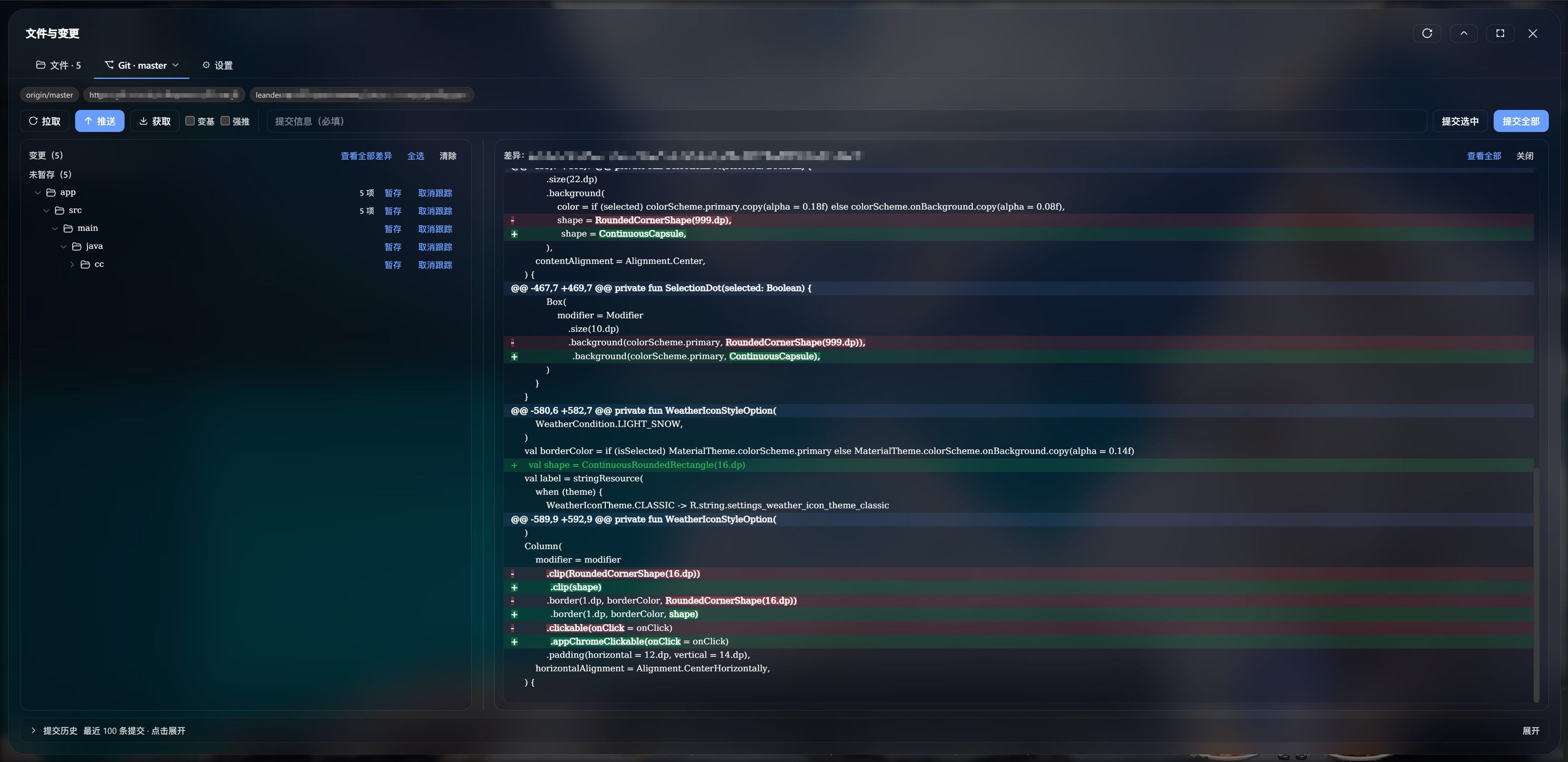
Use Cases
- Quickly browse, preview, and edit workspace files between conversation turns without leaving the browser
- Stage, commit, inspect inline diffs, and check out or merge branches—all in one panel session
- Edit code directly in the browser with syntax-highlighted CodeMirror and save to disk without terminal round-trips
Best For
- Developers who prefer to stay inside DSH Web UI for file operations and quick commits
- Users seeking a zero-dependency, offline-capable file and Git panel for lightweight workflows
- Teams that value a secure loopback-only model, workspace-scoped file access, and instant Chinese–English UI switching
Related Plugins
A service-oriented sidebar framework for DSH, offering a full workbench with file explorer, embedded browser, real terminal, Git panel, and extensible plugin services.

A beautiful, practical Claude Code-style TUI plugin with pixel whale top bar, flowing glow title, real-time status line, streaming thought expansion, time rewind, context progress bar and TPS gauge — zero core changes.

The plugin market for DeepSeek Harness: browse/search/one-click install community plugins and themes, with updates, backup/restore, hot disable, diagnostics, and AI fix.

A persistent whale widget on the DSH web UI that shows DeepSeek balance, today's usage, and per-turn cost, with drag-and-snap and sound effects.