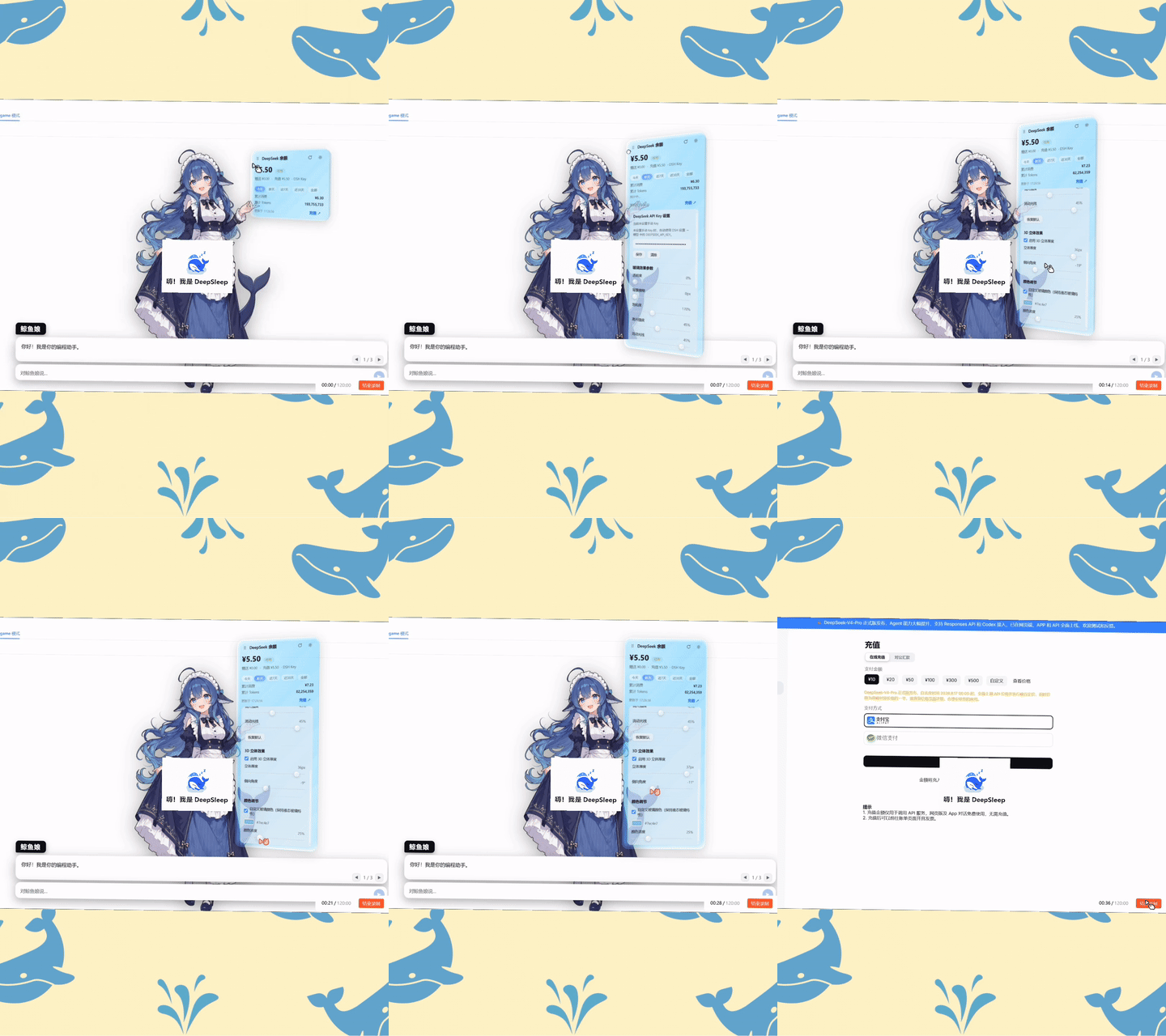
dsh-liquid-glass-balance-card
Run the following command in DeepSeek Harness:
dsh plugin install SoDaZilla-zzz/dsh-liquid-glass-balance-card
Paste the following prompt into your AI chat to install this plugin:
To install this plugin in DeepSeek Harness, run the command dsh plugin install SoDaZilla-zzz/dsh-liquid-glass-balance-card or visit the GitHub repository at https://github.com/SoDaZilla-zzz/dsh-liquid-glass-balance-card for details.
About this plugin
The web interface of DeepSeek Harness lacks a built-in overview of API usage, making it difficult for users to monitor balances and spending in real time. The dsh-liquid-glass-balance-card plugin addresses this by adding a liquid-glass floating card to the top-right corner, elegantly displaying your DeepSeek API balance, cumulative spend, and token usage at a glance.
Its core strength lies in blending aesthetics with functionality. Beyond the draggable glass card with adjustable parameters like transparency and blur, it features dual-layer usage statistics: local data aggregated from DSH session logs for estimation, and online data fetched via user tokens from DeepSeek's official platform for accuracy. Users can switch between time ranges such as today, yesterday, last 7 days, and more, viewing detailed trend charts and even customizing glass colors to suit their style.
This plugin is ideal for developers, data analysts, or anyone managing DeepSeek API costs through DeepSeek Harness. It eliminates the hassle of manual platform checks, offering automatic refresh and local computation to protect privacy while providing intuitive monitoring. Whether for personal projects or team collaborations, it helps users stay informed about usage and optimize resource allocation.
In summary, dsh-liquid-glass-balance-card not only enhances the visual appeal of DeepSeek Harness but also empowers users with real-time, multi-dimensional insights into their API usage. It simplifies the monitoring process, making technical management more efficient and enjoyable.
Screenshots

Use Cases
- Real-time monitoring of API balance and spending within the DeepSeek Harness web interface.
- Enhancing the UI with a draggable card while tracking token usage statistics.
- Monitoring local and online usage data to optimize DeepSeek API costs.
Best For
- Developers and everyday users of the DeepSeek API.
- Project managers focused on API cost control.
- Teams using DeepSeek Harness for data processing tasks.
Related Plugins
A service-oriented sidebar framework for DSH, offering a full workbench with file explorer, embedded browser, real terminal, Git panel, and extensible plugin services.

A beautiful, practical Claude Code-style TUI plugin with pixel whale top bar, flowing glow title, real-time status line, streaming thought expansion, time rewind, context progress bar and TPS gauge — zero core changes.

The plugin market for DeepSeek Harness: browse/search/one-click install community plugins and themes, with updates, backup/restore, hot disable, diagnostics, and AI fix.

A persistent whale widget on the DSH web UI that shows DeepSeek balance, today's usage, and per-turn cost, with drag-and-snap and sound effects.