dsh-conversation-toc
Run the following command in DeepSeek Harness:
dsh plugin install twelvecarbon/dsh-conversation-toc
Paste the following prompt into your AI chat to install this plugin:
Run dsh plugin install twelcecbon/dsh-conversation-toc in your DeepSeek Harness terminal, pull the code from https://github.com/twelvecarbon/dsh-conversation-toc, then restart the dsh web service to activate the plugin.
About this plugin
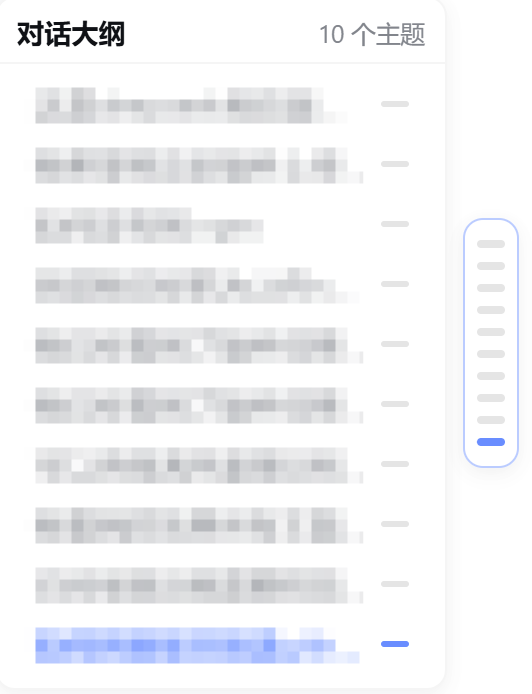
After a thirty-turn conversation in DeepSeek Harness Web, scrolling back to a specific answer or jumping to a mid-paragraph section means endlessly cranking the mouse wheel. dsh-conversation-toc brings the familiar DeepSeek Web right-side outline into Harness: once installed, an Outline button appears in the session header and a topic panel floats beside the chat, giving you a structural map of the entire conversation at a glance.
The panel builds a three-level hierarchy. Every user question is a top-level topic, steering follow-ups sit as indented second-level entries, and any level-two or level-three markdown heading inside an assistant answer becomes a third-level topic. Scroll-spy tracks your reading position in real time and highlights the active entry; clicking any topic smooth-scrolls to that message. When horizontal space runs out the panel collapses into a slim capsule rail—hover for a text preview, click to jump. A header button cycles through expanded, rail, and hidden modes, with the preference stored in localStorage.
Everything stays in the browser: no host process, no disk writes, no config files to edit. Topics are read straight from the session store, so new messages and streaming output appear in the outline automatically. If you regularly work with multi-turn follow-ups, long-form technical answers, or document-style conversations in Harness Web, this plugin turns repeated scrolling into one-click navigation.
Who it is for: developers and researchers who run long sessions in DeepSeek Harness Web, and anyone who would rather browse an AI conversation the way they browse a web page table of contents.
Screenshots

Use Cases
- Jumping to a specific answer in a long multi-turn conversation
- Keeping track of the full conversation structure while iterating fast
- Locating a particular section inside a lengthy assistant response
Best For
- Developers running long sessions in DeepSeek Harness Web
- Researchers who frequently revisit past assistant answers
- Users who prefer navigating AI replies like browsing a web table of contents
Related Plugins
A service-oriented sidebar framework for DSH, offering a full workbench with file explorer, embedded browser, real terminal, Git panel, and extensible plugin services.

A beautiful, practical Claude Code-style TUI plugin with pixel whale top bar, flowing glow title, real-time status line, streaming thought expansion, time rewind, context progress bar and TPS gauge — zero core changes.

The plugin market for DeepSeek Harness: browse/search/one-click install community plugins and themes, with updates, backup/restore, hot disable, diagnostics, and AI fix.

A persistent whale widget on the DSH web UI that shows DeepSeek balance, today's usage, and per-turn cost, with drag-and-snap and sound effects.