
dsh-file
Run the following command in DeepSeek Harness:
dsh plugin install chengzhi43/dsh-file
Paste the following prompt into your AI chat to install this plugin:
In DeepSeek Harness, install the plugin by running `dsh plugin install chengzhi43/dsh-file` with the source at https://github.com/chengzhi43/dsh-file.
About this plugin
DeepSeek Harness Web often requires users to manage files during conversations, such as editing code or viewing documents, but the native interface lacks convenient file browsing and editing tools. The dsh-file plugin addresses this by offering a VS Code-style sidebar file tree for easy navigation of the current workspace. Its core capability lies in the center column's Monaco Editor—the same engine as VS Code—providing syntax highlighting, multi-tab editing, and real-time Markdown preview without leaving the interface. Additionally, the plugin features theme customization, allowing users to export and import JSON theme files to maintain consistent personal settings across environments. Ideal for developers, data scientists, or anyone frequently handling files, it enables quick code edits, log viewing, and configuration management right within conversations, boosting productivity and user experience. Overall, dsh-file seamlessly integrates professional-grade file management into the DeepSeek Harness ecosystem, making file operations intuitive and efficient.
Screenshots
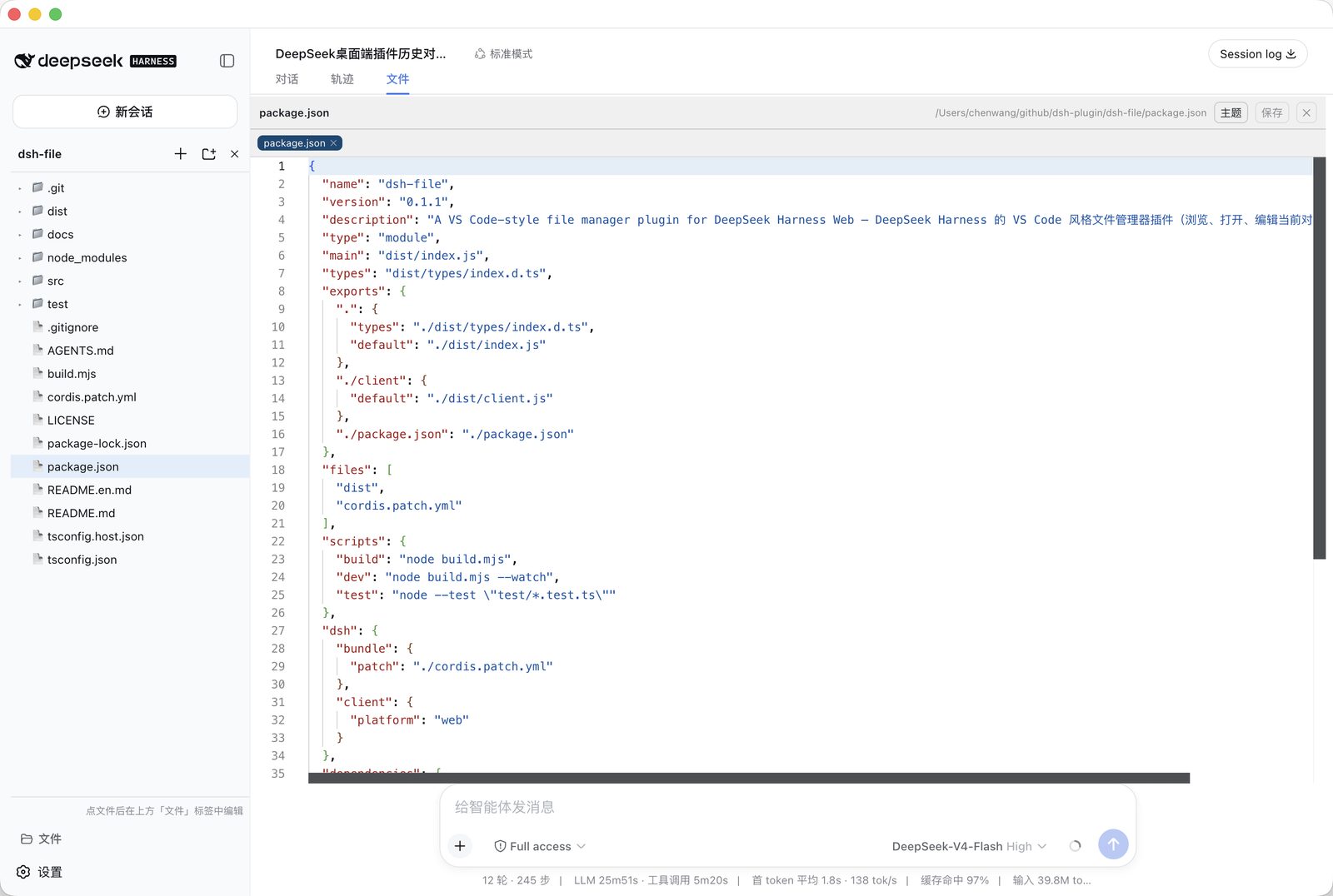
Use Cases
- Quickly edit code files during conversations
- Browse and manage workspace directory structures
- Preview Markdown documents and edit them in real time
Best For
- Developers using DeepSeek Harness
- Data scientists who need to manage files
- Technical users handling code and documentation
Related Plugins
A service-oriented sidebar framework for DSH, offering a full workbench with file explorer, embedded browser, real terminal, Git panel, and extensible plugin services.

A beautiful, practical Claude Code-style TUI plugin with pixel whale top bar, flowing glow title, real-time status line, streaming thought expansion, time rewind, context progress bar and TPS gauge — zero core changes.

The plugin market for DeepSeek Harness: browse/search/one-click install community plugins and themes, with updates, backup/restore, hot disable, diagnostics, and AI fix.

A persistent whale widget on the DSH web UI that shows DeepSeek balance, today's usage, and per-turn cost, with drag-and-snap and sound effects.