dsh-desktop-pet
Run the following command in DeepSeek Harness:
dsh plugin install FenyxHuang/dsh-desktop-pet
Paste the following prompt into your AI chat to install this plugin:
To install this plugin in DeepSeek Harness, run 'dsh plugin install FenyxHuang/dsh-desktop-pet'; the full source address is https://github.com/FenyxHuang/dsh-desktop-pet.
About this plugin
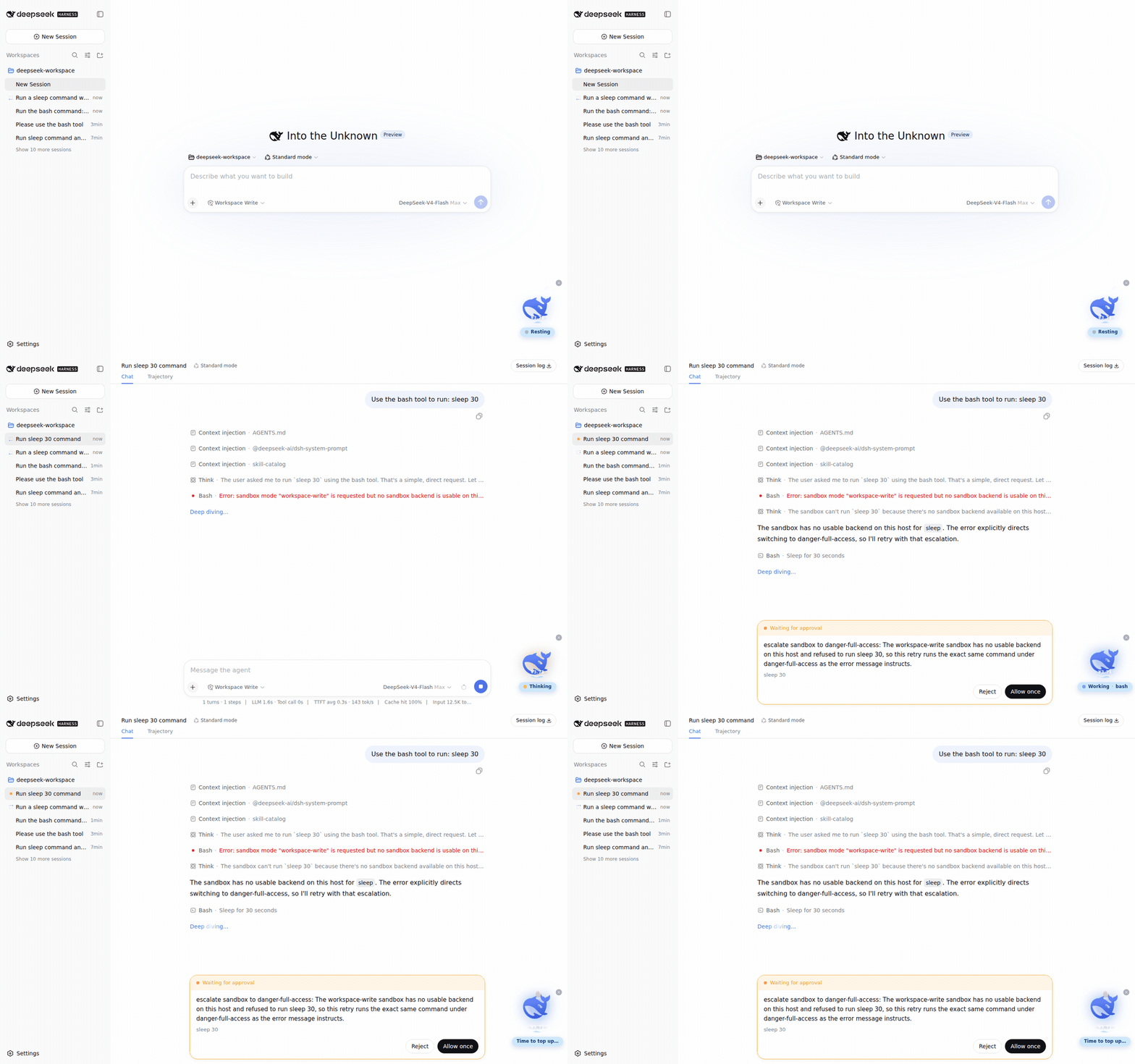
The dsh-desktop-pet plugin brings a lively desktop pet experience to DeepSeek Harness users, addressing the potential monotony during extended agent usage by providing real-time status feedback and balance visualization for a more intuitive grasp of agent operations and API consumption. It features the official whale mark as a desktop pet that synchronizes with agent states such as resting, thinking, and working, while translating API balance into the water level of a circular sea to visually represent balance changes. Core capabilities include interactive actions like clicking for jumps or dives, zero runtime dependencies for lightweight installation, and support for status hints and dragging, enhancing user-agent interaction fun. This plugin is ideal for all DeepSeek Harness users, especially those looking to improve interface aesthetics, monitor agent status and balance in real time, and seek an engaging interactive experience, adding a touch of enjoyment to both daily use and development debugging workflows.
Screenshots
Use Cases
- Monitor DeepSeek agent status in real-time
- Visually track API balance through sea level
- Interact with the pet for entertainment
Best For
- Daily users of DeepSeek Harness
- AI agent developers or testers
- Enthusiasts who prefer personalized desktop tools
Related Plugins
A service-oriented sidebar framework for DSH, offering a full workbench with file explorer, embedded browser, real terminal, Git panel, and extensible plugin services.

A beautiful, practical Claude Code-style TUI plugin with pixel whale top bar, flowing glow title, real-time status line, streaming thought expansion, time rewind, context progress bar and TPS gauge — zero core changes.

The plugin market for DeepSeek Harness: browse/search/one-click install community plugins and themes, with updates, backup/restore, hot disable, diagnostics, and AI fix.

A persistent whale widget on the DSH web UI that shows DeepSeek balance, today's usage, and per-turn cost, with drag-and-snap and sound effects.