dsh-plugin-capabilities
Run the following command in DeepSeek Harness:
dsh plugin install qinyre/dsh-plugin-capabilities
Paste the following prompt into your AI chat to install this plugin:
In DeepSeek Harness, run the command dsh plugin install qinyre/dsh-plugin-capabilities to install the plugin. Source address: https://github.com/qinyre/dsh-plugin-capabilities
About this plugin
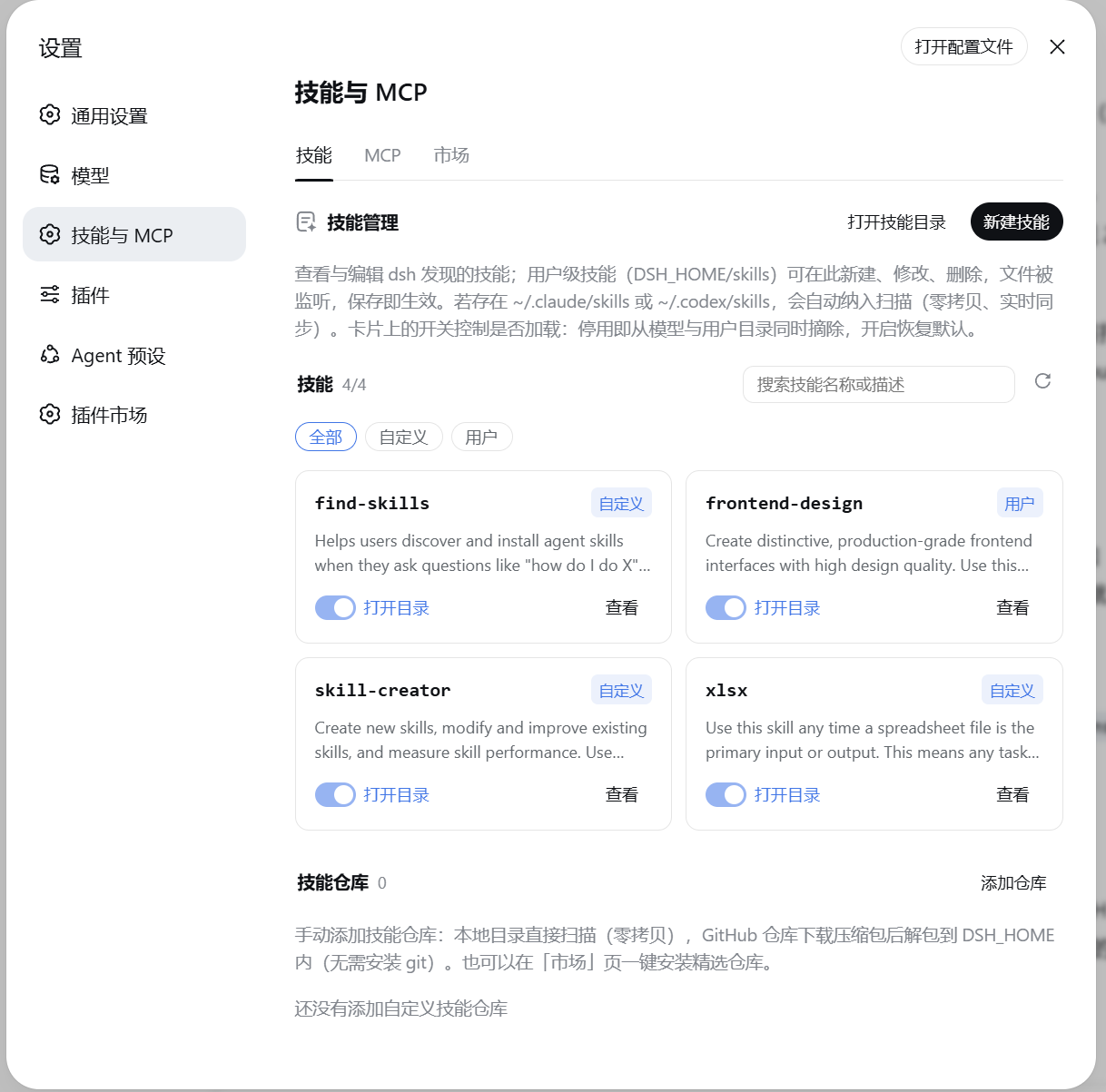
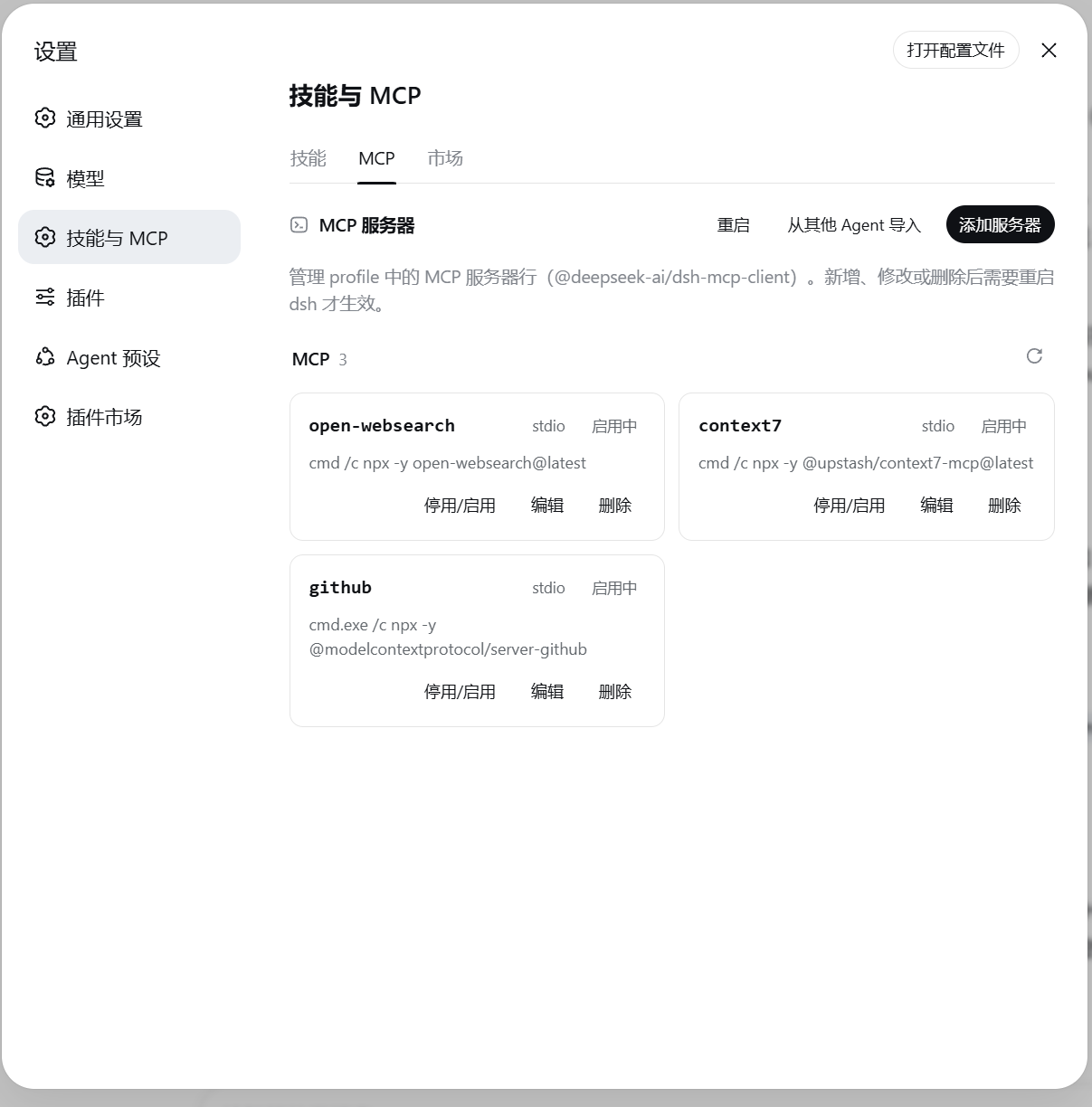
Managing skills and MCP servers in DSH typically involves manual file editing, which is cumbersome and error-prone, especially when configurations are scattered across different agents like Claude Code or Codex. The dsh-plugin-capabilities plugin addresses this by adding a dedicated 'Skills & MCP' section in DSH settings, offering a unified graphical interface for management. Here, you can easily view, edit, and maintain skill directories and custom repositories, add or adjust MCP servers, and even import configurations from other agents, all from one place.
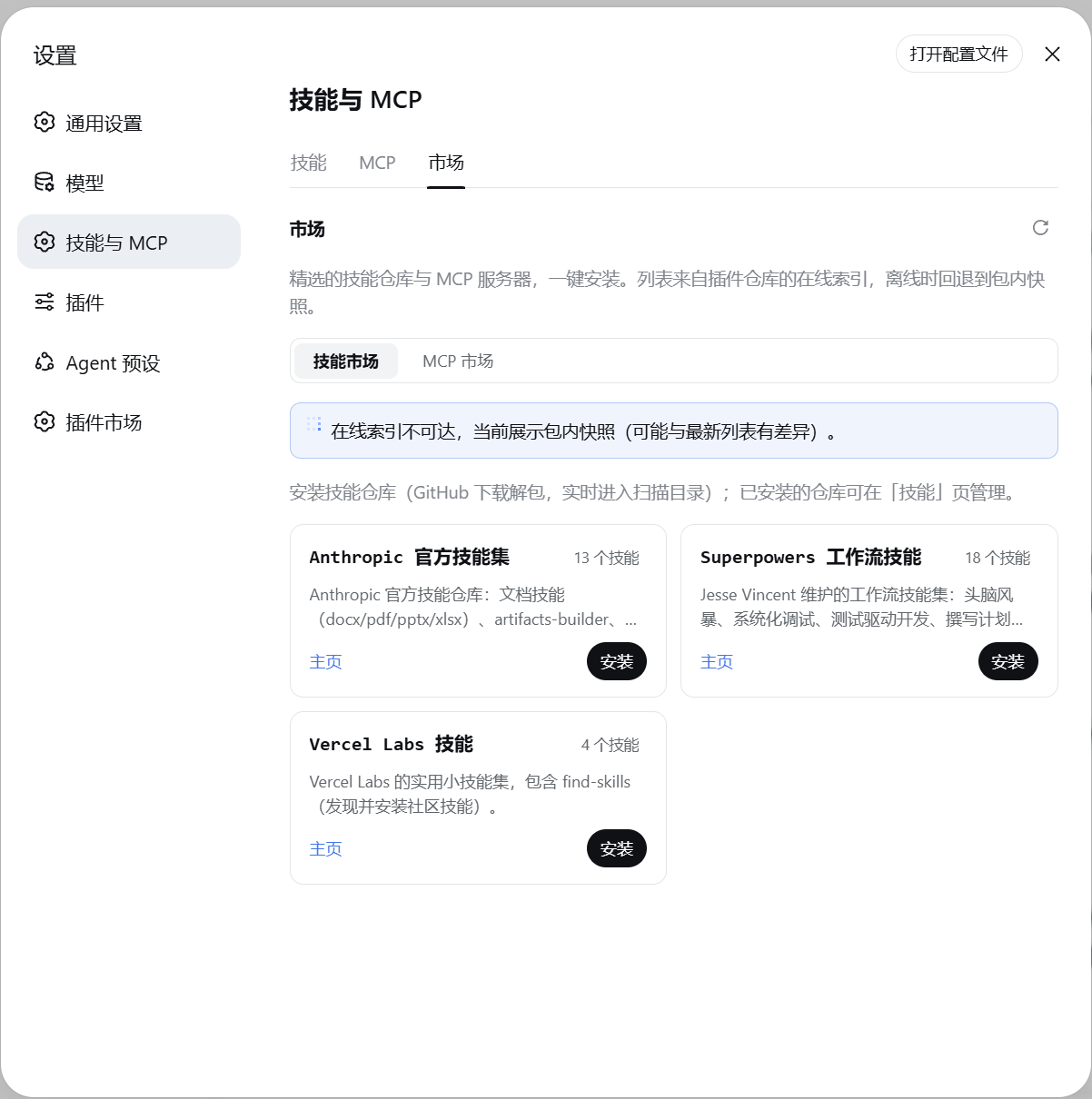
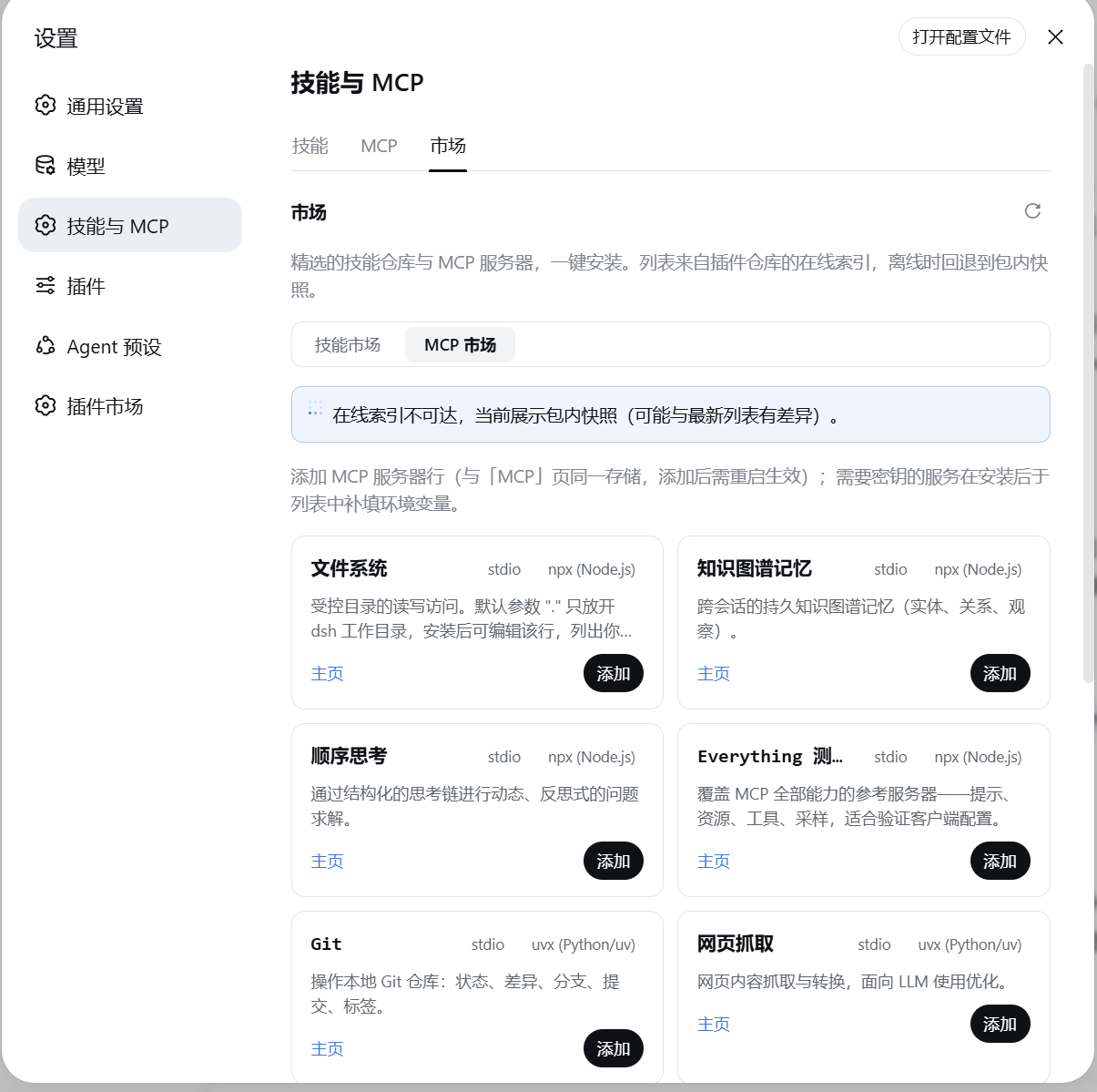
Its core capabilities center on seamless integration and user-friendliness. The skills page provides real-time monitoring, editing, and switch controls to manage loading states, while the MCP page streamlines server setup with syntax validation and multi-format imports. The marketplace offers curated lists for one-click installation of skills and servers, making expansion effortless. All operations are performed within the settings page, suitable for both dsh web and desktop clients.
This plugin is ideal for all DSH users, particularly developers and AI tool enthusiasts. If you work with multiple agent frameworks or need efficient management of skill libraries and MCP servers, it simplifies workflows and boosts productivity. From beginners to advanced users, everyone can benefit from the streamlined configuration and enhanced control it provides.
Screenshots
Use Cases
- Graphically manage skills and MCP servers within the DSH settings page.
- Import existing skills and MCP configurations from Claude Code or Codex.
- Install curated skills and servers with one-click from the marketplace.
Best For
- DSH users, especially developers needing efficient skill library management.
- AI tool enthusiasts who work with multiple agent frameworks.
- Beginners and advanced users seeking to streamline configuration management.
Related Plugins
A service-oriented sidebar framework for DSH, offering a full workbench with file explorer, embedded browser, real terminal, Git panel, and extensible plugin services.

A beautiful, practical Claude Code-style TUI plugin with pixel whale top bar, flowing glow title, real-time status line, streaming thought expansion, time rewind, context progress bar and TPS gauge — zero core changes.

The plugin market for DeepSeek Harness: browse/search/one-click install community plugins and themes, with updates, backup/restore, hot disable, diagnostics, and AI fix.

A persistent whale widget on the DSH web UI that shows DeepSeek balance, today's usage, and per-turn cost, with drag-and-snap and sound effects.