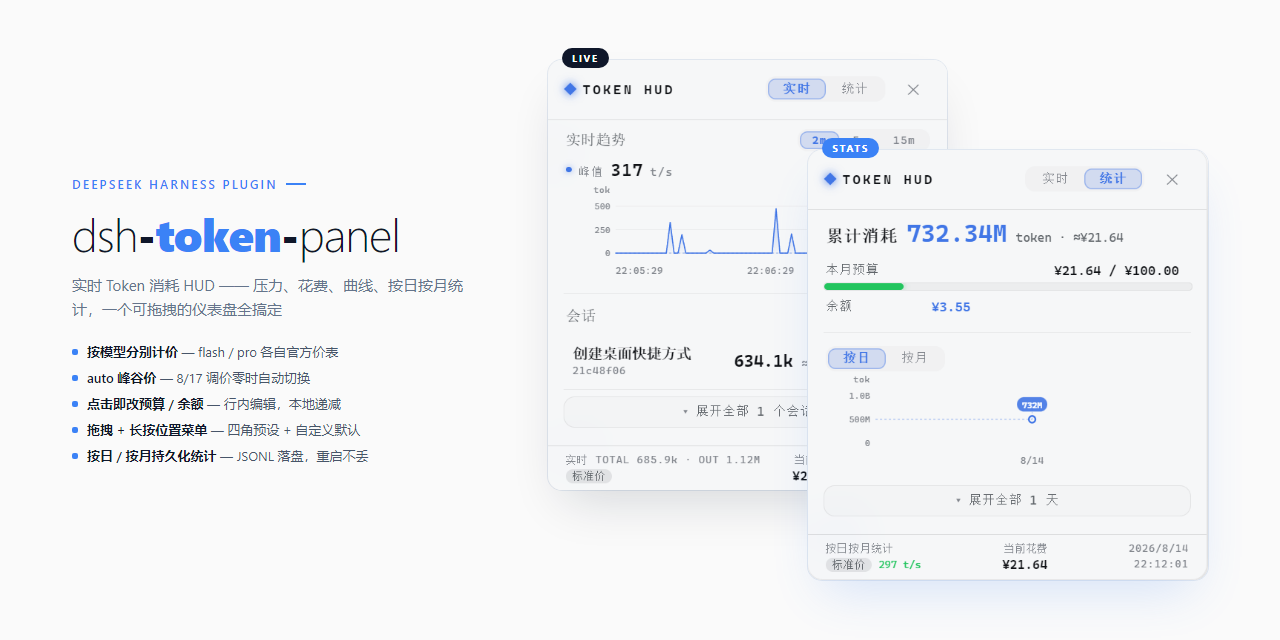
dsh-token-panel
Run the following command in DeepSeek Harness:
dsh plugin install juhe291/dsh-token-panel
Paste the following prompt into your AI chat to install this plugin:
In DeepSeek Harness, install using the command dsh plugin install juhe291/dsh-token-panel, with the full source address at https://github.com/juhe291/dsh-token-panel.
About this plugin
When using DeepSeek Harness for conversations, do you often find it challenging to track real-time Token consumption? Traditional interfaces lack intuitive visibility into context pressure and cost estimation, leaving session management opaque. The dsh-token-panel plugin addresses this by providing a persistent mini-capsule in the lower-right corner, which expands into a full dashboard, allowing you to monitor session health and resource usage at a glance.
The plugin's core strength lies in its dual-view design: the real-time view displays session pressure, cost, and dynamic curves with switchable time windows, while the statistics view persistently records daily and monthly consumption trends for clear historical insights. A standout feature is its smart pricing, which integrates DeepSeek's official rates, automatically distinguishes between models, and adapts to peak-valley price shifts—delivering accurate cost estimates without manual configuration. The panel is also draggable with preset positions and features a frosted glass aesthetic, blending functionality with visual appeal.
Whether you're a regular DeepSeek Harness user, a developer, or a researcher needing precise API expenditure control, dsh-token-panel significantly enhances your experience. It's especially ideal for those seeking to optimize conversation efficiency in real-time, manage budgets, and gain deep insights into usage patterns, making data-driven interaction both straightforward and intuitive.
Screenshots
Use Cases
- Monitor real-time Token consumption and context pressure in conversations.
- Estimate session costs and set budgets to control spending.
- View daily or monthly Token usage trend curves.
Best For
- Daily users of DeepSeek Harness looking to optimize their conversation experience.
- Developers or API users needing detailed management of Token expenditures.
- Researchers or data analysts interested in usage patterns and cost analysis.
Related Plugins
A service-oriented sidebar framework for DSH, offering a full workbench with file explorer, embedded browser, real terminal, Git panel, and extensible plugin services.

A beautiful, practical Claude Code-style TUI plugin with pixel whale top bar, flowing glow title, real-time status line, streaming thought expansion, time rewind, context progress bar and TPS gauge — zero core changes.

The plugin market for DeepSeek Harness: browse/search/one-click install community plugins and themes, with updates, backup/restore, hot disable, diagnostics, and AI fix.

A persistent whale widget on the DSH web UI that shows DeepSeek balance, today's usage, and per-turn cost, with drag-and-snap and sound effects.