dsh-plugin-manager
Run the following command in DeepSeek Harness:
dsh plugin install 2768651338/dsh-plugin-manager
Paste the following prompt into your AI chat to install this plugin:
In DeepSeek Harness, install this plugin using the command `dsh plugin install 2768651338/dsh-plugin-manager`, with the complete source code available at https://github.com/2768651338/dsh-plugin-manager.
About this plugin
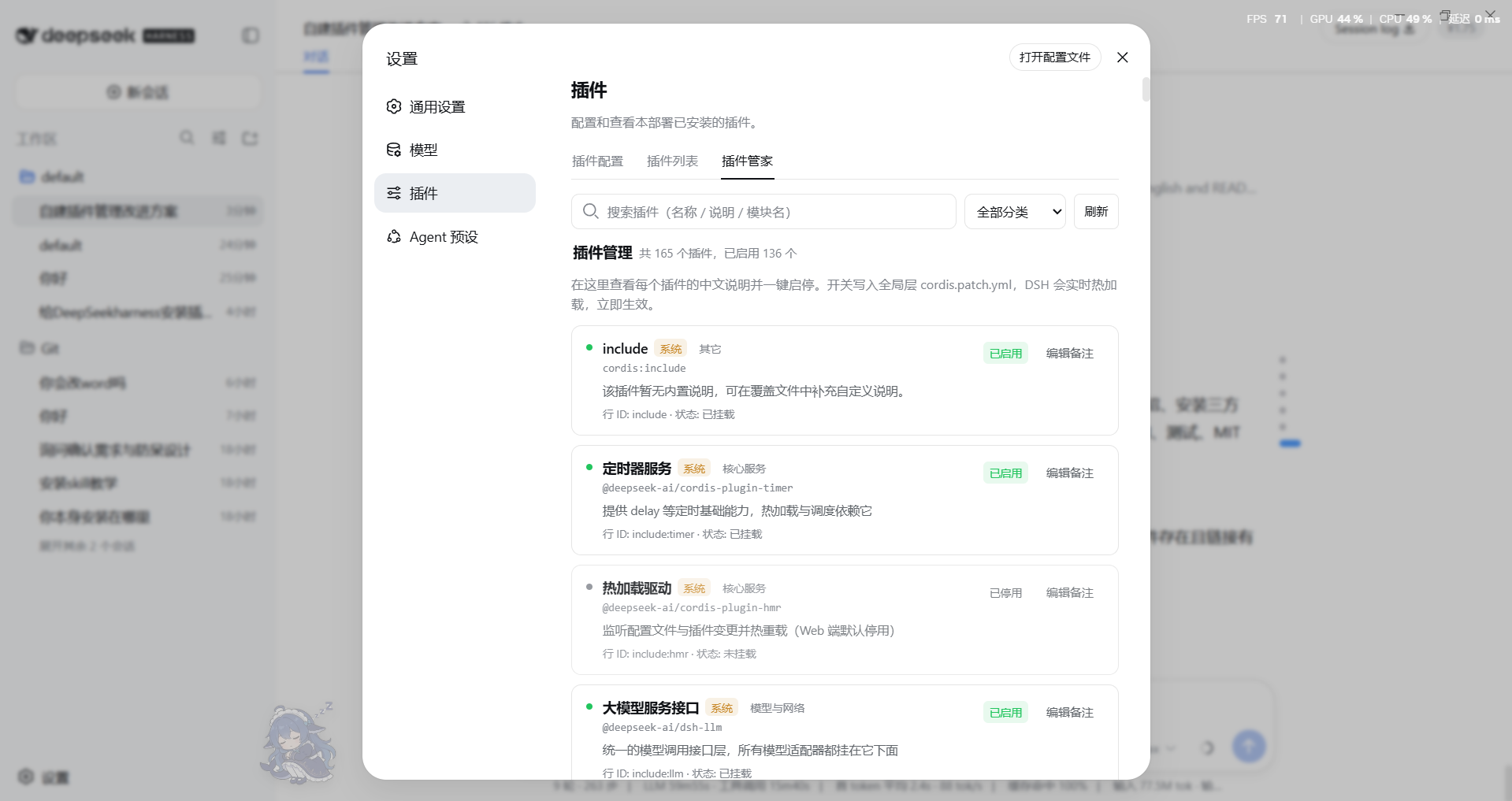
DeepSeek Harness offers a powerful environment, but its built-in plugin list only displays English module names without descriptions, making it difficult for users to understand what each plugin does after installing multiple ones. Additionally, enabling or disabling plugins often requires manual editing of configuration files, which is cumbersome and error-prone.
The dsh-plugin-manager plugin transforms this experience. It adds Chinese names and concise descriptions to each plugin, giving users clear insights at a glance. Key features include one-click enable/disable, eliminating the need for manual file edits and ensuring safe, quick toggles. The plugin also supports in-UI notes editing, allowing users to customize and annotate plugins easily. Furthermore, it provides utilities like search, filtering, backup, and restore to enhance plugin management efficiency.
This plugin is ideal for all DeepSeek Harness users, especially those who install numerous plugins and seek efficient management with a deeper understanding of each plugin's functionality. Whether for daily use or development testing, it offers a convenient plugin management experience.
Screenshots
Use Cases
- Managing numerous plugins and quickly identifying each plugin's function.
- Need to safely enable or disable plugins without manual configuration file edits.
- Want to customize plugin notes for personal recording and team collaboration.
Best For
- All DeepSeek Harness users, especially those who have installed multiple plugins.
- Plugin developers who need to test and manage plugin environments.
- System administrators responsible for maintaining plugin configurations and states.
Related Plugins
A service-oriented sidebar framework for DSH, offering a full workbench with file explorer, embedded browser, real terminal, Git panel, and extensible plugin services.

A beautiful, practical Claude Code-style TUI plugin with pixel whale top bar, flowing glow title, real-time status line, streaming thought expansion, time rewind, context progress bar and TPS gauge — zero core changes.

The plugin market for DeepSeek Harness: browse/search/one-click install community plugins and themes, with updates, backup/restore, hot disable, diagnostics, and AI fix.

A persistent whale widget on the DSH web UI that shows DeepSeek balance, today's usage, and per-turn cost, with drag-and-snap and sound effects.