
dsh-status-bar
Run the following command in DeepSeek Harness:
dsh plugin install Starlight-bananice/dsh-status-bar
Paste the following prompt into your AI chat to install this plugin:
To install the dsh-status-bar plugin in DeepSeek Harness, run the command `dsh plugin install Starlight-bananice/dsh-status-bar`. The full source code is available at https://github.com/Starlight-bananice/dsh-status-bar.
About this plugin
The dsh-status-bar plugin tackles the issue of the native DeepSeek Harness status bar truncating information on narrow windows by providing a fully configurable 17-segment bar. It displays key session telemetry such as model details, context pressure, real-time throughput (TPS), and cost estimates, ensuring all critical data is visible at a glance. Core capabilities include live TPS calculation, cost estimation with a user-maintained price book (supporting peak/off-peak pricing), multi-line wrapping to avoid truncation, and bilingual UI. Designed for power users and teams running DSH daily, this plugin is ideal for those who want to monitor session performance and costs in real-time without leaving the composer or using separate monitoring tools.
Screenshots
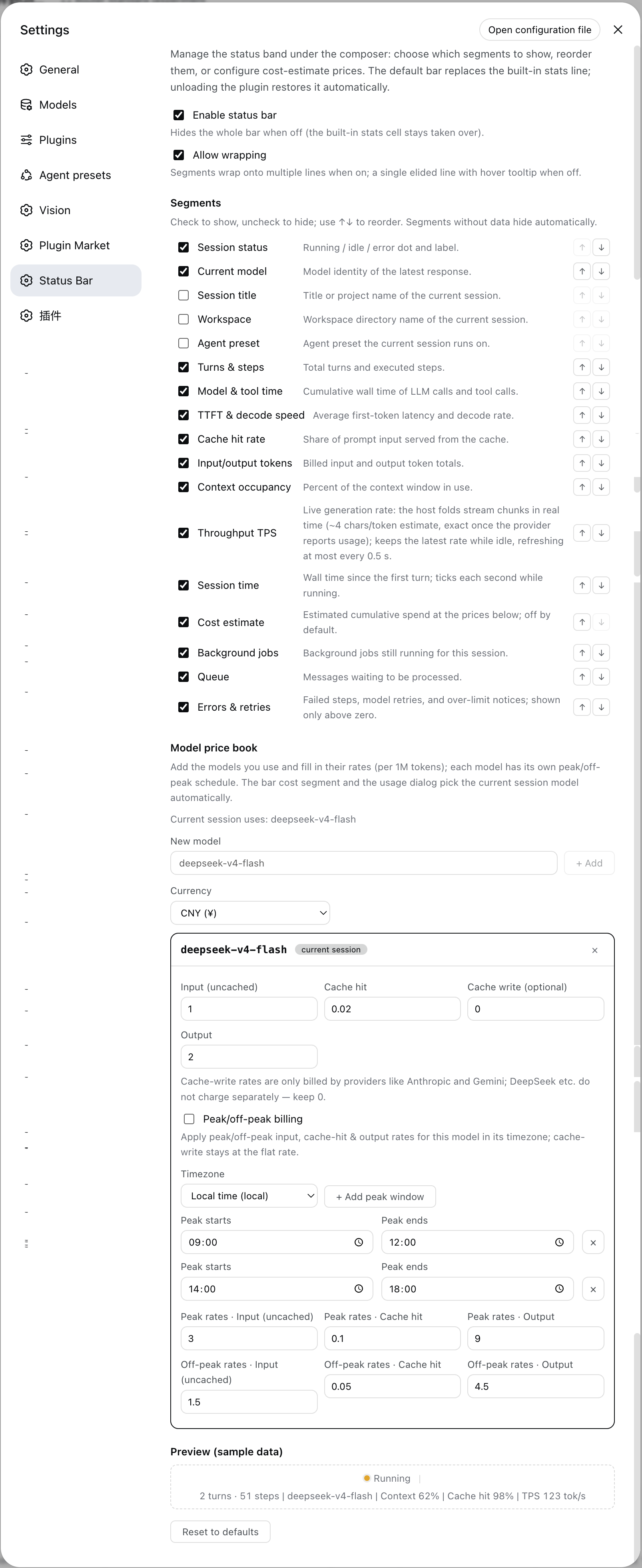
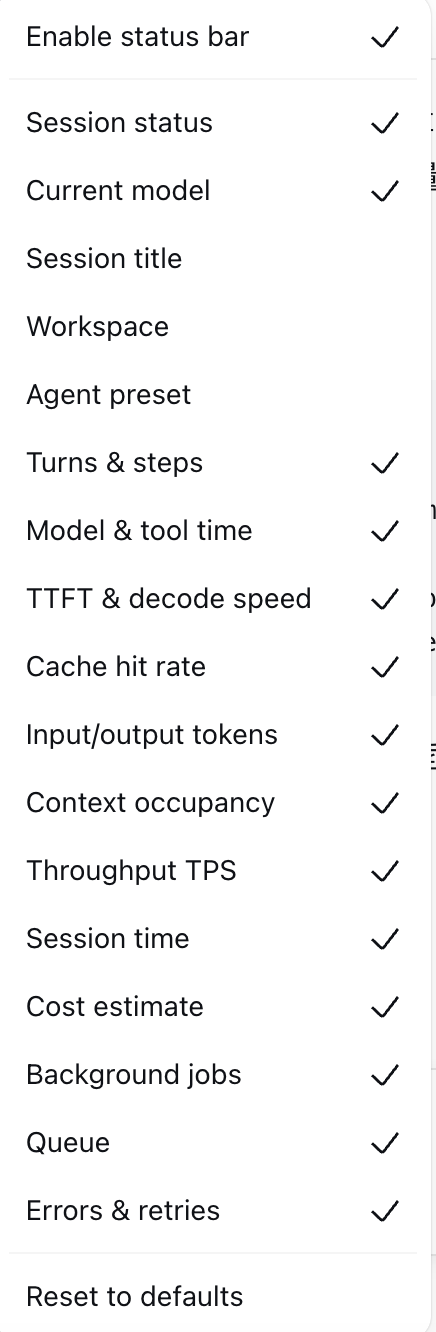
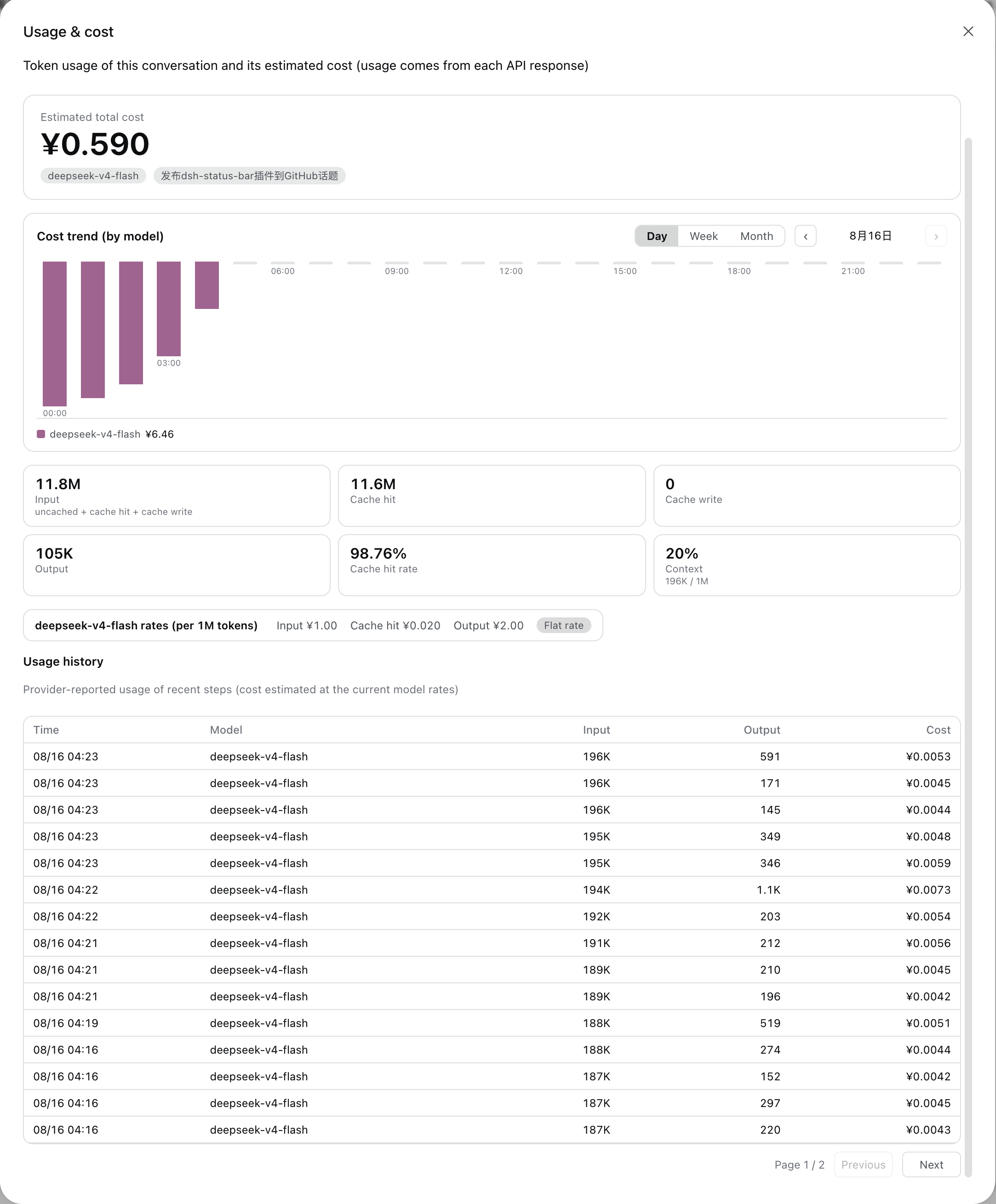
Use Cases
- Monitor real-time performance and status of DeepSeek Harness sessions.
- Avoid status bar truncation in narrow windows to keep workflow information intact.
- Estimate and visualize API usage costs to assist budget management.
Best For
- Power users who use DSH daily for development.
- Technical teams requiring real-time monitoring of session metrics.
- Users focused on API cost optimization and performance analysis.
Related Plugins
A service-oriented sidebar framework for DSH, offering a full workbench with file explorer, embedded browser, real terminal, Git panel, and extensible plugin services.

A beautiful, practical Claude Code-style TUI plugin with pixel whale top bar, flowing glow title, real-time status line, streaming thought expansion, time rewind, context progress bar and TPS gauge — zero core changes.

The plugin market for DeepSeek Harness: browse/search/one-click install community plugins and themes, with updates, backup/restore, hot disable, diagnostics, and AI fix.

A persistent whale widget on the DSH web UI that shows DeepSeek balance, today's usage, and per-turn cost, with drag-and-snap and sound effects.