dsh-session-manager
Run the following command in DeepSeek Harness:
dsh plugin install qewregrfhnm/dsh-session-manager
Paste the following prompt into your AI chat to install this plugin:
Run dsh plugin install qewregrfhnm/dsh-session-manager in your terminal to install this session management plugin; the full source code is available at https://github.com/qewregrfhnm/dsh-session-manager , and restart dsh web after installation to activate it.
About this plugin
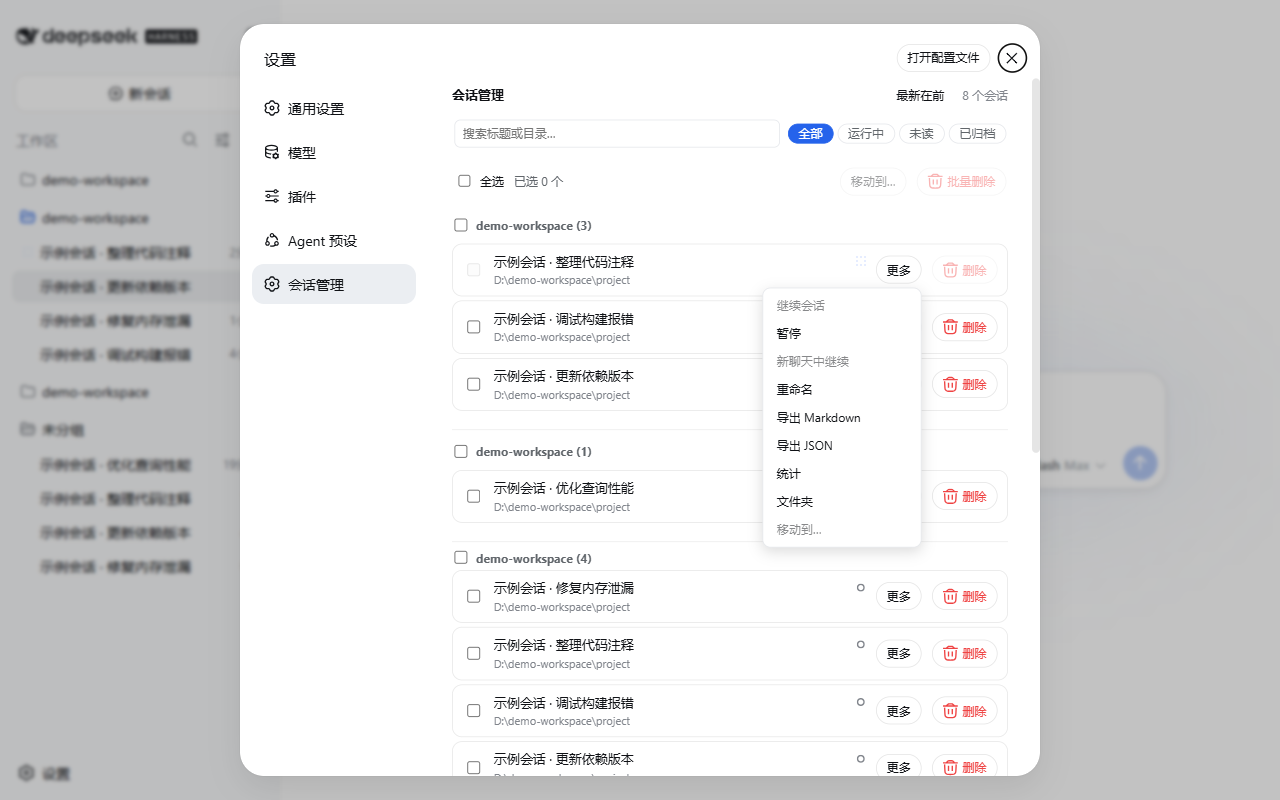
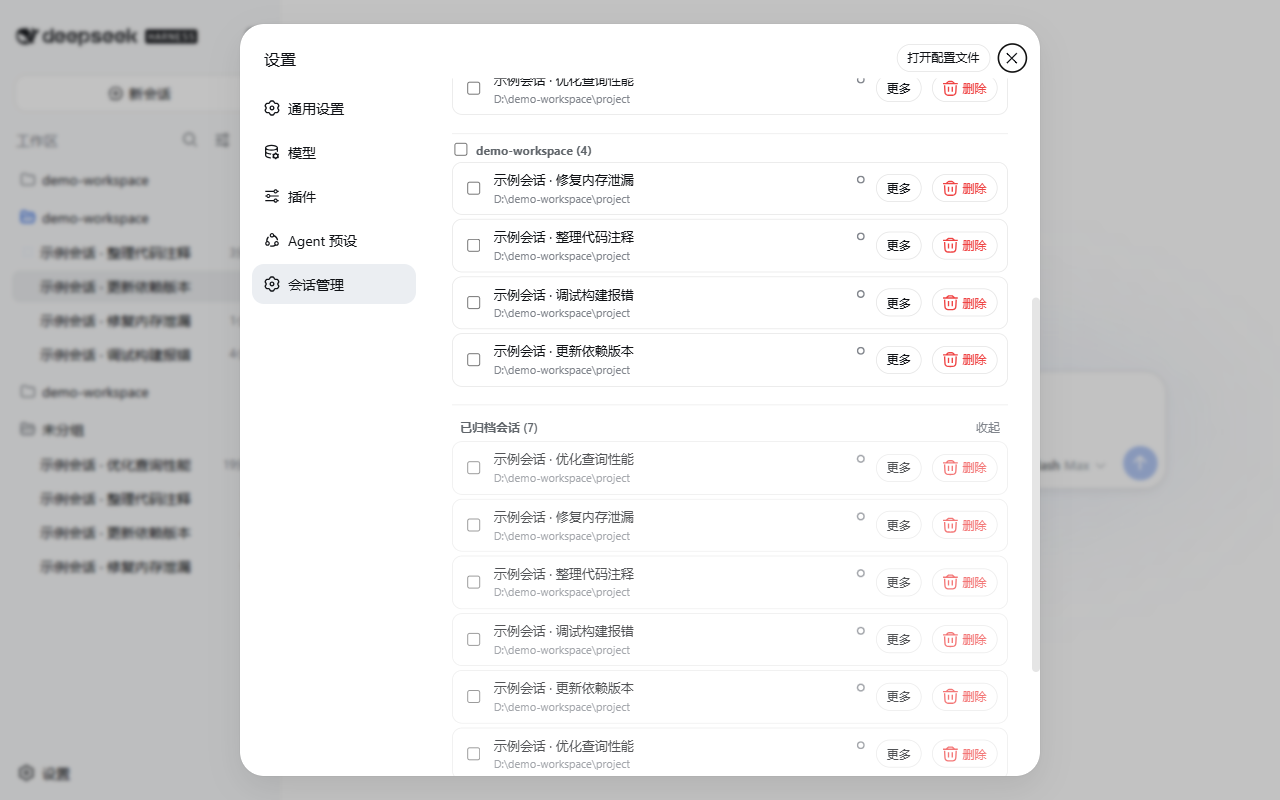
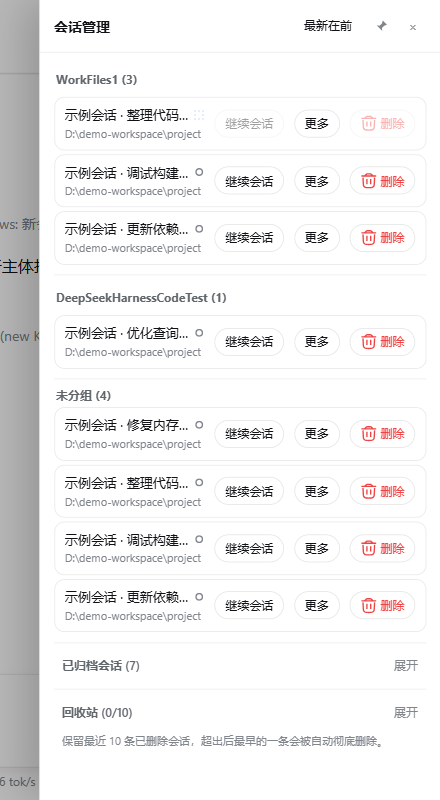
Managing dozens or hundreds of DSH Web sessions means constantly digging into log files to rename, export, or move conversations between workspaces. dsh-session-manager pulls all of that into a single sidebar panel: deletions land in a ten-slot trash you can restore or purge, renames write the official session/title event and survive restarts, exports download as readable Markdown or lossless JSON, and a simple drag from a session row to a workspace header completes a cross-workspace move. The panel also offers live search and status filters, unread/read markers, per-session activity stats, continue/pause/fork controls, workspace reordering with batch actions, and a global context-compaction threshold, so the full daily workflow stays inside the browser.\n\nWho it is for: if you drive multiple Agent presets through DSH Web, juggle a large history of conversations, and want a polished management layer that touches no core code, sends no network request, and leaves zero footprint on token usage or model behavior, this plugin was built for exactly that. Everything reads and writes under ~/.dsh and browser localStorage; uninstalling it restores the prior state with no residue.
Screenshots
Use Cases
- Bulk-clean hundreds of historical sessions with a reversible trash and purge option
- Export sessions scattered across workspaces as Markdown or JSON in one click
- Drag session rows onto a workspace header to reorganize a cluttered layout
Best For
- Heavy DSH Web users juggling multiple Agent presets and a large session history
- Developers who routinely export and archive conversations into specific workspaces
- Teams or individuals who want fully local, zero-network, core-code-free session management
Related Plugins
A service-oriented sidebar framework for DSH, offering a full workbench with file explorer, embedded browser, real terminal, Git panel, and extensible plugin services.

A beautiful, practical Claude Code-style TUI plugin with pixel whale top bar, flowing glow title, real-time status line, streaming thought expansion, time rewind, context progress bar and TPS gauge — zero core changes.

The plugin market for DeepSeek Harness: browse/search/one-click install community plugins and themes, with updates, backup/restore, hot disable, diagnostics, and AI fix.

A persistent whale widget on the DSH web UI that shows DeepSeek balance, today's usage, and per-turn cost, with drag-and-snap and sound effects.