
dsh-tui-en
Run the following command in DeepSeek Harness:
dsh plugin install raktim-mondol/dsh-tui-en
Paste the following prompt into your AI chat to install this plugin:
Run dsh plugin install raktim-mondol/dsh-tui-en inside DeepSeek Harness to install the English terminal front-end plugin from https://github.com/raktim-mondol/dsh-tui-en, then launch it with dsh-tui-en.
About this plugin
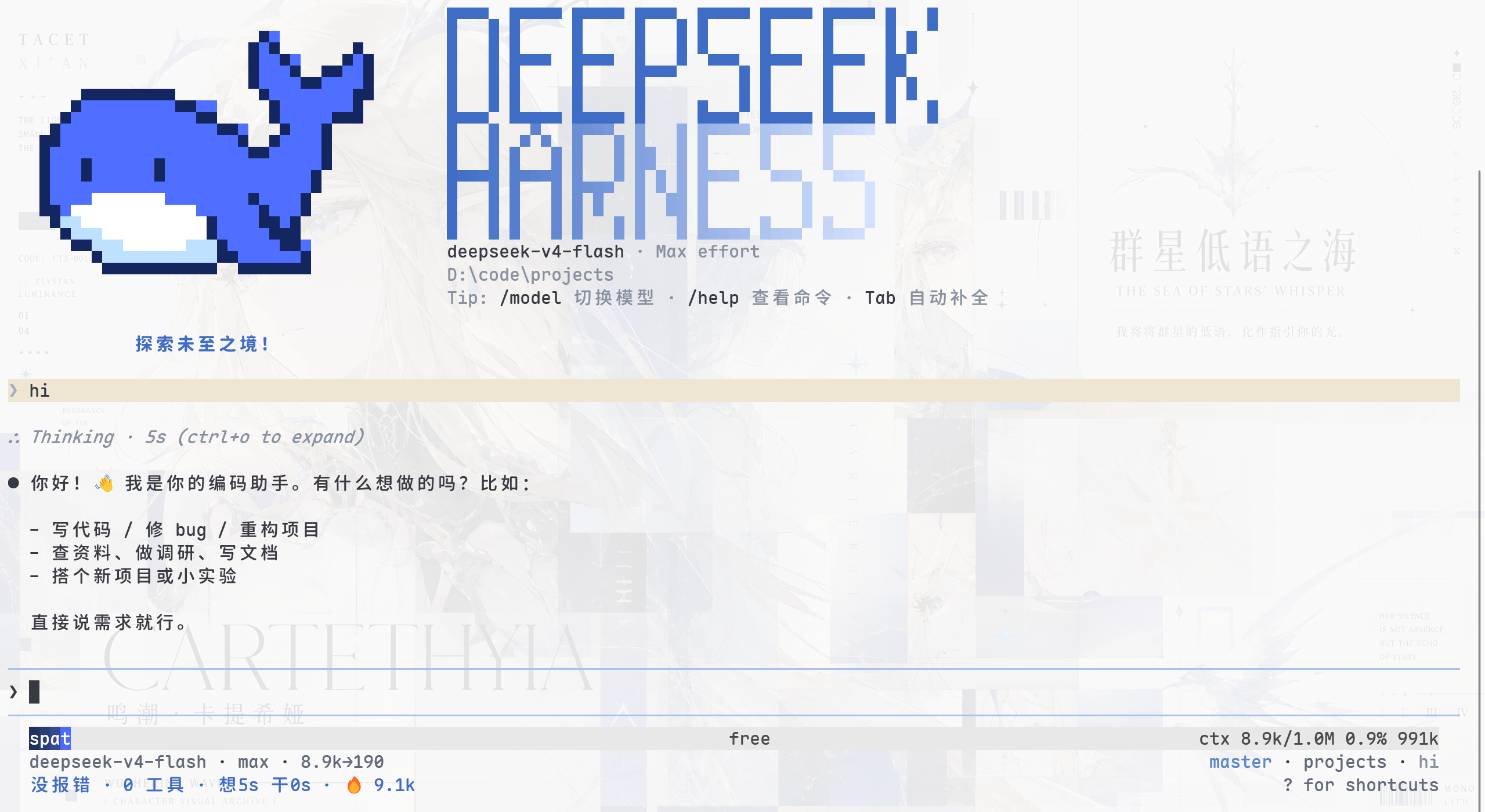
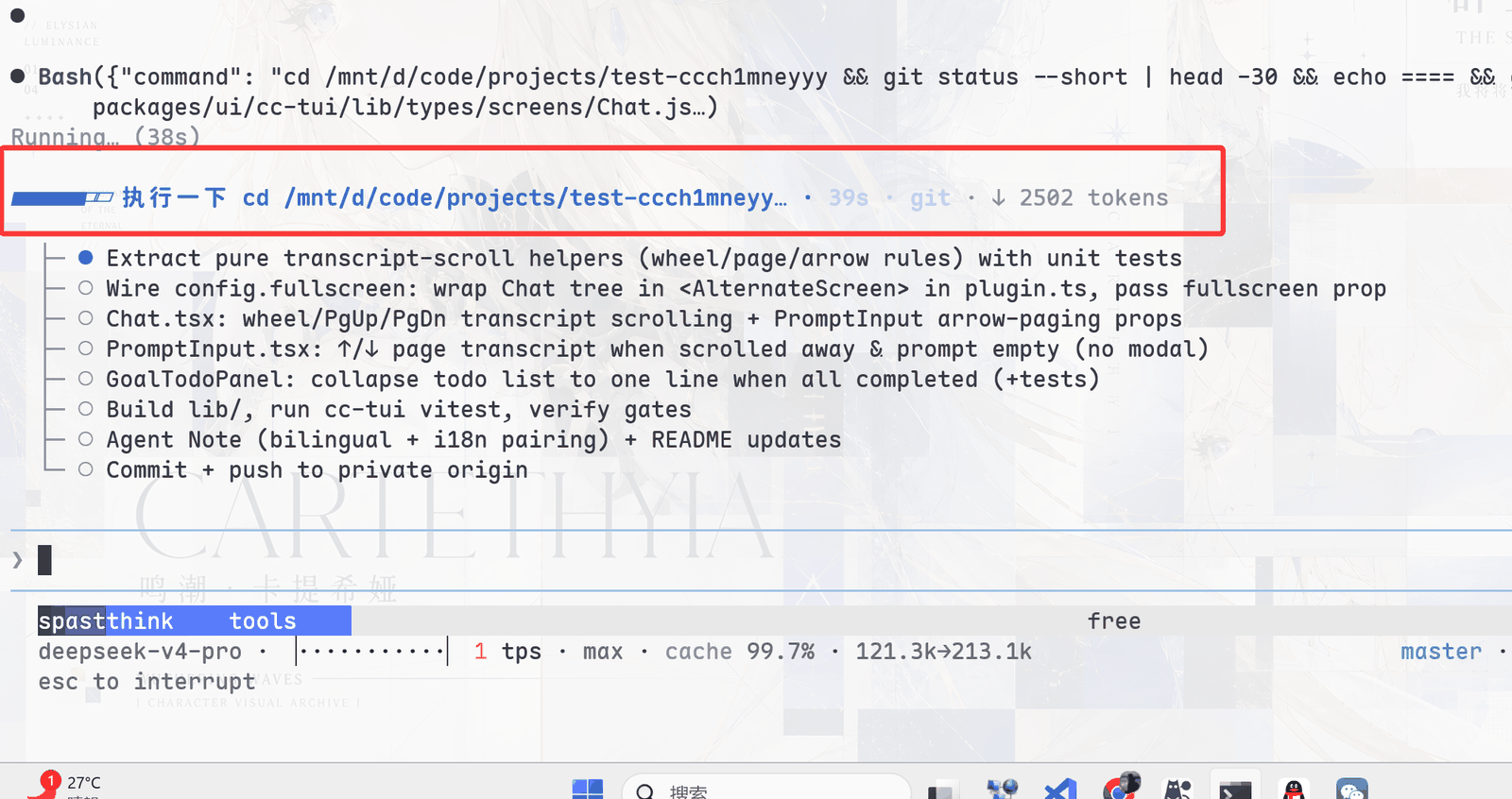
dsh-tui-en is an English interactive terminal front-end for DeepSeek Harness, mounted as a Cordis plugin without touching any core code. It solves a practical problem: bringing a Claude Code-style conversation, tool-card, and session-management experience into a pure TTY—streaming Markdown, structured tool cards, @file references, and fullscreen or inline rendering—all without a browser.
Its capabilities span the full session lifecycle. A Grok-style timeline rail makes every turn (including folded ranges) one click away; a live agent-state panel surfaces context usage, TPS, cache hit rate, and token counts in real time; and commands like /resume, /compact, double-Esc rewind, and /btw side-questions form a complete session workflow. While the model is thinking, three delivery modes—Enter to steer, Tab to queue, Ctrl+Enter to interrupt—keep the interaction rhythm in the user's hands. Under the hood, event-driven projection, message virtualization, and bounded caches keep rendering cost flat even in 3,000+ row sessions with zero per-frame allocations.
It is built for developers who live in DSH daily and want a terminal-native loop from question through tool approval to session archival. It also plugs cleanly into Herdr panes or VS Code integrated terminals, and supports fully remappable keybindings and mouse interaction. Released under the MIT license with an English-first UI (/lang zh remains a compatibility alias), it sits at public-beta maturity and is suited for both production use and extension development.
Screenshots

Use Cases
- Close the full DSH loop—conversation, tool calls, session archival—in a pure terminal
- Navigate and read long sessions smoothly via timeline rail and message virtualization
- Integrate DSH workflows inside Herdr panes or VS Code integrated terminals
Best For
- Terminal-heavy developers who rely on DSH daily
- Users who prefer custom keybindings and mouse-driven interaction
- Workflow builders integrating DSH into Herdr or VS Code terminals
Related Plugins
A service-oriented sidebar framework for DSH, offering a full workbench with file explorer, embedded browser, real terminal, Git panel, and extensible plugin services.
A beautiful, practical Claude Code-style TUI plugin with pixel whale top bar, flowing glow title, real-time status line, streaming thought expansion, time rewind, context progress bar and TPS gauge — zero core changes.

The plugin market for DeepSeek Harness: browse/search/one-click install community plugins and themes, with updates, backup/restore, hot disable, diagnostics, and AI fix.

A persistent whale widget on the DSH web UI that shows DeepSeek balance, today's usage, and per-turn cost, with drag-and-snap and sound effects.