dsh-better-ux
Run the following command in DeepSeek Harness:
dsh plugin install MitsukiJoe/dsh-better-ux
Paste the following prompt into your AI chat to install this plugin:
Open the DSH chat inside DeepSeek Harness and send the install command to add the dsh-better-ux plugin (source: https://github.com/MitsukiJoe/dsh-better-ux), then restart DSH to activate it.
About this plugin
When you juggle several models, workspaces, and sessions inside the DeepSeek Harness web UI, small interface frictions compound quickly. Switching a model still takes two nested menu layers; every session row hides Rename, Fork, and Archive behind a tiny dot; a phone screen is swallowed by the native sidebar; and making text readable means fighting the browser pinch-zoom. dsh-better-ux tackles these everyday annoyances with four independently toggleable UI upgrades that cut down on menu hunting, page scrolling, and device switching.
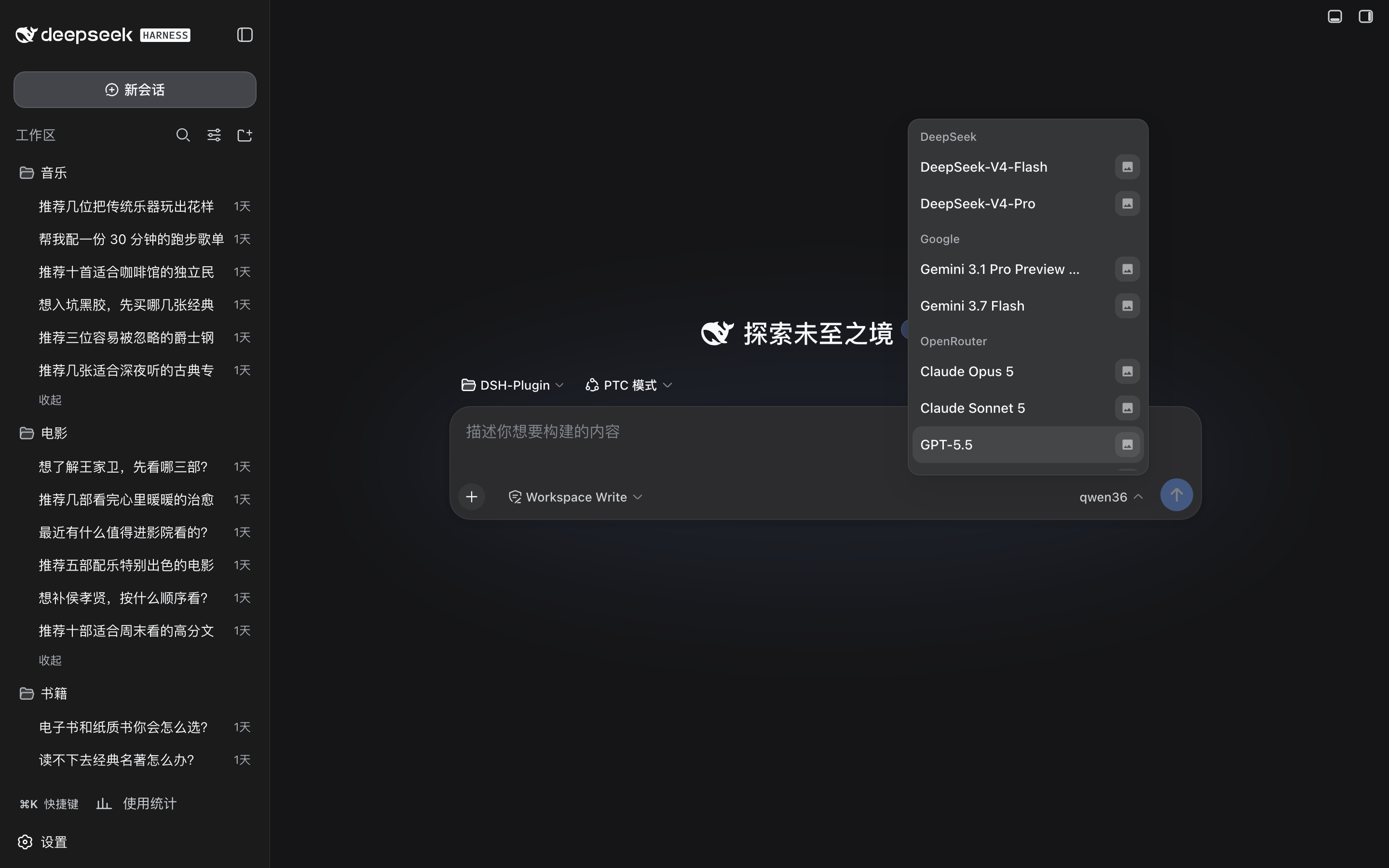
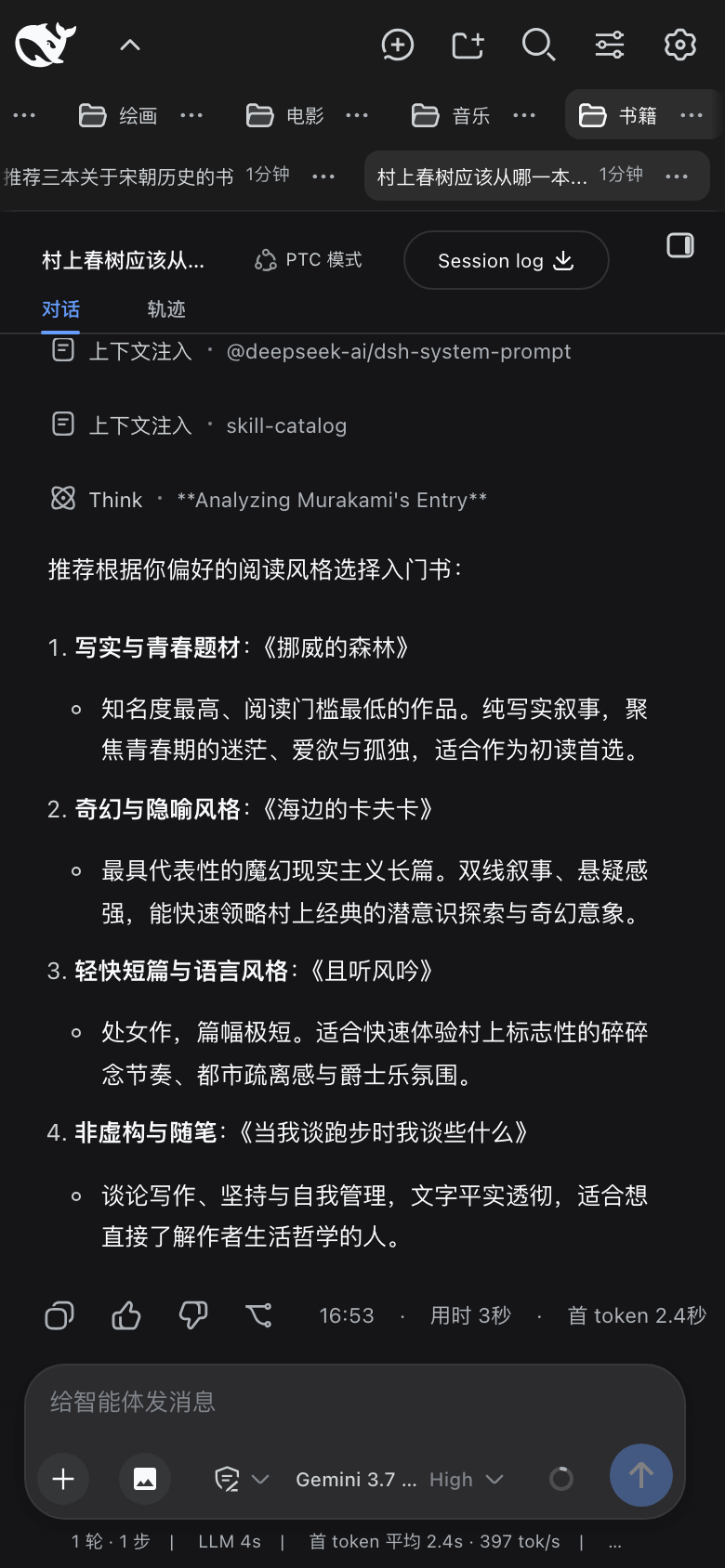
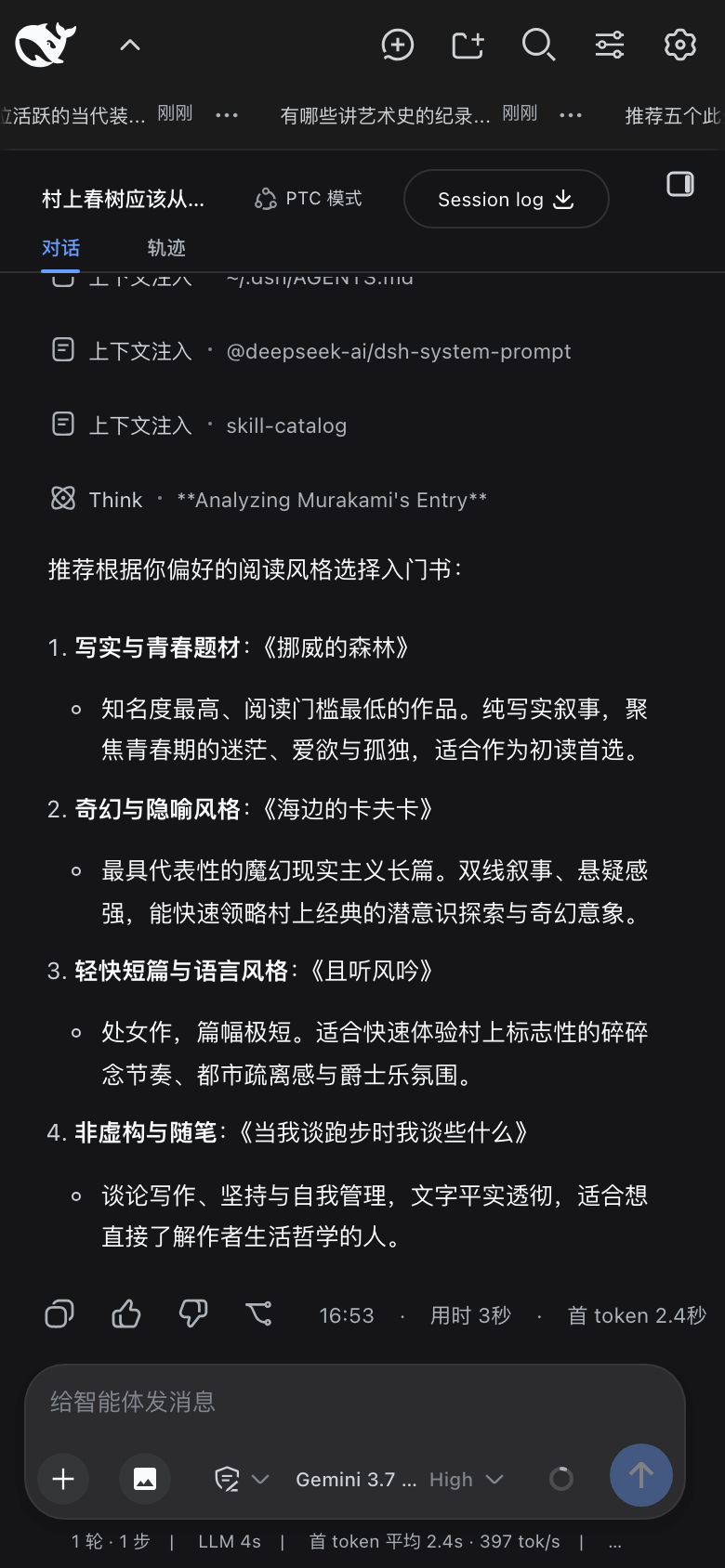
On desktop, hovering any idle, running, or newly activated session row surfaces Rename, Fork, and Archive at a glance, with smart hiding of the native dot only when all three shortcuts are enabled. The model picker replaces the nested two-level menu with a single full-screen overlay offering a search box, provider chips, reasoning-level toggles, and Auto Vision twin actions folded into their original model cards rather than duplicated as separate groups. On mobile, the native sidebar is hidden in favor of a plugin-drawn horizontal bar: workspaces and sessions live in independently scrollable rows with 8-pixel edge fades; long-pressing a tab pops up a small capsule with left and right nudge buttons for one-slot reordering; and an image button appears beside the plus key to cover the stock composer's missing photo picker. Extra mobile toggles include blocking accidental pinch-zoom and preventing auto-focus on session switch so the keyboard no longer jumps over freshly generated content.
Typography is handled by an independent global font scale: mobile (phone / tablet) and desktop / other viewports each store a separate 10% to 200% ratio adjustable in 5% steps, with line height and padding scaling in lockstep. If you primarily use DSH in a browser, manage several workspaces and sessions at once, check and reply on a phone or tablet, or find the default face a touch too small, this plugin lets the interface match your workflow. Every category is a standalone switch; turning one off instantly restores the native DSH surface with no side effects and no core configuration changes required.
Screenshots




Use Cases
- Hover over any session row on desktop to rename, fork, or archive in one glance
- Manage workspaces and sessions via a horizontal bar on phones, with long-press nudge reordering
- Independently scale font size, line height, and padding per viewport for comfortable reading
Best For
- DSH users juggling multiple workspaces and sessions in the browser
- Mobile-first users who check, reply, and attach photos on phones or tablets
- Readers who find the default type size too small and want a unified scale control
Related Plugins
A service-oriented sidebar framework for DSH, offering a full workbench with file explorer, embedded browser, real terminal, Git panel, and extensible plugin services.

A beautiful, practical Claude Code-style TUI plugin with pixel whale top bar, flowing glow title, real-time status line, streaming thought expansion, time rewind, context progress bar and TPS gauge — zero core changes.

The plugin market for DeepSeek Harness: browse/search/one-click install community plugins and themes, with updates, backup/restore, hot disable, diagnostics, and AI fix.

A persistent whale widget on the DSH web UI that shows DeepSeek balance, today's usage, and per-turn cost, with drag-and-snap and sound effects.