dsh-doc-review
Run the following command in DeepSeek Harness:
dsh plugin install yaodongH/dsh-doc-review
Paste the following prompt into your AI chat to install this plugin:
Run dsh plugin install yaodongH/dsh-doc-review in DeepSeek Harness to install this plugin (source: https://github.com/yaodongH/dsh-doc-review).
About this plugin
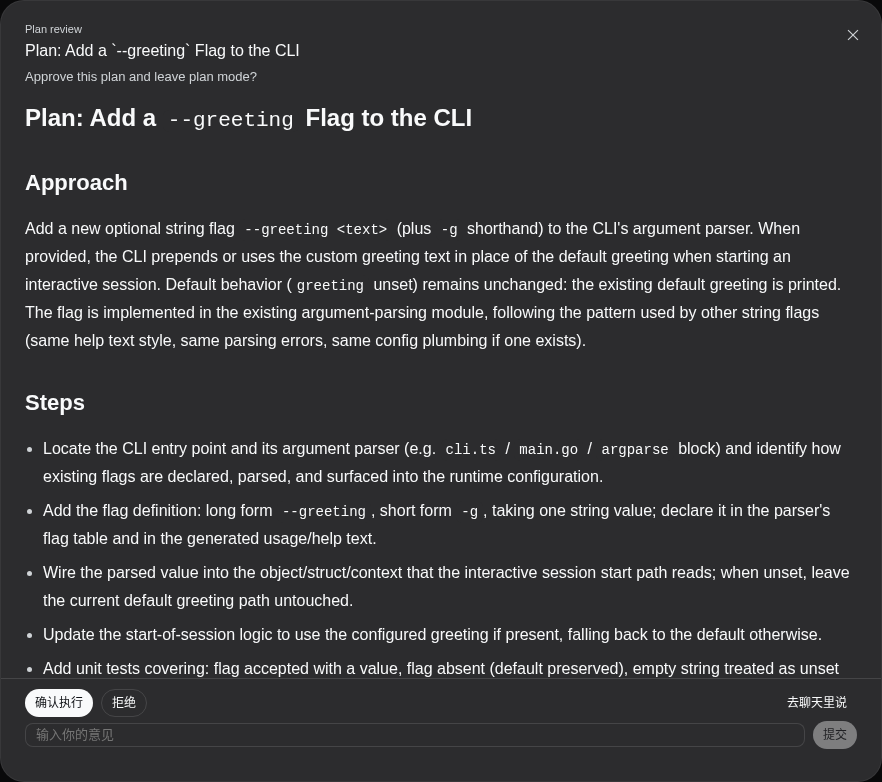
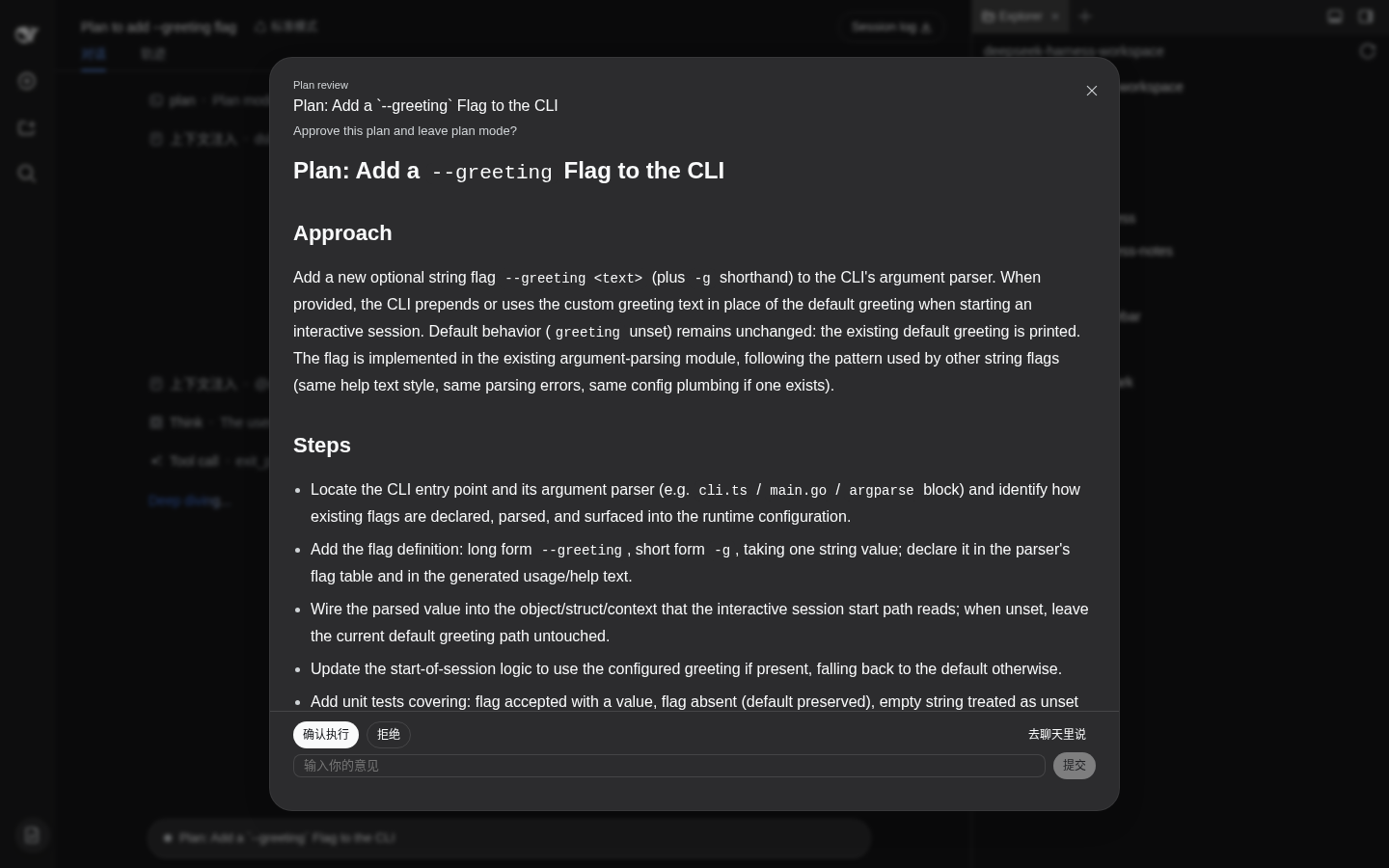
When /plan finishes a task and the host pushes a full design document to the client for review, the built-in question editor gives it a 520 px-wide compact card, with heading levels, module tables, interface code blocks, and risk lists all crammed into a small scroll window. dsh-doc-review is built exactly for this situation: it intercepts document-shaped questions and replaces them with a full-viewport modal, letting GFM headings, tables, code blocks, and lists render at their proper scale.
Inside the modal, every interaction from the built-in editor is preserved: option buttons submit on click, a custom-feedback input accepts supplementary notes, and cancellation is one step away. A new inline-comment system adds depth: select text, right-click, and an editor expands under the corresponding source line. Multiple comments are aggregated in ascending line order into a single structured feedback message. Dismissing the modal does not cancel the request; a slim control bar remains with an expand button to bring the review back at any time. Comments persist in local storage and survive page refreshes and reconnections.
If you routinely review design documents containing tables, interface definitions, and risk lists through DeepSeek Harness adaptive pipelines or the plan flow, that compact card is probably a daily source of friction. dsh-doc-review turns document review into a comfortable full-screen reading experience, while short questions, multi-select prompts, and unrecognized intents continue to fall through to the built-in card untouched.
Screenshots

Use Cases
- Review full design documents with tables and code blocks after a /plan session
- Add structured line-by-line comments to proposal drafts in adaptive pipelines
- Upgrade document review from a 520 px compact card to a full-screen Markdown reader
Best For
- Developers who routinely review design docs containing tables, interface specs, and risk lists
- Teams relying on DeepSeek Harness plan-mode or adaptive pipeline workflows
- End users seeking a more comfortable reading experience than the built-in compact card
Related Plugins
A service-oriented sidebar framework for DSH, offering a full workbench with file explorer, embedded browser, real terminal, Git panel, and extensible plugin services.

A beautiful, practical Claude Code-style TUI plugin with pixel whale top bar, flowing glow title, real-time status line, streaming thought expansion, time rewind, context progress bar and TPS gauge — zero core changes.

The plugin market for DeepSeek Harness: browse/search/one-click install community plugins and themes, with updates, backup/restore, hot disable, diagnostics, and AI fix.

A persistent whale widget on the DSH web UI that shows DeepSeek balance, today's usage, and per-turn cost, with drag-and-snap and sound effects.