dsh-wallpaper
Run the following command in DeepSeek Harness:
dsh plugin install Frog755/dsh-wallpaper
Paste the following prompt into your AI chat to install this plugin:
Run dsh plugin install Frog755/dsh-wallpaper in your DeepSeek Harness terminal to install this plugin; the source repository is at https://github.com/Frog755/dsh-wallpaper.
About this plugin
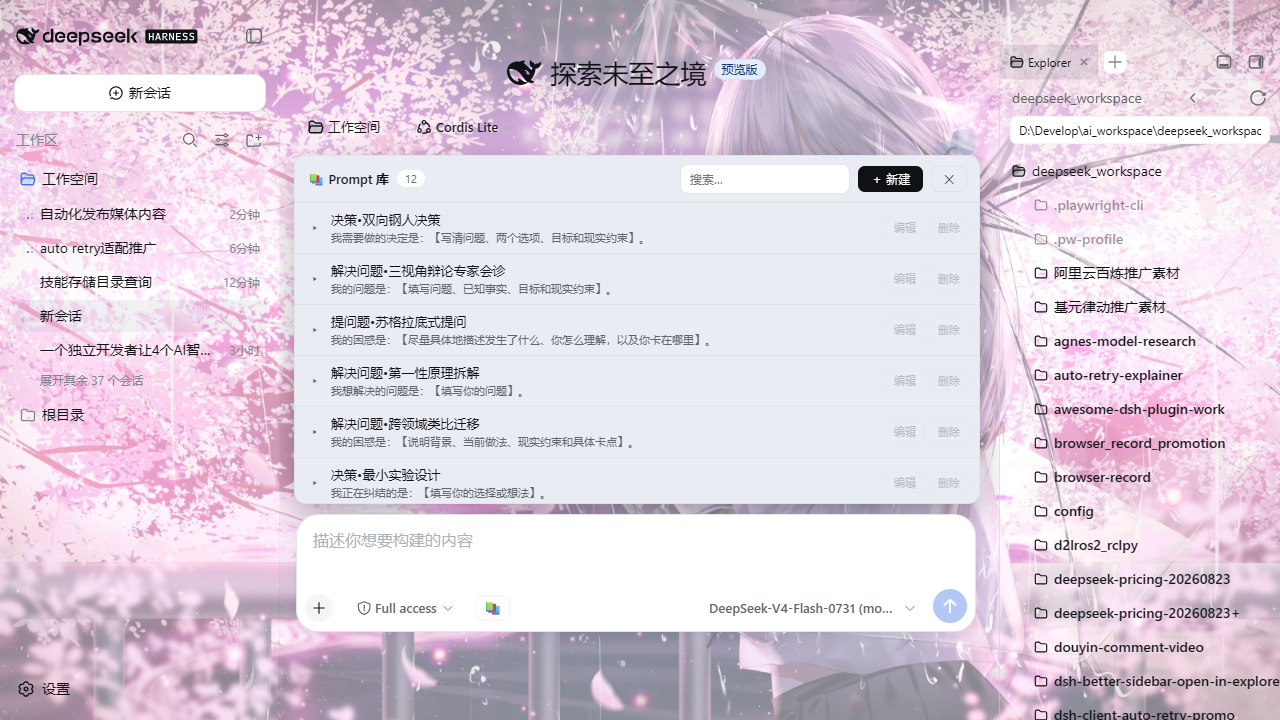
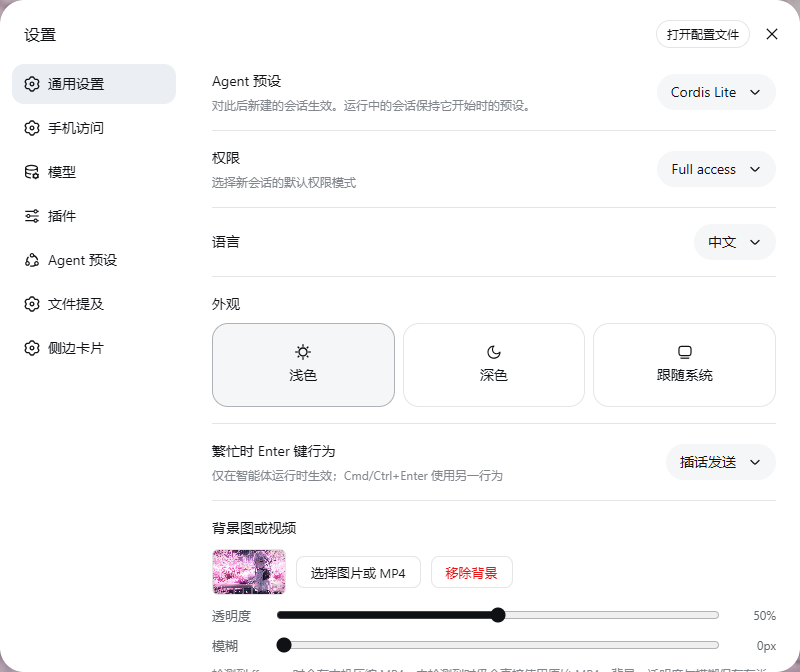
The DeepSeek Harness Web profile is powerful but visually plain. dsh-wallpaper adds a single settings row under Settings → General where you pick a local image or MP4 video as your background, fine-tune surface opacity and blur, and remove the wallpaper whenever you like. Nothing is sent to any server; every byte stays in your browser.
On the video side, if ffmpeg and ffprobe are on PATH the plugin runs a single fast-encode pass into high-quality H.264 (target ~18 MB, max 1080p, max 30 fps, audio stripped). Without those optional tools the original MP4 is kept as-is, so video wallpapers still work, just with more disk usage. Images are resized in the browser to keep the storage footprint bounded. Replacing or deleting a wallpaper cleans up its prior local file, and leftover unreferenced videos are purged on startup.
A practical bug this plugin fixes along the way: DSH Web defaults to a random port each launch, and because browsers scope localStorage by protocol + host + port, a saved wallpaper would appear to vanish after every restart. The bundle patch pins the Web server to 127.0.0.1:9191, making your settings truly persistent. On first run it also imports any existing dsh-skin wallpaper and its opacity/blur values, so migrating profiles need not re-pick a background.
Built for anyone who uses the DSH Web profile or the desktop build's Web UI and wants a little personal character in the interface.
Screenshots
Use Cases
- Replace the default plain background with a local image
- Set a looping MP4 video wallpaper and compress it locally to H.264
- Tune surface opacity and blur for a comfortable reading experience
Best For
- Everyday developers using the DSH Web profile or desktop Web UI
- Users who want a personal touch and dislike the default plain background
- Privacy-minded users who keep wallpaper data strictly local
Related Plugins

whale-girl is a desktop pet in the DSH Web GUI (bottom-right for instant companionship) — draggable, feedable, playable; completed tasks, sessions and companionship time accrue into seniority levels, titles, and memories.

A WebGPU ocean skin for DeepSeek Harness with five-wave Gerstner waves, translucent theme, day/night cycle, and quick controls, installable as plugin or extension.

A Galgame-style conversation view and visual scene editor for DSH web sessions, with a real-time editing mode.

A native skinning plugin for DeepSeek Harness: 8 designer themes, wallpapers, accent colors, and shareable theme packs, built purely on design tokens.