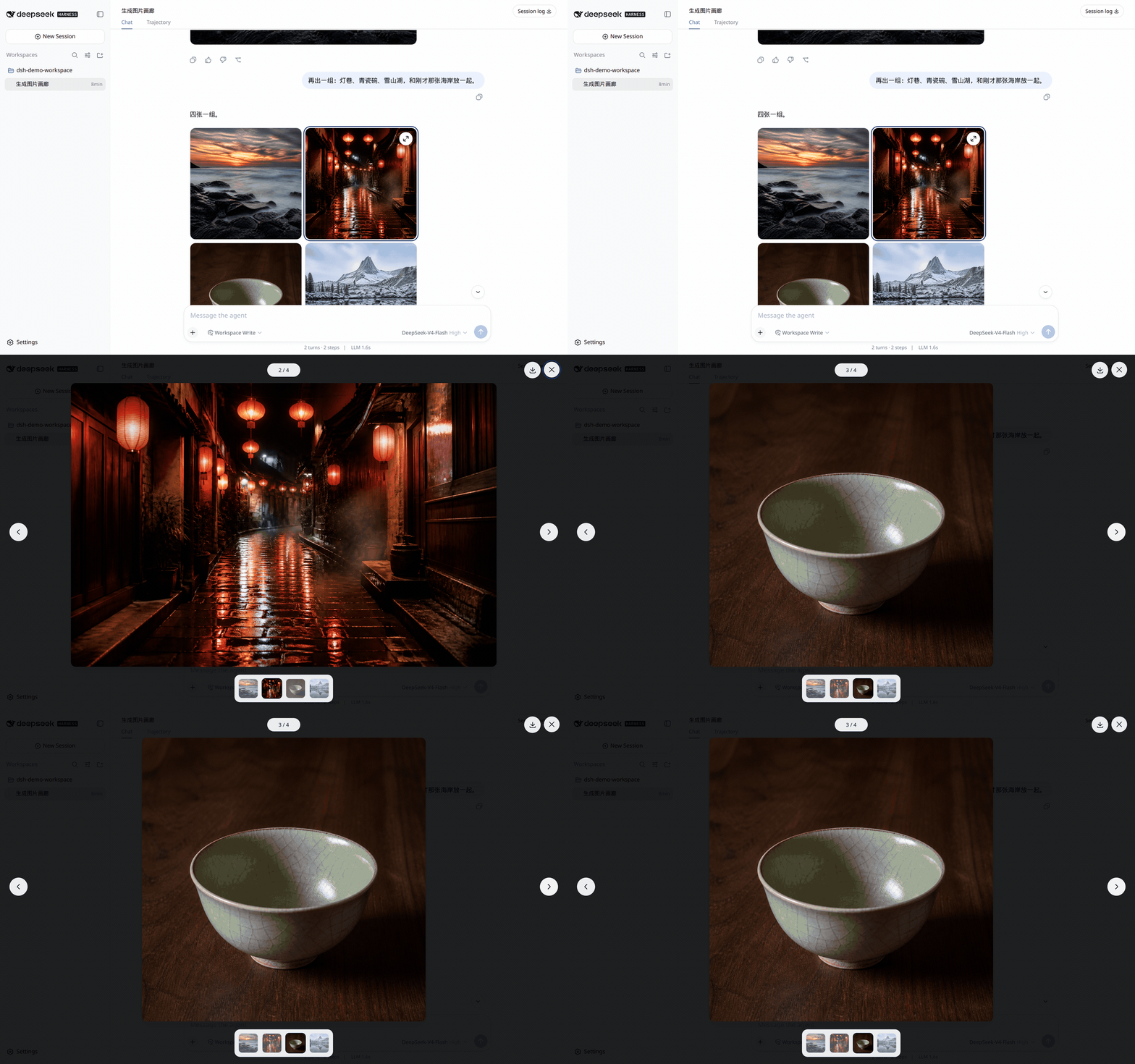
dsh-image-conatiner
Run the following command in DeepSeek Harness:
dsh plugin install aa2246740/dsh-image-conatiner
Paste the following prompt into your AI chat to install this plugin:
Run dsh plugin install aa2246740/dsh-image-conatiner inside DeepSeek Harness; the full repository is at https://github.com/aa2246740/dsh-image-conatiner. Restart the DSH Host and refresh the page after installation.
About this plugin
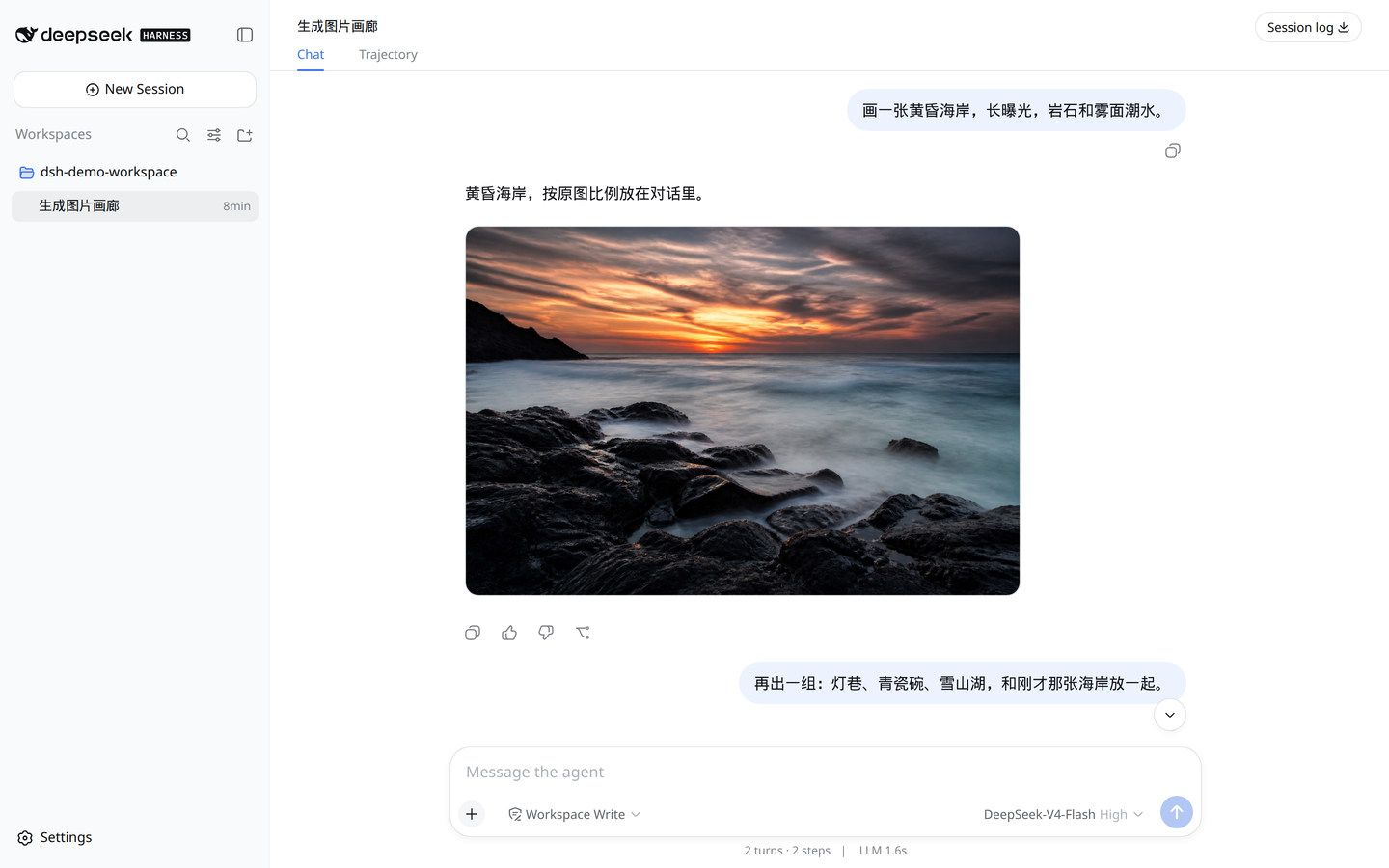
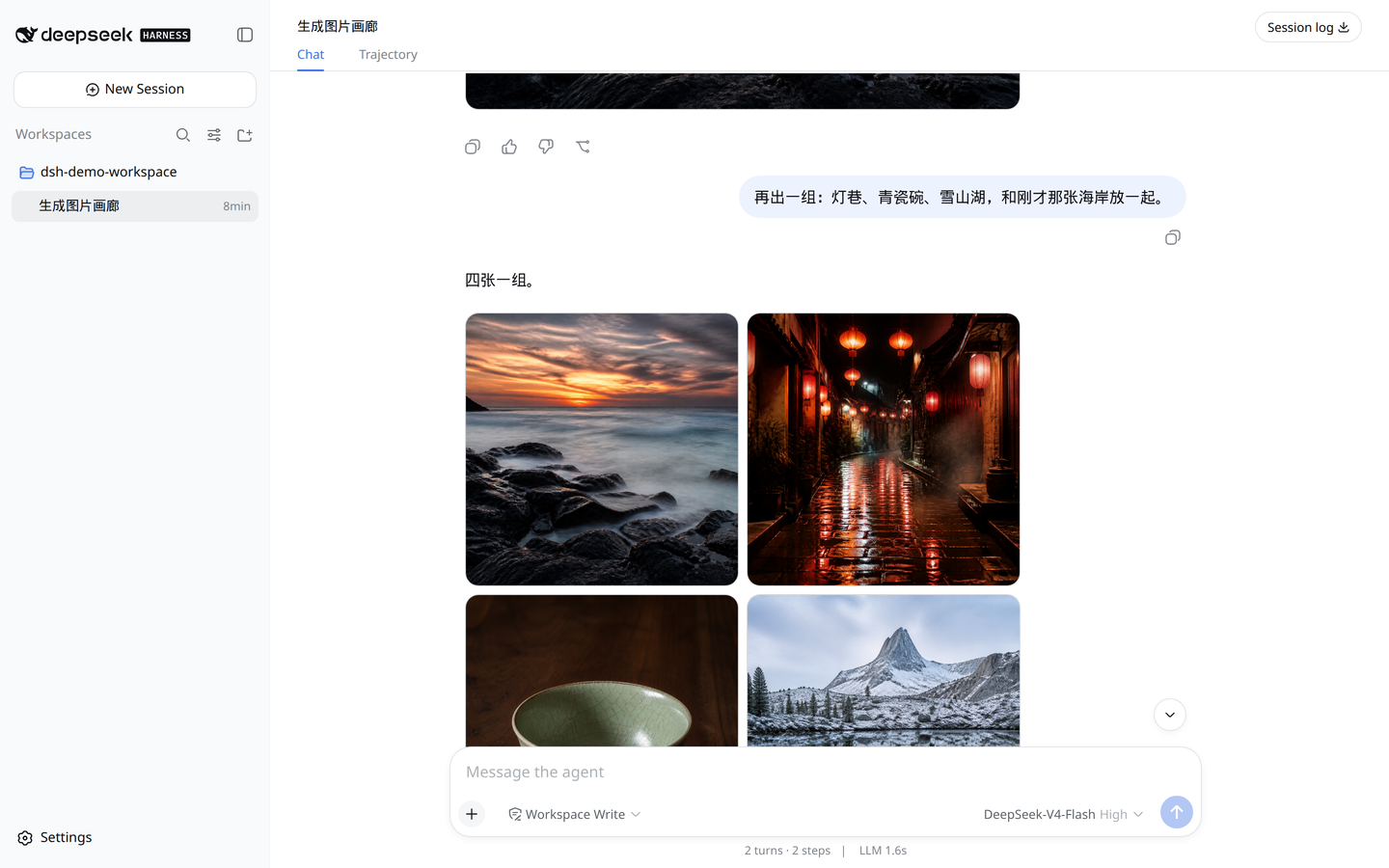
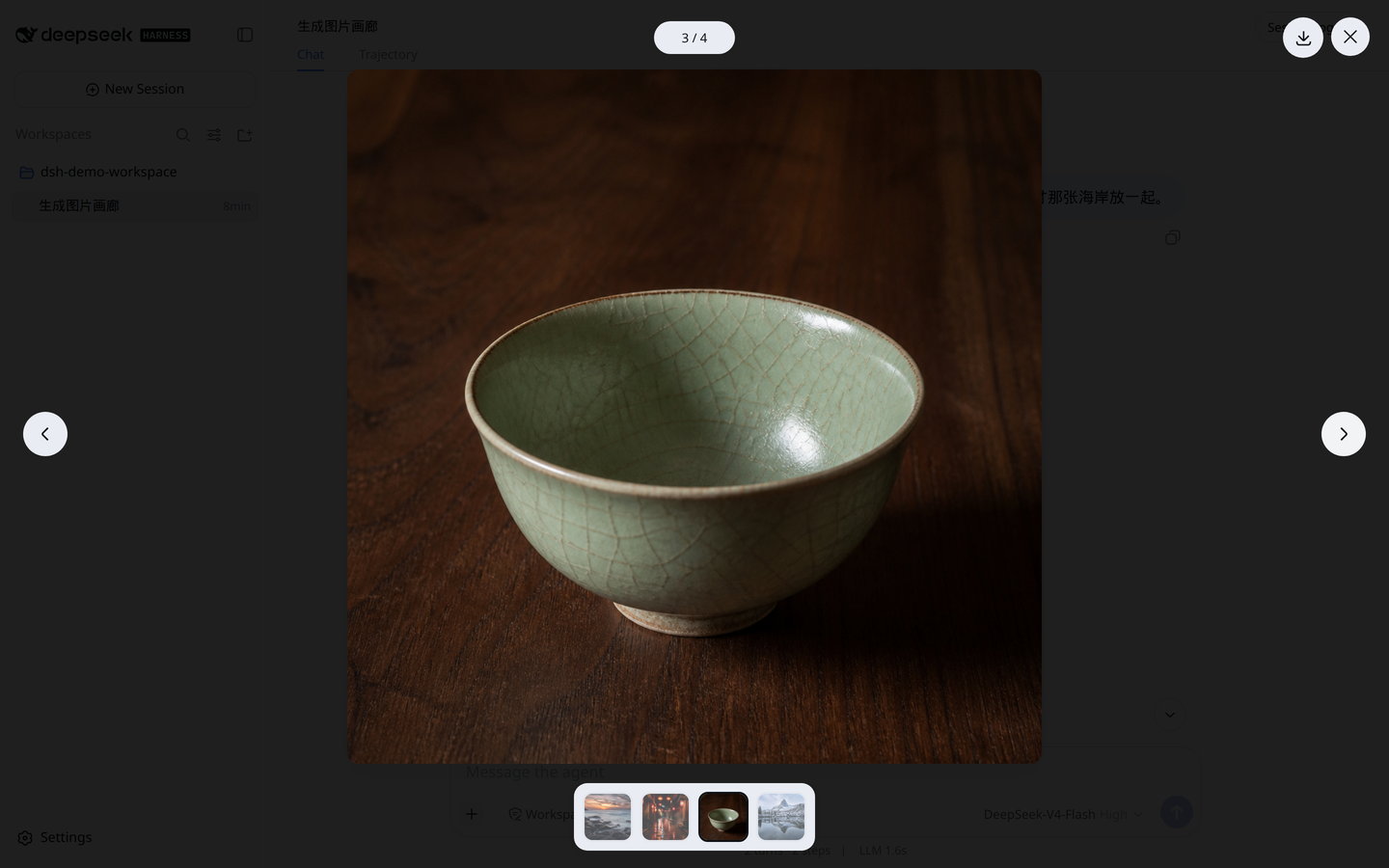
In a DeepSeek Harness chat, AI-generated images are rendered as a row of tiny thumbnails crammed into the message bubble, hard to read and even harder to appreciate one by one. dsh-image-conatiner replaces that strip with a Codex-style gallery: a single image fills the message width at its natural aspect ratio, two to four images switch to a two-column grid, and five or more adapt between three columns and a narrow two-column layout, giving every generated picture room to breathe.
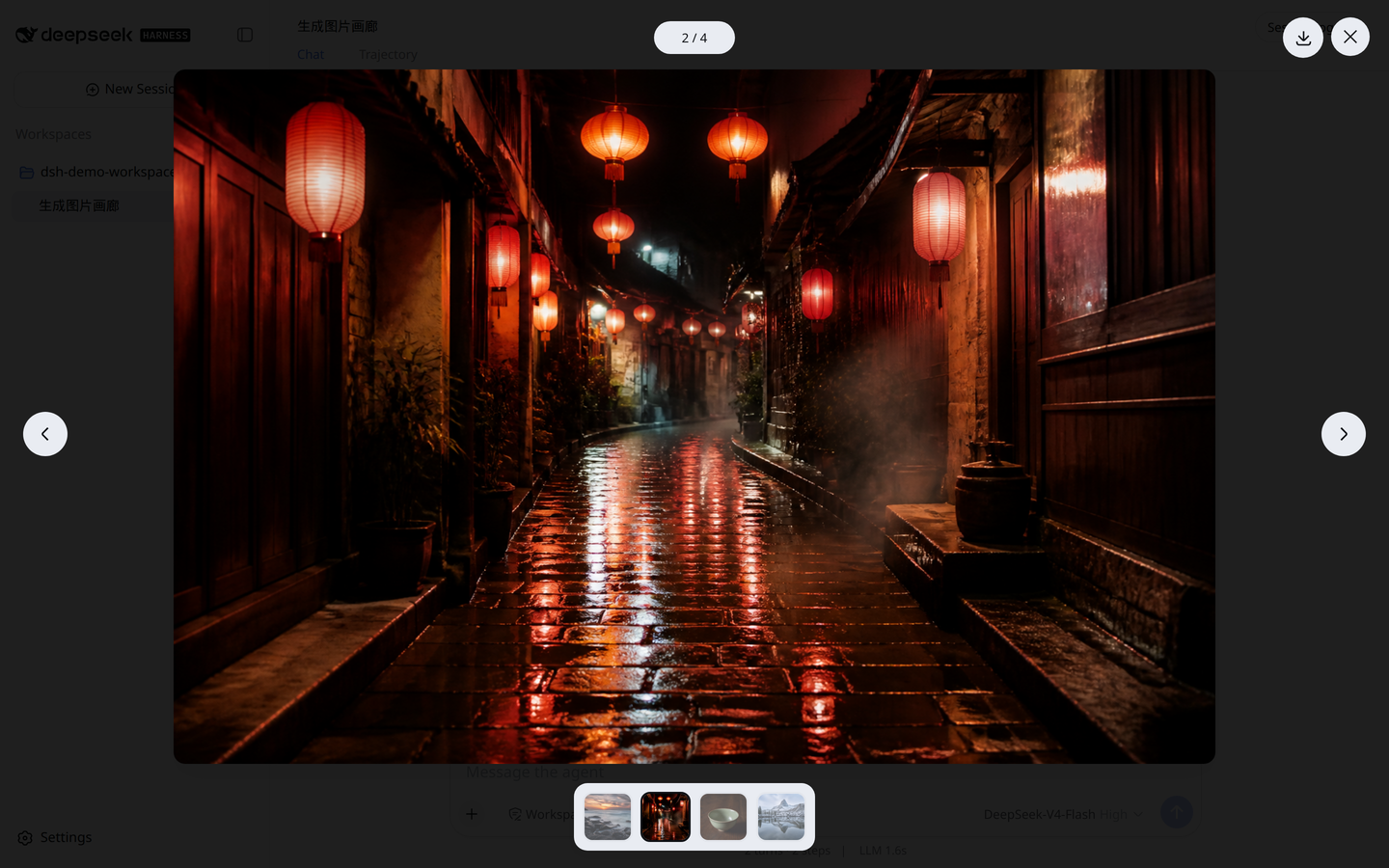
Opening any image launches a fullscreen preview with previous and next navigation, an image counter, keyboard shortcuts, and an original-file download. When the view closes, focus returns to the element that triggered it; a failed load surfaces a retry button. The palette follows Harness semantic tokens, so dark mode, narrow viewports, and reduced-motion preferences all work out of the box.
Built for developers and designers who iterate with multimodal models in DeepSeek Harness and want their generated images to stop being a wall of tiny squares.
Screenshots
Use Cases
- View multiple AI-generated images in chat without squinting at tiny thumbnails
- Fullscreen-preview AI images, navigate with the keyboard, and download the original
- Review the layout and aspect ratio of two to four generated images side by side
Best For
- Developers who iterate with multimodal models in a chat loop
- Product and interaction designers who care about in-chat visual quality
- Everyday DeepSeek Harness users who want generated images to look their best
Related Plugins
A service-oriented sidebar framework for DSH, offering a full workbench with file explorer, embedded browser, real terminal, Git panel, and extensible plugin services.

A beautiful, practical Claude Code-style TUI plugin with pixel whale top bar, flowing glow title, real-time status line, streaming thought expansion, time rewind, context progress bar and TPS gauge — zero core changes.

The plugin market for DeepSeek Harness: browse/search/one-click install community plugins and themes, with updates, backup/restore, hot disable, diagnostics, and AI fix.

A persistent whale widget on the DSH web UI that shows DeepSeek balance, today's usage, and per-turn cost, with drag-and-snap and sound effects.