dsh-cuadrive-mac
Run the following command in DeepSeek Harness:
dsh plugin install aa2246740/dsh-cuadrive-mac
Paste the following prompt into your AI chat to install this plugin:
Run dsh plugin install aa2246740/dsh-cuadrive-mac in the DeepSeek Harness terminal to install this plugin from https://github.com/aa2246740/dsh-cuadrive-mac; after installation, restart DSH and start a new conversation to use it.
About this plugin
When you run a DeepSeek Harness agent on macOS, it often needs to click windows, read the screen, and operate local apps, yet you do not want to interfere with other Cua instances already running on the machine. dsh-cuadrive-mac solves exactly this: it pins a private cua-driver 0.20.0 into runtime-lock.json and runs it on its own socket, so shutting down DSH stops only this socket while every other Cua keeps working. It also sidesteps the issue where a generic MCP client drops screenshot image blocks, by calling the driver over its private socket and re-attaching the PNG to ctx.attachments so the agent can actually see the screen.
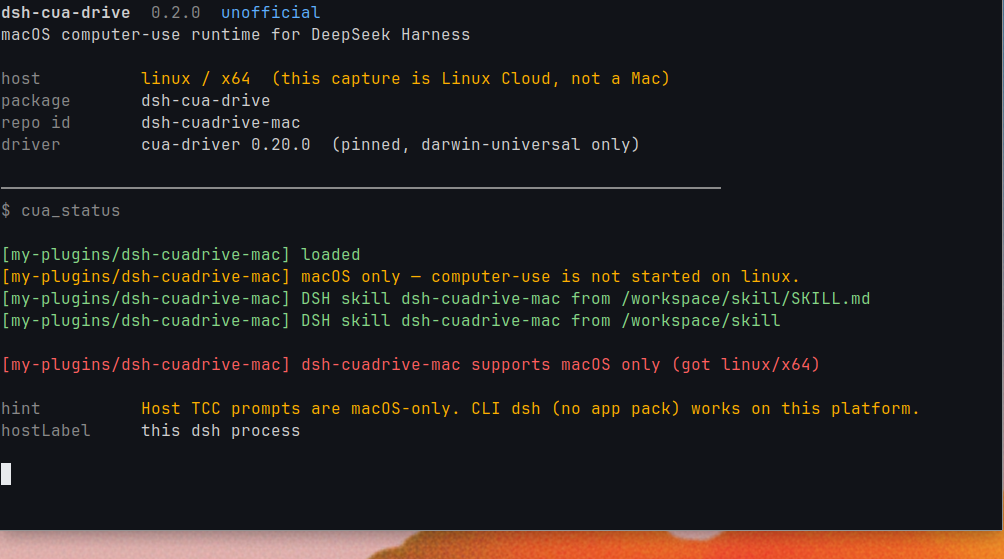
On first launch the plugin quietly pulls the darwin-universal bundle from GitHub Releases into a local vendor directory; host tools are immediately callable and download progress is visible via the cua_status card or status.json. Permission prompts target the process that actually started dsh: DSH.app checks DSH, the CLI checks Terminal, iTerm, Cursor, or VS Code, and it never touches /Applications/CuaDriver.app. On Windows and Linux the plugin loads only the status tool, clearly marks itself macOS-only, and will not download a driver or start computer-use.
Ideal for macOS developers who use DSH daily, want their agent to have local desktop control, and are already running other Cua drivers that must not conflict. Unofficial project, with no dependency on or modification of any existing Cua installation on the system.
Screenshots
Use Cases
- An agent must click windows, read screen content, or operate local apps to finish multi-step desktop tasks
- Multiple Cua driver instances run on the same machine and each needs an isolated private runtime
- You want the agent to receive full screenshot image blocks re-attached to context instead of having them dropped by a generic MCP client
Best For
- macOS developers who use DSH daily and need their agent to have local desktop control
- Automation engineers who already run other Cua driver instances and need strict isolation
- Integrators who pin a driver version so agent behavior stays reproducible and does not drift with system Cua upgrades
Related Plugins
A service-oriented sidebar framework for DSH, offering a full workbench with file explorer, embedded browser, real terminal, Git panel, and extensible plugin services.

A beautiful, practical Claude Code-style TUI plugin with pixel whale top bar, flowing glow title, real-time status line, streaming thought expansion, time rewind, context progress bar and TPS gauge — zero core changes.

The plugin market for DeepSeek Harness: browse/search/one-click install community plugins and themes, with updates, backup/restore, hot disable, diagnostics, and AI fix.

A persistent whale widget on the DSH web UI that shows DeepSeek balance, today's usage, and per-turn cost, with drag-and-snap and sound effects.