
dsh-capture
Run the following command in DeepSeek Harness:
dsh plugin install Max-Null/dsh-capture
Paste the following prompt into your AI chat to install this plugin:
Run dsh plugin install Max-Null/dsh-capture in your DeepSeek Harness terminal to install the plugin; the source is available at https://github.com/Max-Null/dsh-capture .
About this plugin
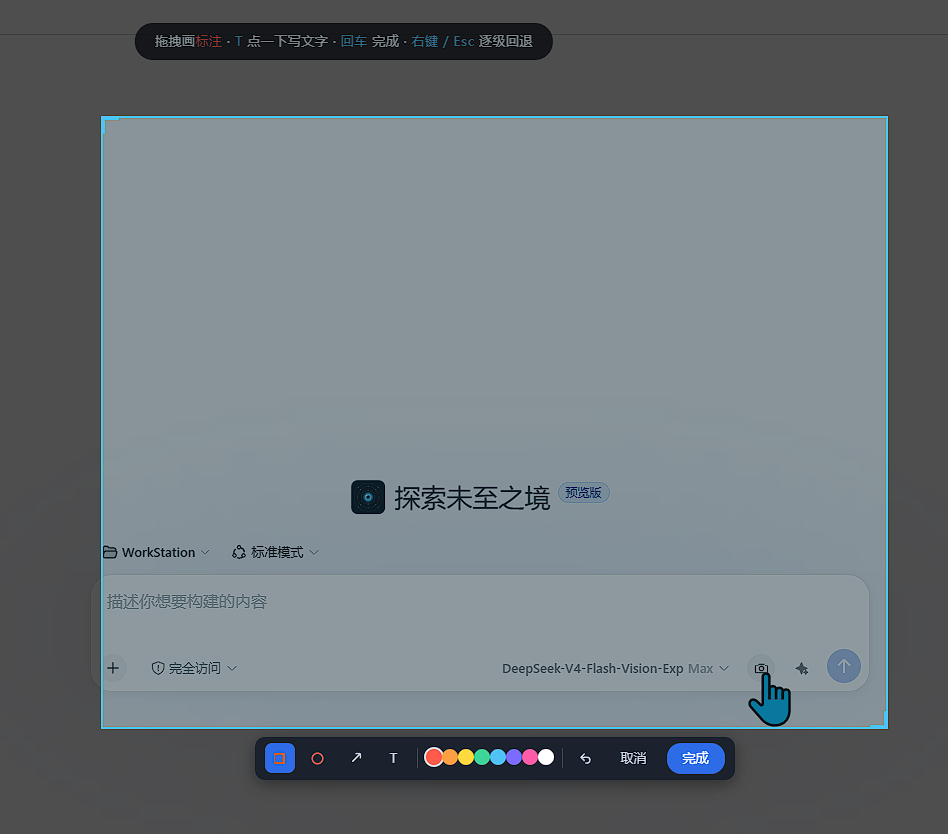
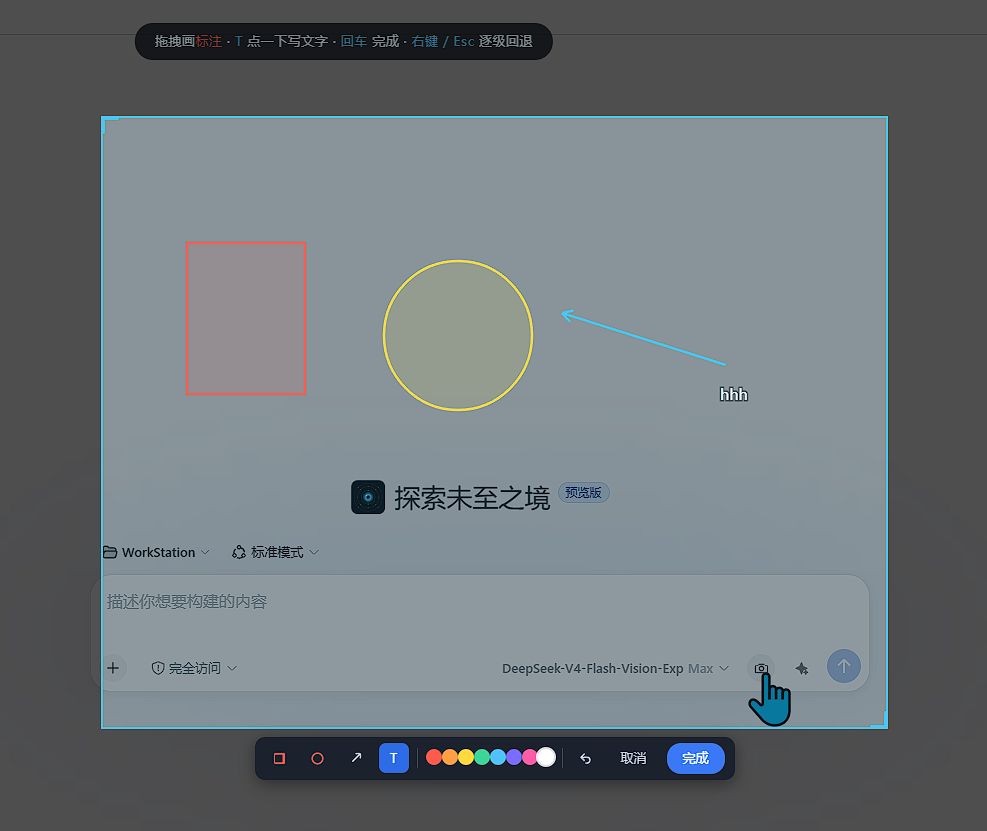
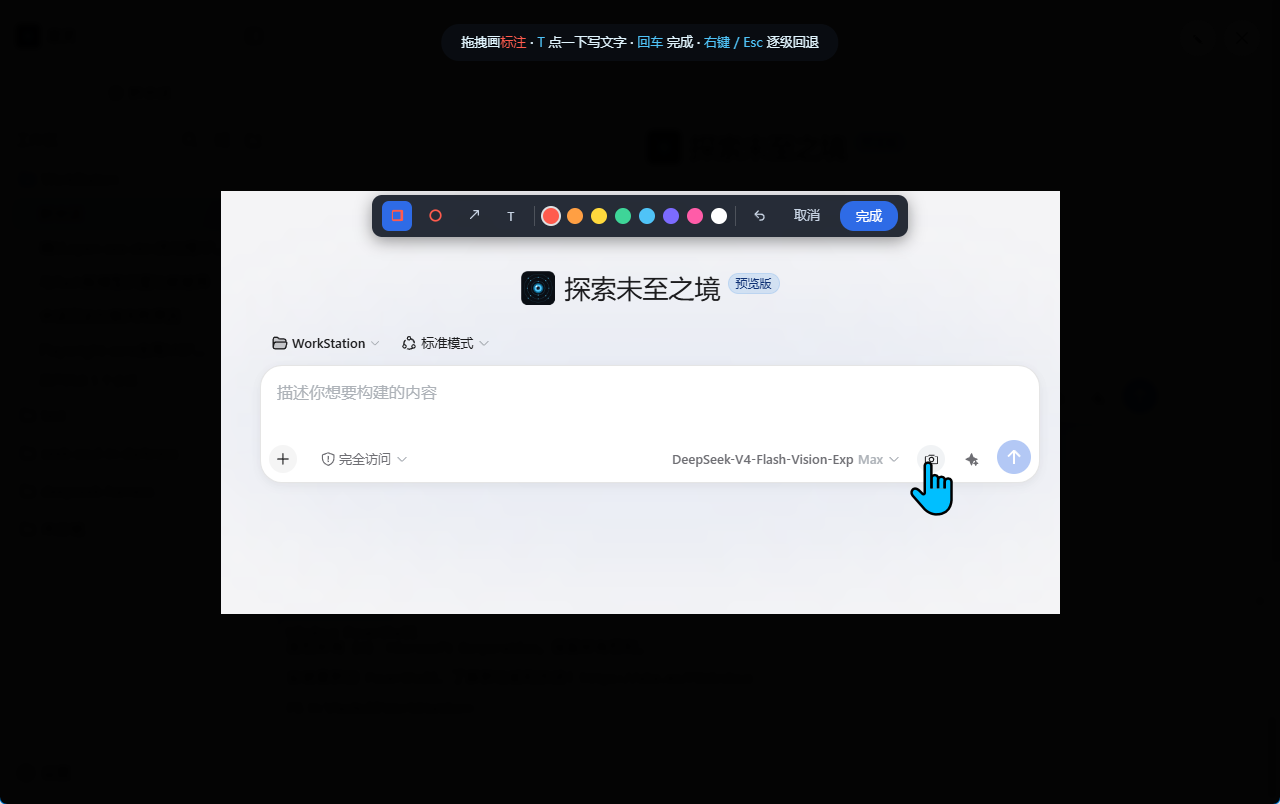
When you want to point something out on your screen during a conversation, the usual path is painful: screenshot, paste, reopen an editor to draw arrows and labels, screenshot again, paste again. dsh-capture collapses that into a single gesture. You drag a region on any part of the screen, annotate it in place with rectangles, ellipses, arrows, or inline text (eight colors, step-wise undo), hit Enter, and the image lands straight in the active chat composer—ready for a quick note before you send.
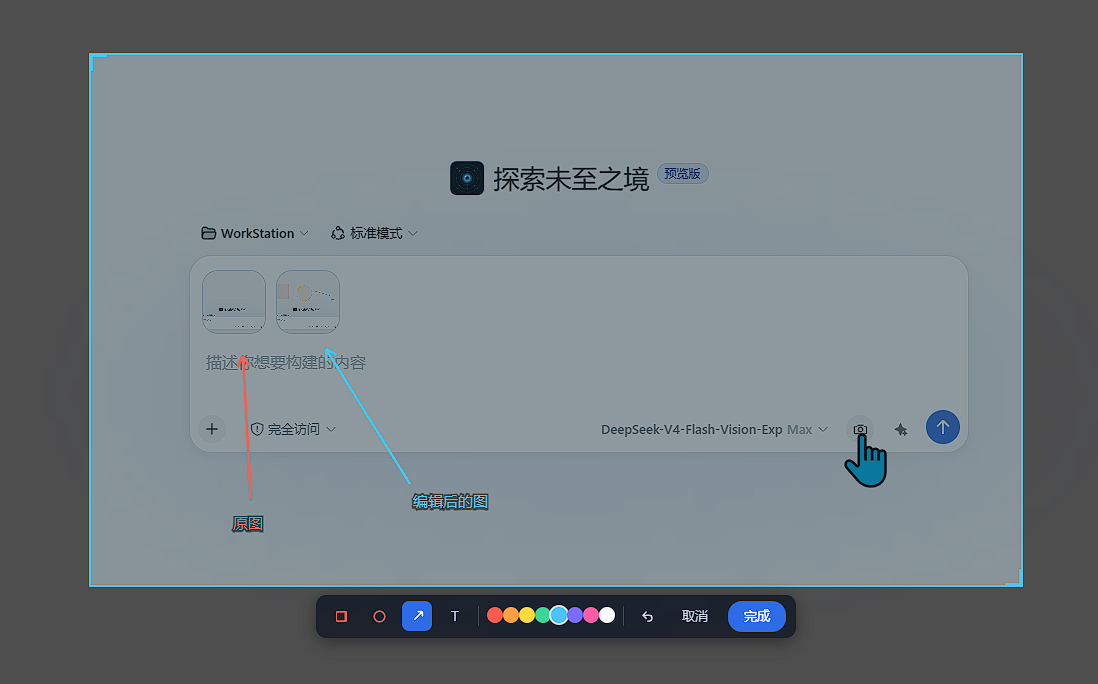
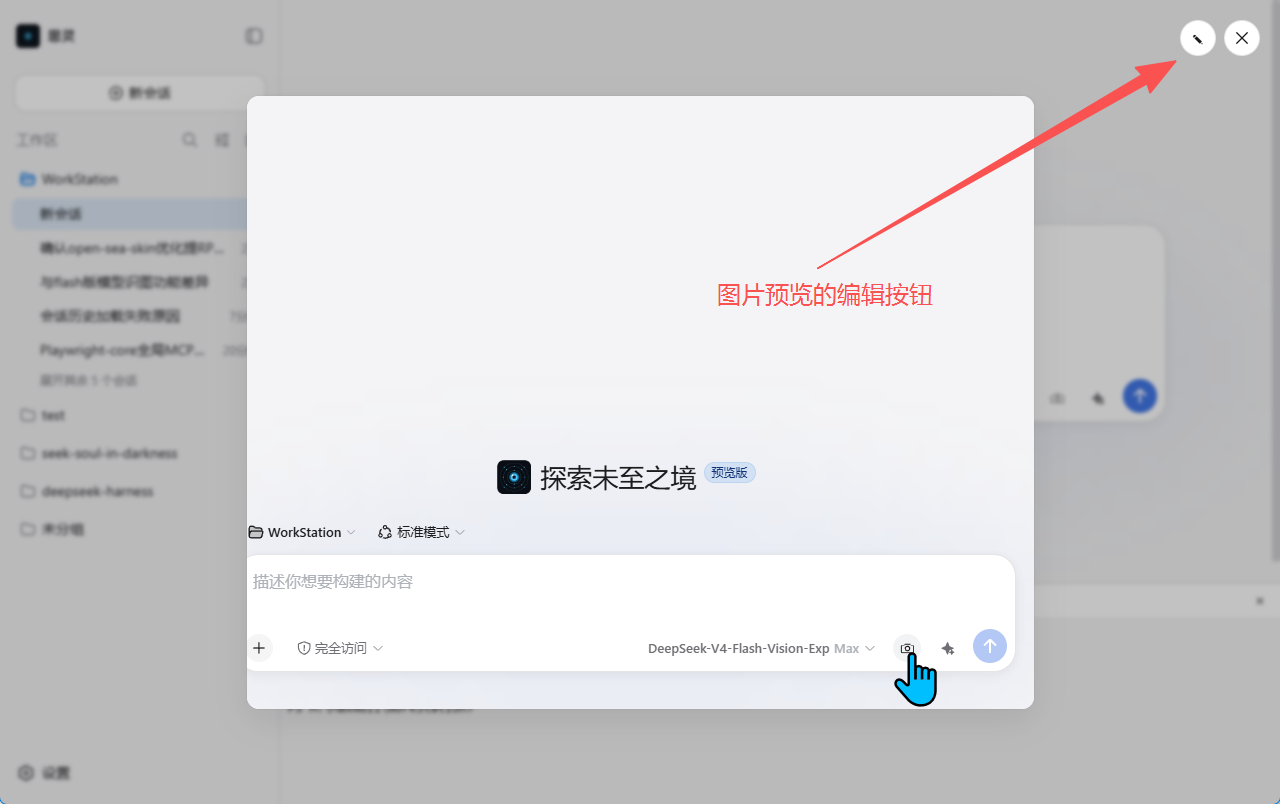
The delivery model is "original + annotated": when you have drawn anything, two images are sent so the raw pixels stay unobstructed while the second one carries your highlights. No annotations means a single clean image. And any image already in the conversation—draft attachment or past message—can be opened in the preview dialog and edited in place via the pencil button, no re-screenshot needed.
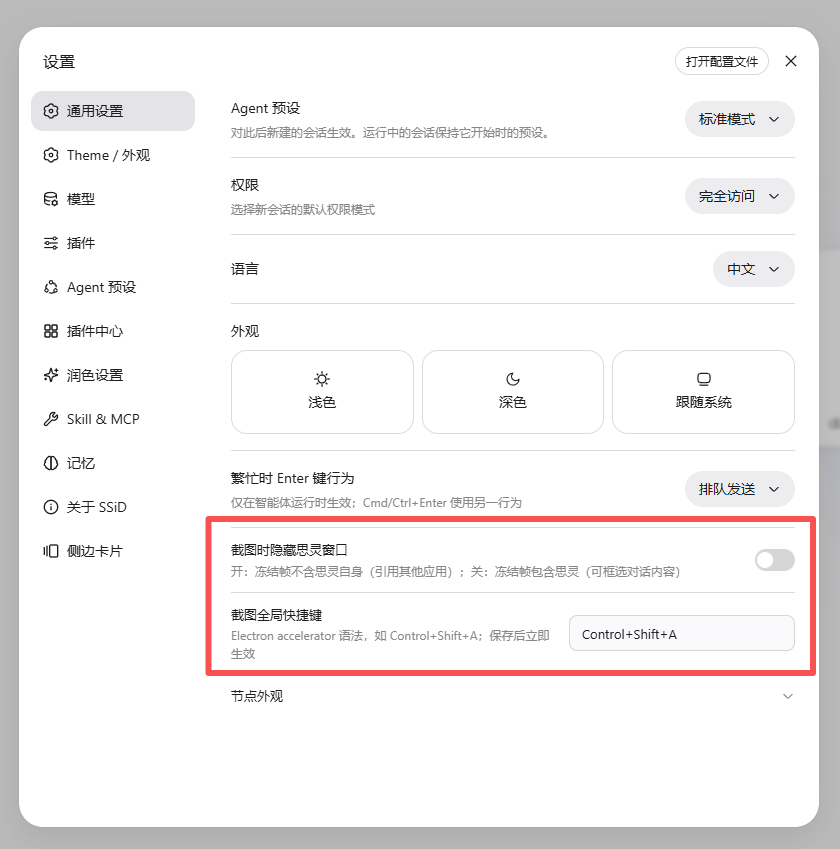
Two engines keep the experience consistent everywhere. Inside the SSiD shell, desktopCapturer grabs each monitor at native resolution and renders a frameless, borderless overlay per screen that never touches the DSH page DOM, with an optional setting to hide the shell window from the freeze frame. In a plain browser, getDisplayMedia hands you the system picker, and the same drag-to-select, annotate, and confirm flow runs on a full-page mask. Runtime detection picks the engine automatically. Ideal for developers, designers, technical writers, and anyone who regularly needs to say "look here" with precise visual context.
Screenshots
Use Cases
- Pointing to a specific UI area during a live conversation
- Quick-annotating a screen region and sending it as a chat attachment
- Editing and re-annotating any existing image in the conversation
Best For
- Developers who frequently reference screen content in conversations
- Designers and technical writers who rely on visual annotation
- Anyone who regularly needs to point at a precise UI location
Related Plugins
A service-oriented sidebar framework for DSH, offering a full workbench with file explorer, embedded browser, real terminal, Git panel, and extensible plugin services.

A beautiful, practical Claude Code-style TUI plugin with pixel whale top bar, flowing glow title, real-time status line, streaming thought expansion, time rewind, context progress bar and TPS gauge — zero core changes.

The plugin market for DeepSeek Harness: browse/search/one-click install community plugins and themes, with updates, backup/restore, hot disable, diagnostics, and AI fix.

A persistent whale widget on the DSH web UI that shows DeepSeek balance, today's usage, and per-turn cost, with drag-and-snap and sound effects.