dsh-lens-rail
Run the following command in DeepSeek Harness:
dsh plugin install hzpeng57/dsh-lens-rail
Paste the following prompt into your AI chat to install this plugin:
Run dsh plugin install hzpeng57/dsh-lens-rail in the DeepSeek Harness terminal; the full source code and documentation are available at https://github.com/hzpeng57/dsh-lens-rail — restart dsh web and hard-refresh your browser after installation.
About this plugin
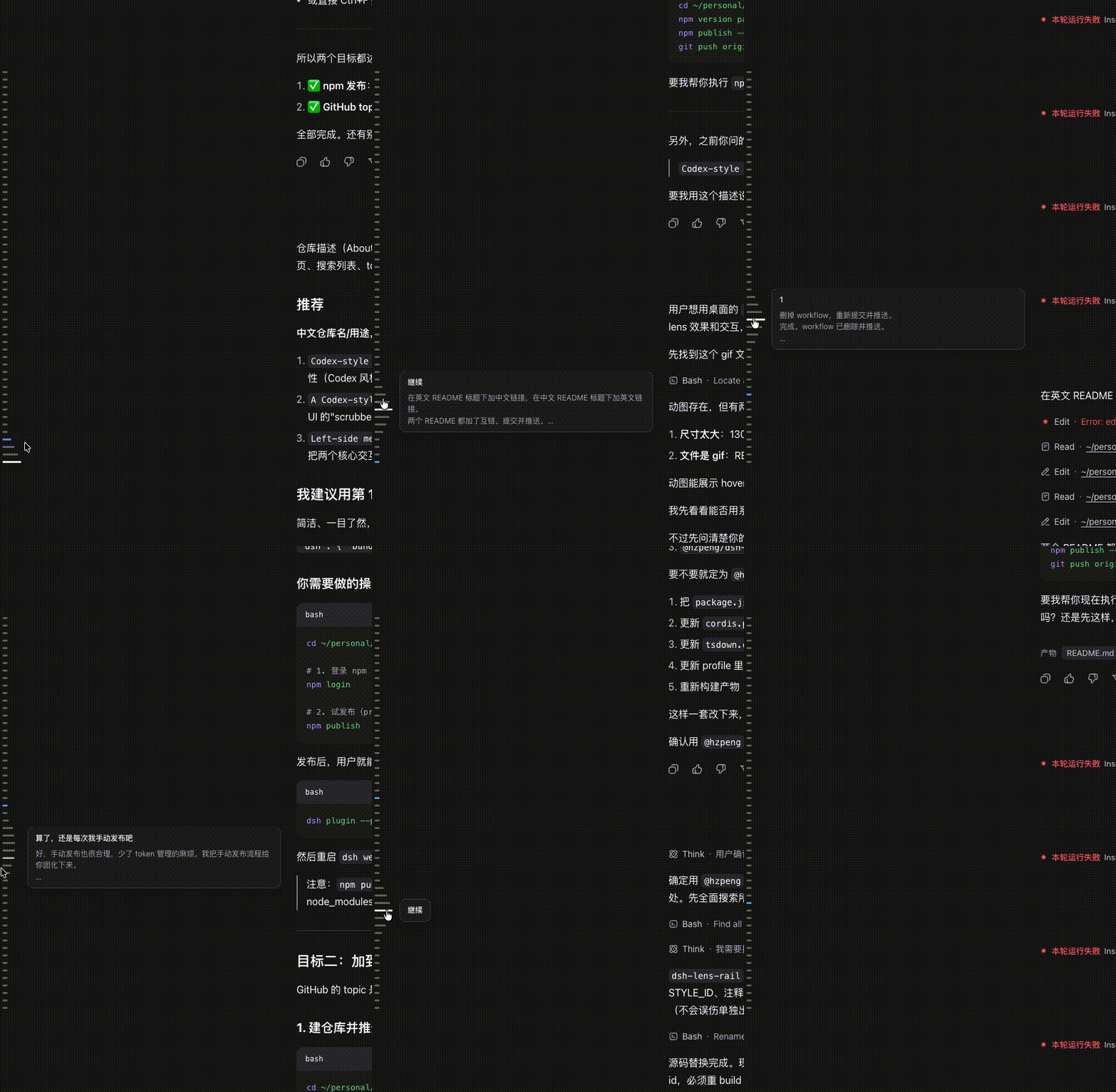
Once a DSH Web conversation stretches past a dozen turns, hunting for a specific message means endless scrolling with no visual anchor. dsh-lens-rail adds a slim vertical rail along the left edge of the transcript: one short horizontal line per user turn and per assistant reply, while tool rows and command fragments are skipped so the rail reads as a conversation rather than a step ledger.
Hovering triggers a Codex-style lens effect — the line under your cursor lengthens while its neighbours taper off along a smooth gaussian curve. As you scroll, the line nearest the 40-percent viewport mark lights up in the brand colour with a soft glow, giving you a live reading-position indicator. Click any line to jump straight to that message; if it lives in older history the rail pages it in on demand and shows a brief spinner. Everything is driven by DSH theme tokens, so light and dark modes both look right out of the box, and the rail sits just beside the conversation column without overlapping the app sidebar.
If you work through long multi-turn chats in DSH Web and appreciate the restrained, tactile details of the Codex UI, this left-edge lens rail cuts down wasted scrolling and keeps your place in the thread unmistakably visible.
Screenshots
Use Cases
- Quickly locating a specific message in a long multi-turn conversation
- Tracking your reading position in real time during extended chats
- Appreciating Codex-style restrained interaction and visual details
Best For
- Developers who regularly work through long multi-turn chats in DSH Web
- Users who prefer Codex-style restrained UI and tactile interaction
- Anyone who wants enhanced conversation navigation without extra panels
Related Plugins
A service-oriented sidebar framework for DSH, offering a full workbench with file explorer, embedded browser, real terminal, Git panel, and extensible plugin services.

A beautiful, practical Claude Code-style TUI plugin with pixel whale top bar, flowing glow title, real-time status line, streaming thought expansion, time rewind, context progress bar and TPS gauge — zero core changes.

The plugin market for DeepSeek Harness: browse/search/one-click install community plugins and themes, with updates, backup/restore, hot disable, diagnostics, and AI fix.

A persistent whale widget on the DSH web UI that shows DeepSeek balance, today's usage, and per-turn cost, with drag-and-snap and sound effects.