dsh-commandcode-usage
Run the following command in DeepSeek Harness:
dsh plugin install XingPeng-Pixel/dsh-commandcode-usage
Paste the following prompt into your AI chat to install this plugin:
Run dsh plugin install XingPeng-Pixel/dsh-commandcode-usage in your terminal or the DSH plugin marketplace to install; the source is available at https://github.com/XingPeng-Pixel/dsh-commandcode-usage.
About this plugin
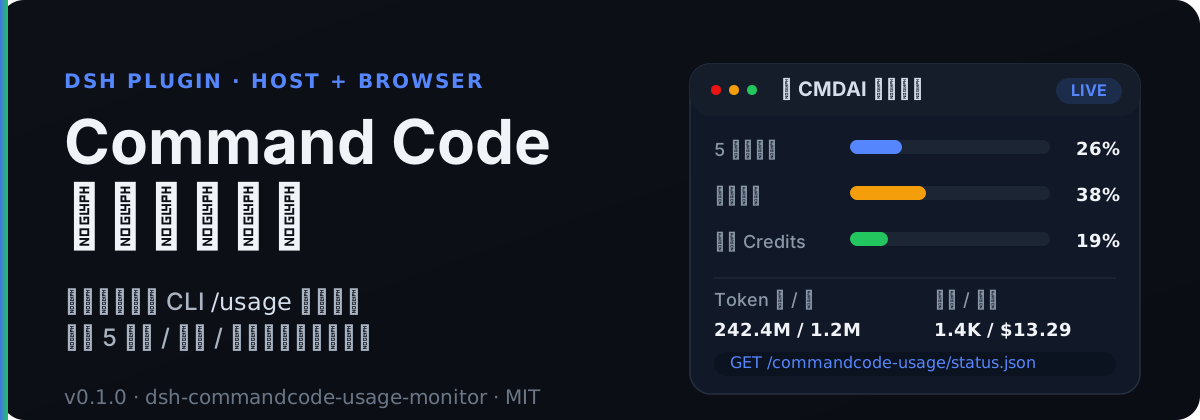
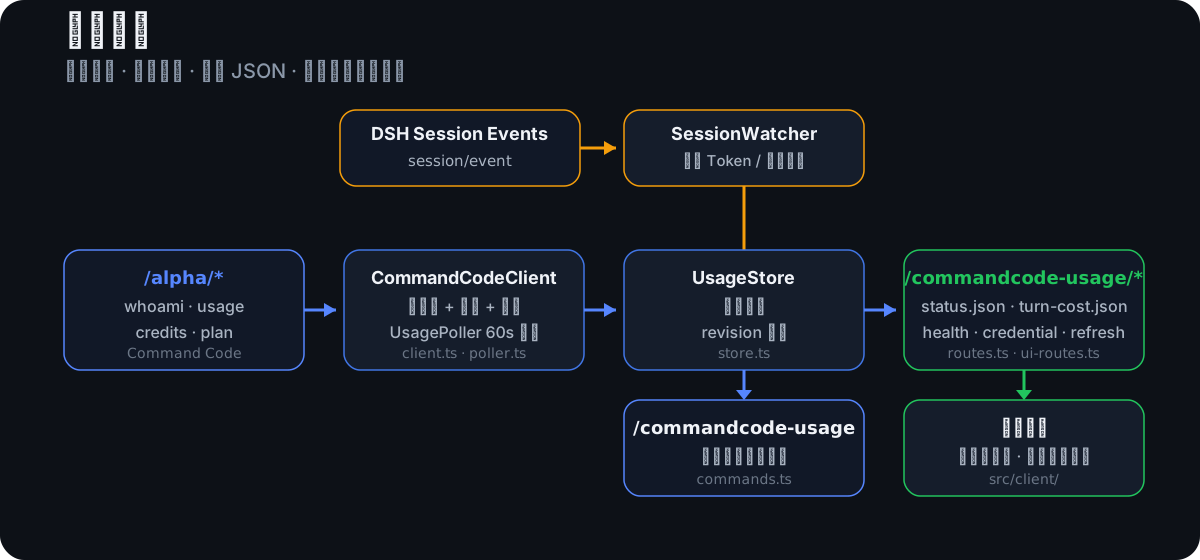
The most annoying part of running heavy Command Code workloads is rarely model quality—it is the invisible quota ceiling. The five-hour window is about to fill up, the weekly reset time slips out of memory, and the monthly Credits balance lives in a browser tab you have to hunt down. dsh-commandcode-usage brings all of that inside the DSH interface: a Host-side poller calls the same-origin /alpha/* endpoints (whoami, usage, billing, subscriptions) at a configurable interval, normalises the results into a single in-memory store, and exposes them through same-origin JSON routes that the browser can read without ever touching the API key.
Beyond a top-level dashboard, the plugin tracks per-turn consumption. A SessionWatcher listens for genuine usage fields inside assistant messages, settles the cost at turn end, and publishes the token count to turn-cost.json with an incrementing sequence number so the front-end can poll for changes cheaply. In multi-account setups each slot resolves, polls, and degrades independently; the credential chain walks through config literals, the DSH credentials service, a launch-time environment variable, and the official CLI auth file in order, while the browser side only ever sees aggregated JSON.
If you run long conversations or batch jobs through DSH on Command Code, or your team shares the platform across several accounts and everyone needs to watch their own quota, this plugin turns constant tab-switching into a single glance at the sidebar usage bars.
Screenshots
Use Cases
- Confirming remaining 5-hour and weekly quota before kicking off a long batch job
- Each member on a shared multi-account setup watching their own dedicated slot and reset time
- Glancing at a live usage dashboard from the DSH settings page or a /commandcode-usage slash command
Best For
- Heavy Command Code users running long sessions through DSH
- Team leads managing quotas and usage distribution across multiple accounts
- Developers integrating usage telemetry and alerts into DSH front-end panels
Related Plugins
A service-oriented sidebar framework for DSH, offering a full workbench with file explorer, embedded browser, real terminal, Git panel, and extensible plugin services.

A beautiful, practical Claude Code-style TUI plugin with pixel whale top bar, flowing glow title, real-time status line, streaming thought expansion, time rewind, context progress bar and TPS gauge — zero core changes.

The plugin market for DeepSeek Harness: browse/search/one-click install community plugins and themes, with updates, backup/restore, hot disable, diagnostics, and AI fix.

A persistent whale widget on the DSH web UI that shows DeepSeek balance, today's usage, and per-turn cost, with drag-and-snap and sound effects.