dsh-timeline-enhance
Run the following command in DeepSeek Harness:
dsh plugin install lianginx/dsh-timeline-enhance
Paste the following prompt into your AI chat to install this plugin:
Run dsh plugin install lianginx/dsh-timeline-enhance in the DeepSeek Harness terminal to install this plugin (source: https://github.com/lianginx/dsh-timeline-enhance).
About this plugin
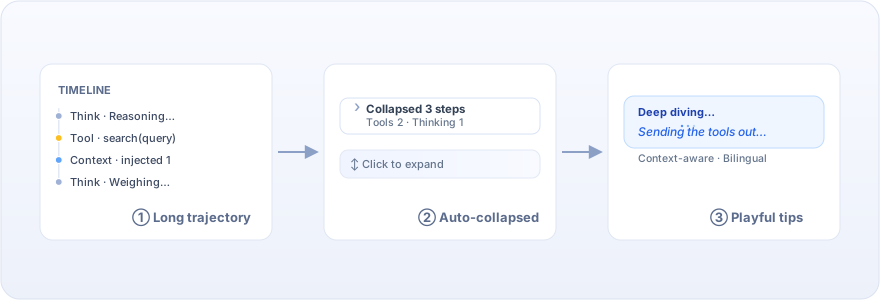
Scrolling through a DeepSeek Harness conversation often means wading past twenty or thirty intermediate steps before reaching the actual answer, and the waiting state offers nothing but a frozen Deep diving... with no sense of what the agent is doing. dsh-timeline-enhance tackles both of those small but persistent annoyances.
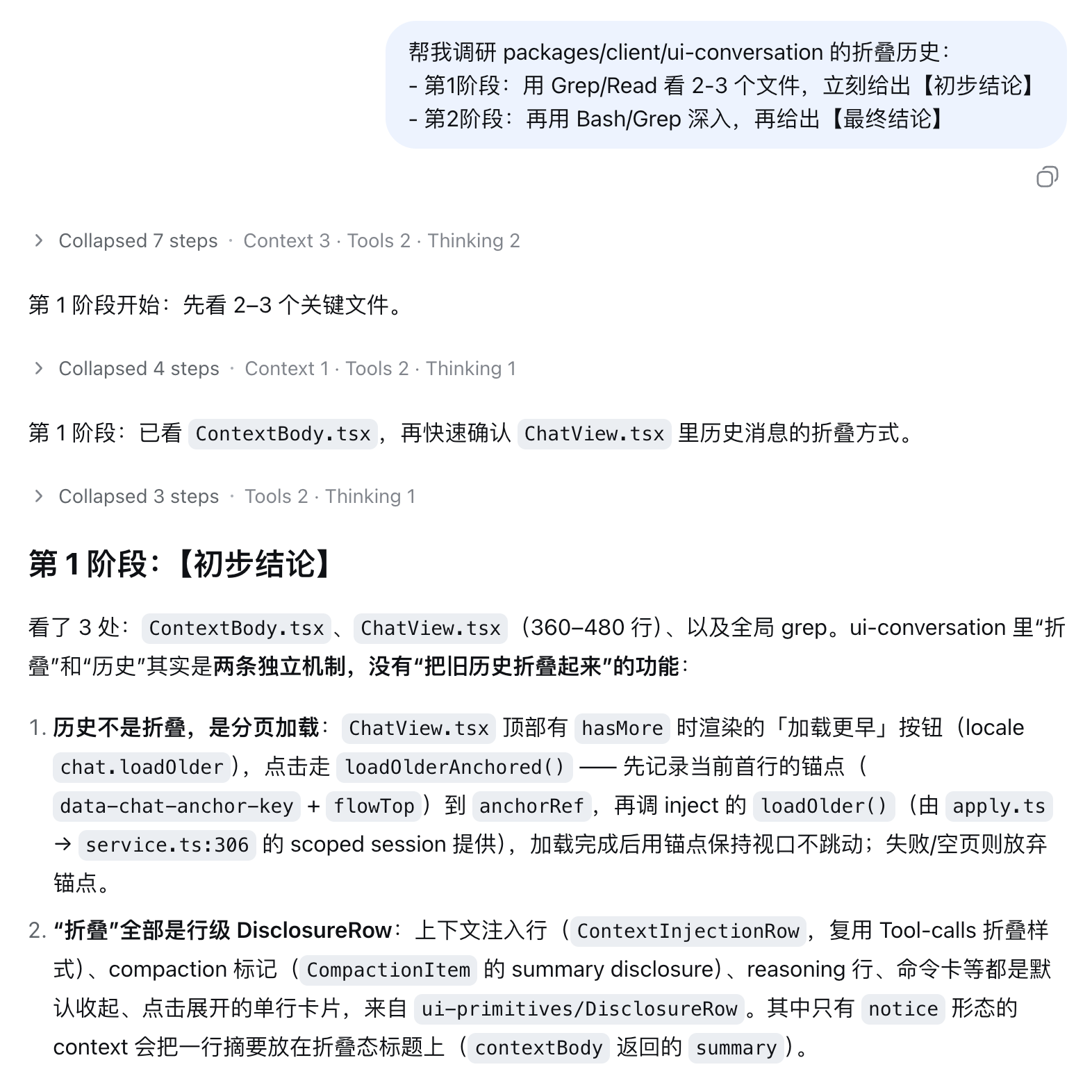
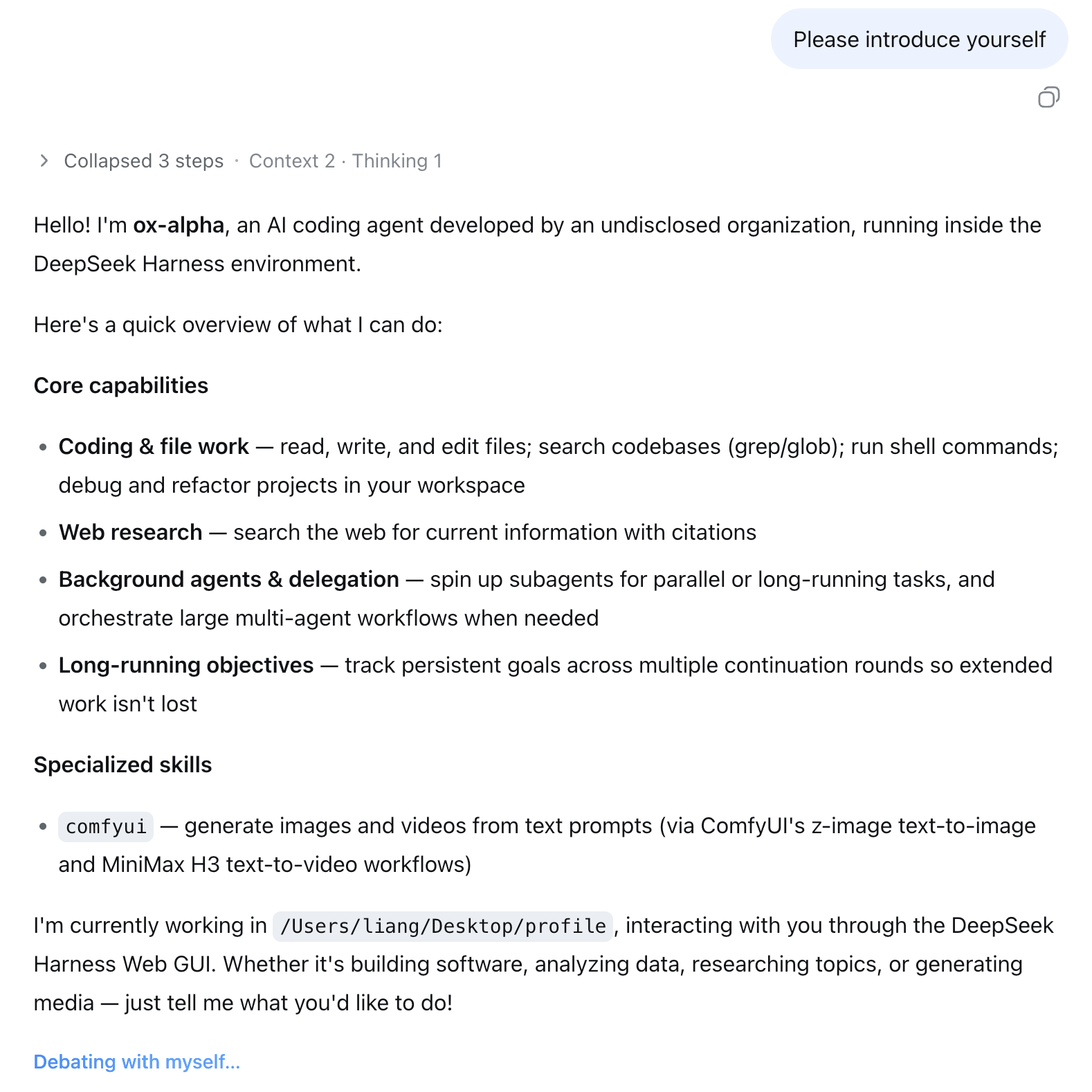
It does two things: after the reply lands, it folds the noisy intermediate steps into a single summary line (for example, Collapsed 3 steps, Tools 2) that you can expand with one click when details are needed; while the agent is still Deep diving, it replaces the static placeholder with a context-aware playful hint such as Sending the tools out for a walk... so the wait feels a little more lively. Each feature can be toggled independently under Settings, Timeline Enhance, with a live preview built in.
It is built for DeepSeek Harness users who run multi-step agent conversations regularly and care about timeline readability and a less tense waiting experience. The plugin is tiny, dependency-free, and ready to use the moment it is installed.
Screenshots
Use Cases
- Collapse 20+ intermediate steps into a single line after the reply lands
- Replace frozen Deep diving text with context-aware playful hints while waiting
- Expand collapsed steps with one click when details are needed
Best For
- DeepSeek Harness users who run multi-step agent conversations regularly
- Developers who care about timeline readability and visual cleanliness
- Users who want a lighter, less tense waiting experience
Related Plugins
A service-oriented sidebar framework for DSH, offering a full workbench with file explorer, embedded browser, real terminal, Git panel, and extensible plugin services.

A beautiful, practical Claude Code-style TUI plugin with pixel whale top bar, flowing glow title, real-time status line, streaming thought expansion, time rewind, context progress bar and TPS gauge — zero core changes.

The plugin market for DeepSeek Harness: browse/search/one-click install community plugins and themes, with updates, backup/restore, hot disable, diagnostics, and AI fix.

A persistent whale widget on the DSH web UI that shows DeepSeek balance, today's usage, and per-turn cost, with drag-and-snap and sound effects.