dsh-screenshot-capture
Run the following command in DeepSeek Harness:
dsh plugin install wangzhanchao883/dsh-screenshot-capture
Paste the following prompt into your AI chat to install this plugin:
Run dsh plugin install wangzhanchao883/dsh-screenshot-capture inside DeepSeek Harness to install; the full source code is hosted at https://github.com/wangzhanchao883/dsh-screenshot-capture . Restart DSH after installation.
About this plugin
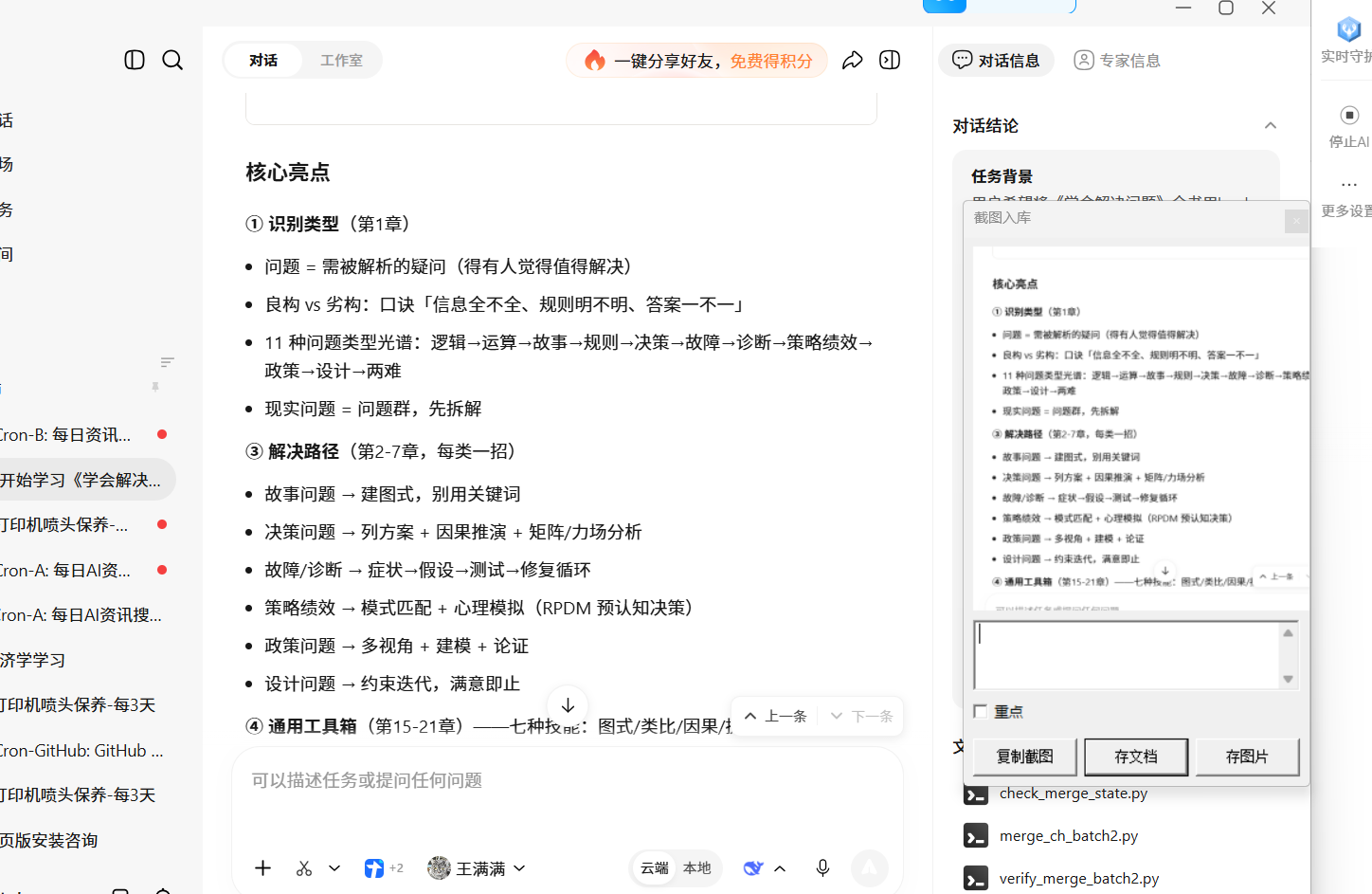
Screenshotting is one of the most frequent ways we capture information, yet what happens after the paste—where to save, what to note, how it fits the system—often breaks the flow. dsh-screenshot-capture collapses that gap into a single interaction: the moment a screenshot lands on the clipboard, a floating window appears right beside your cursor, ready for a comment, a key-point tag, and a one-click save.
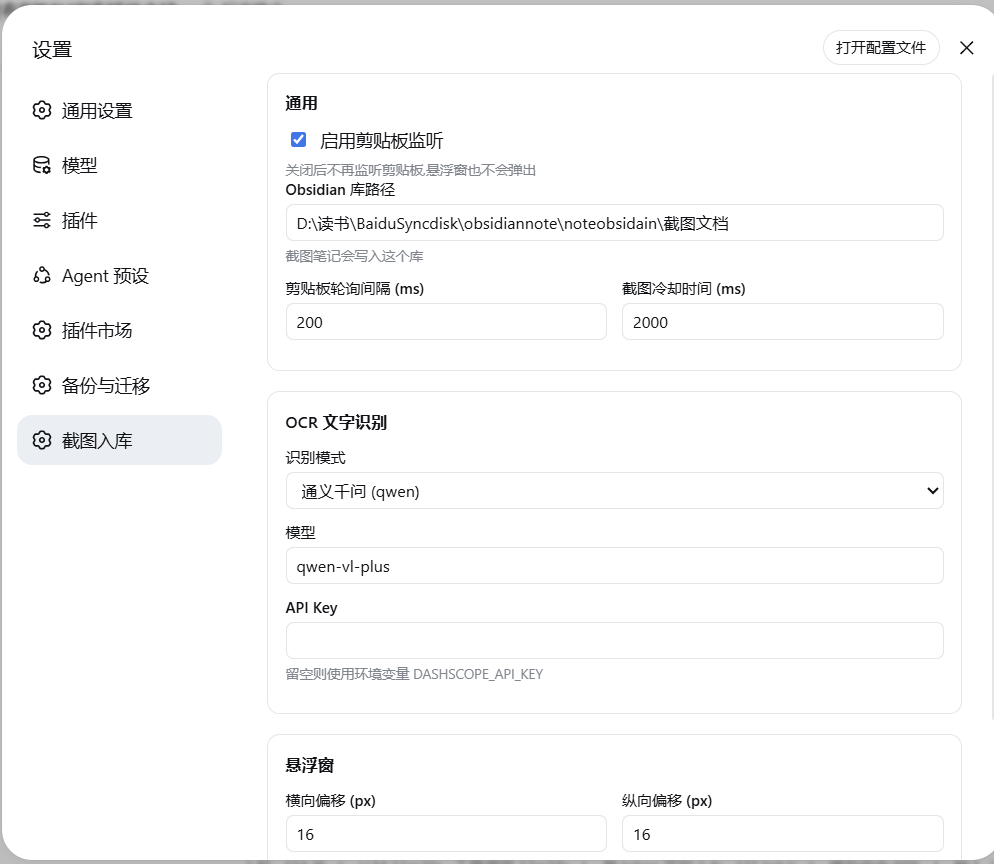
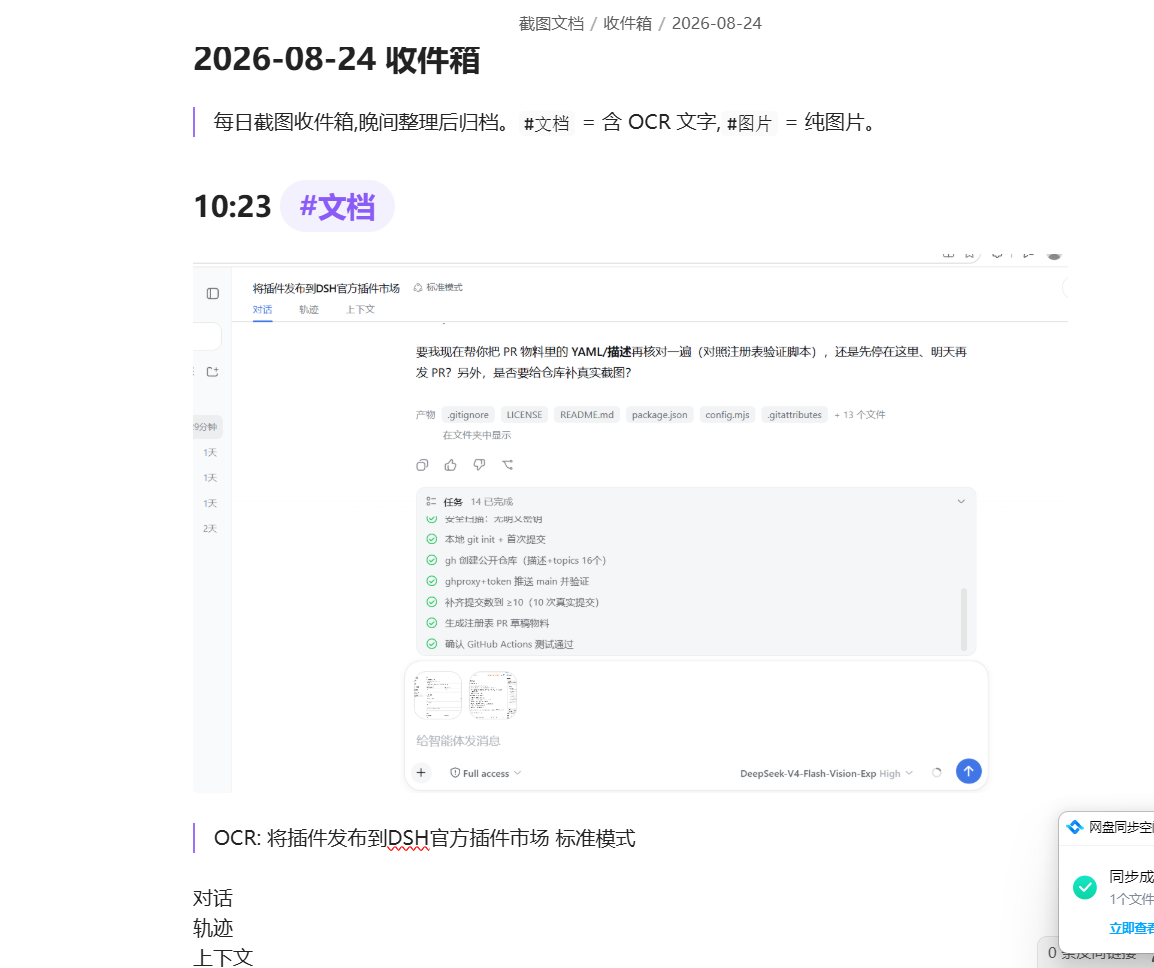
Under the hood the plugin watches the clipboard in the background. When a new image arrives, a system-level topmost popup appears so you can add a text annotation, tick the key-point checkbox, and choose to save into a per-day Obsidian note or store the image only. When saving to a note, the image lands immediately and OCR text is backfilled within one to five seconds via the Tongyi Qianwen multimodal API—no local model required. In the evening, a single prompt triggers an AI pass that filters, categorizes, cross-links, summarizes, and archives the day s entries.
Built for Windows users who screenshot heavily and treat Obsidian as their second brain. If scattered image files and forgotten captures are slowing your knowledge workflow, this plugin bridges the missing step between capturing and organizing, turning every screenshot into a structured, linked piece of your daily note.
Screenshots
Use Cases
- Frequent work screenshots tagged as key points and saved into per-day Obsidian notes on the fly
- Study screenshots annotated by hand, with OCR text backfilled for later retrieval and review
- A single evening prompt triggers AI to categorize, cross-link, and summarize the day of screenshots
Best For
- Obsidian-heavy Windows users who treat their vault as a second brain
- Power users who screenshot constantly and want a seamless capture-to-organize pipeline
- Knowledge workers who want AI to turn scattered screenshots into structured, linked notes
Related Plugins
A service-oriented sidebar framework for DSH, offering a full workbench with file explorer, embedded browser, real terminal, Git panel, and extensible plugin services.

A beautiful, practical Claude Code-style TUI plugin with pixel whale top bar, flowing glow title, real-time status line, streaming thought expansion, time rewind, context progress bar and TPS gauge — zero core changes.

The plugin market for DeepSeek Harness: browse/search/one-click install community plugins and themes, with updates, backup/restore, hot disable, diagnostics, and AI fix.

A persistent whale widget on the DSH web UI that shows DeepSeek balance, today's usage, and per-turn cost, with drag-and-snap and sound effects.