dsh-session-migrator
Run the following command in DeepSeek Harness:
dsh plugin install Suixin04/dsh-session-migrator
Paste the following prompt into your AI chat to install this plugin:
Install in DeepSeek Harness by running dsh plugin install Suixin04/dsh-session-migrator, with the source code available at https://github.com/Suixin04/dsh-session-migrator
About this plugin
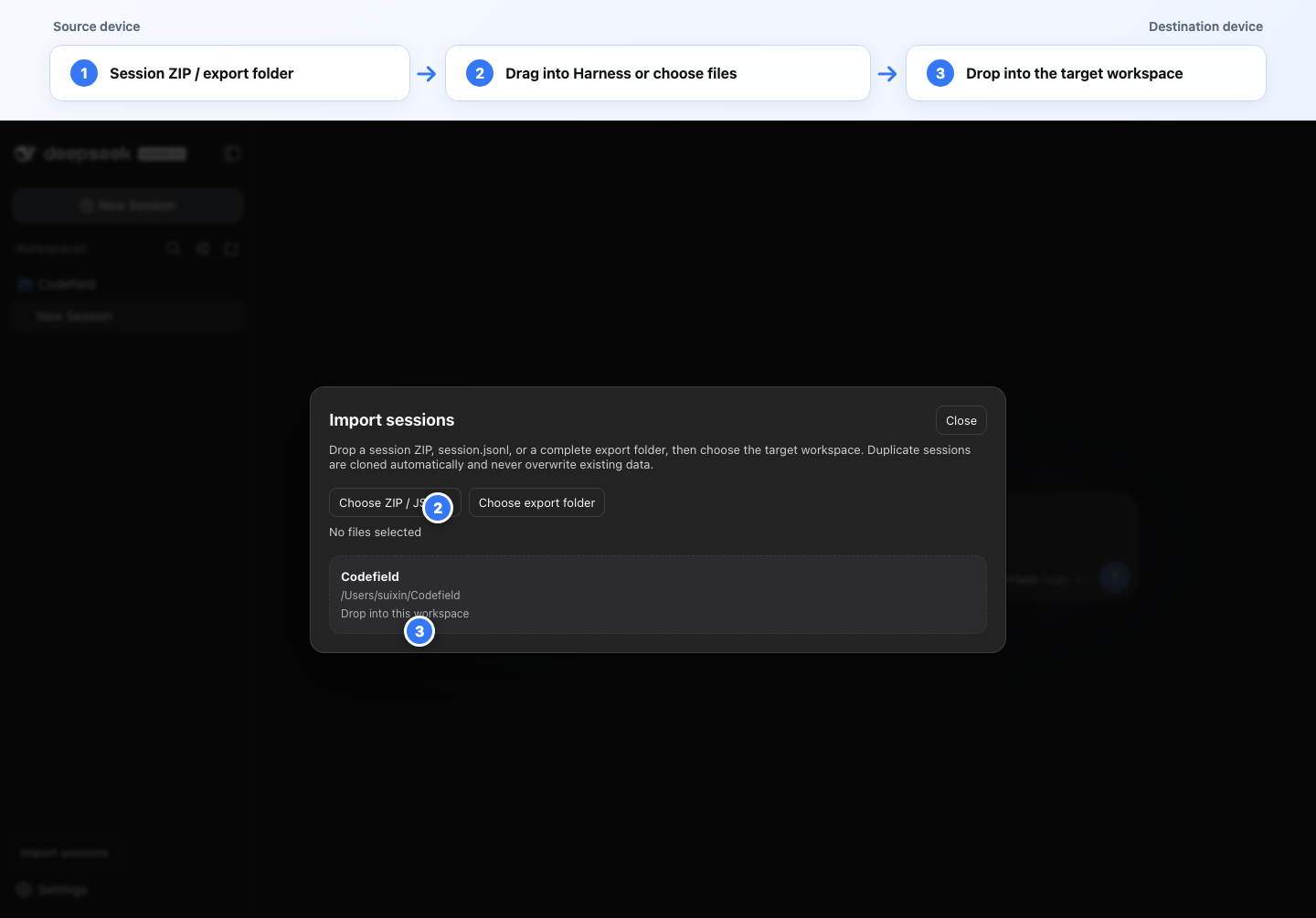
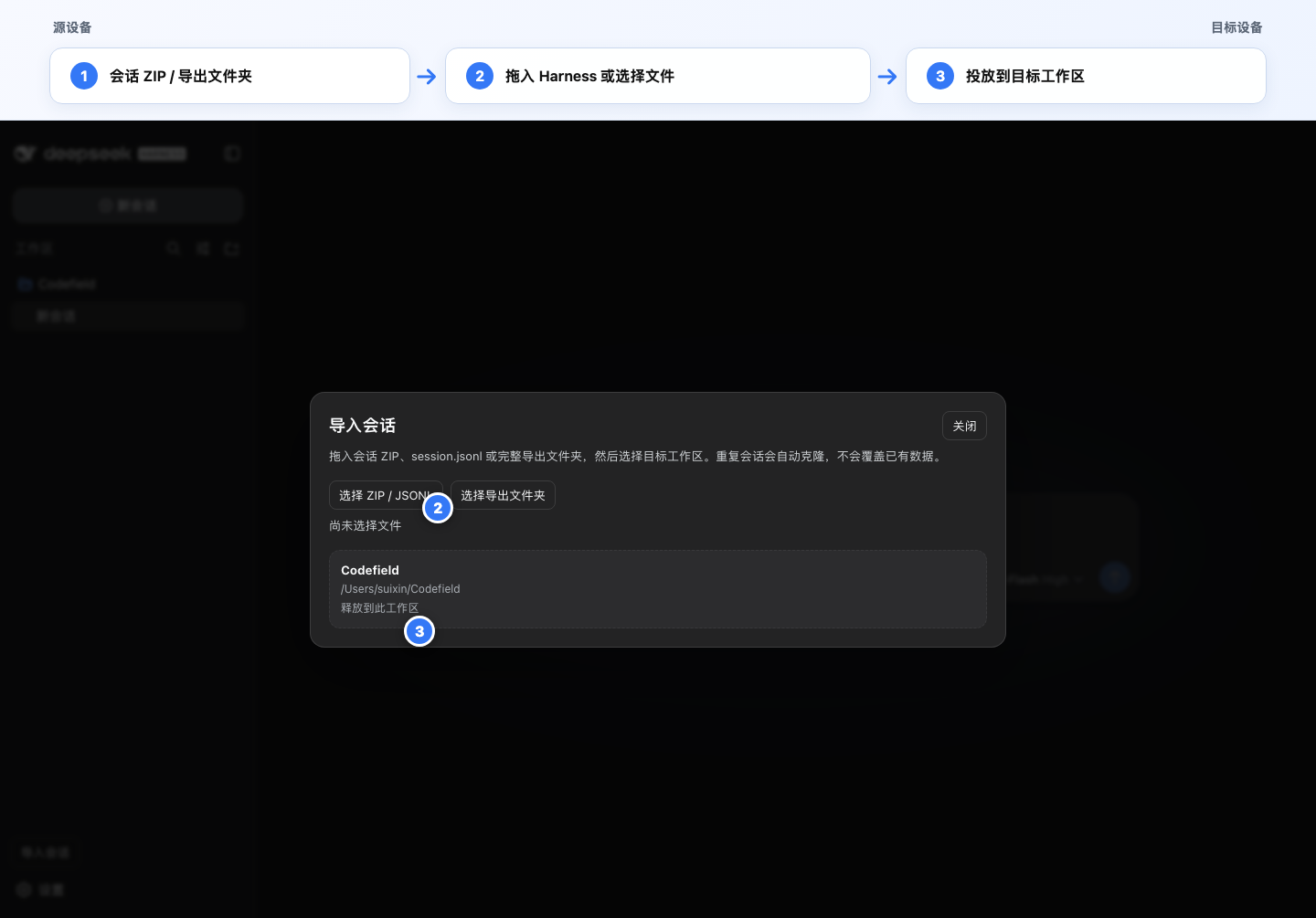
DeepSeek Harness stores full session logs, subagent records, and image attachments entirely on local disk. Switch machines and your accumulated context is stranded on the old one. dsh-session-migrator solves this: export a session on one device, drag the ZIP, JSONL, or complete export folder into Harness on another, and the entire migration completes visually through the sidebar interface without memorizing commands or editing paths manually.
Core capabilities include drag-and-drop import in multiple formats; automatic workspace path remapping to the destination device; reconstruction of the full session tree including the root and every subagent descendant; restoration of referenced PNG, JPEG, WebP, and GIF attachments with content-addressed ID verification; safe whole-tree cloning with unified ID and reference remapping when any session ID conflicts locally, never overwriting existing data; and pre-write validation through decodeStorageRecord and Session.create for Harness-native integrity.
It is suited to developers who switch between multiple machines, teams that need to hand off session context to a colleague, or anyone who simply wants to back up or relocate local session records.
Screenshots
Use Cases
- Migrate existing session context after switching computers
- Share local session records with a teammate
- Back up work sessions from one device to another
Best For
- Developers who switch between multiple machines
- Team members who need to hand off session context
- Users who want to back up local session records
Related Plugins
A service-oriented sidebar framework for DSH, offering a full workbench with file explorer, embedded browser, real terminal, Git panel, and extensible plugin services.

A beautiful, practical Claude Code-style TUI plugin with pixel whale top bar, flowing glow title, real-time status line, streaming thought expansion, time rewind, context progress bar and TPS gauge — zero core changes.

The plugin market for DeepSeek Harness: browse/search/one-click install community plugins and themes, with updates, backup/restore, hot disable, diagnostics, and AI fix.

A persistent whale widget on the DSH web UI that shows DeepSeek balance, today's usage, and per-turn cost, with drag-and-snap and sound effects.