
relay-dsh-plugin-terminal
Run the following command in DeepSeek Harness:
dsh plugin install yangbobo2021/relay-dsh-plugin-terminal
Paste the following prompt into your AI chat to install this plugin:
Install the terminal panel plugin in DeepSeek Harness by running dsh plugin install yangbobo2021/relay-dsh-plugin-terminal; the source code is available at https://github.com/yangbobo2021/relay-dsh-plugin-terminal .
About this plugin
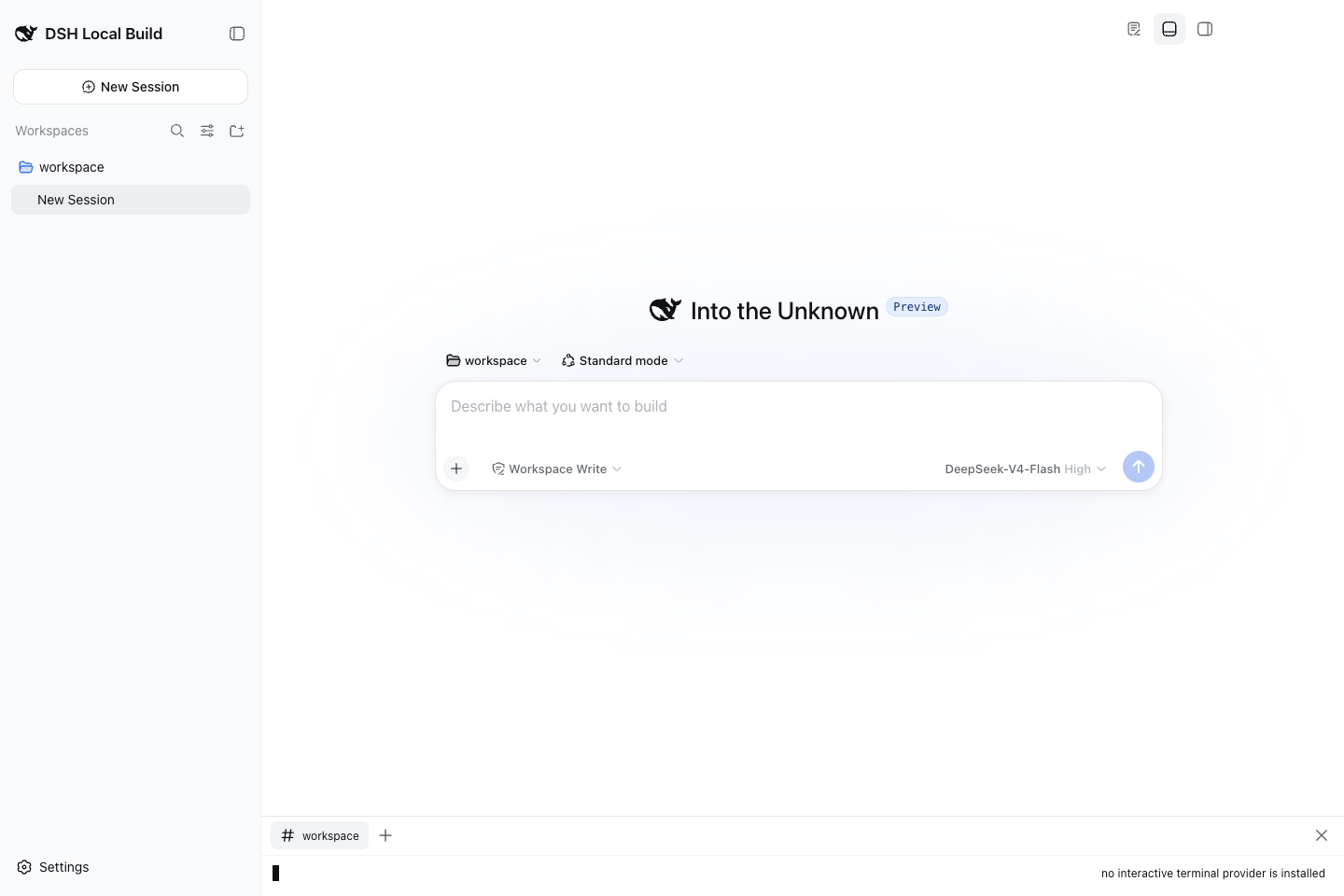
After a conversation in the DeepSeek Harness Web UI, if you need to run a command, check logs, or SSH into a remote host, the usual workaround is to open a system terminal in another window. relay-dsh-plugin-terminal embeds an xterm.js-based browser terminal panel into the official DSH Workbench bottom area, so the conversation and the live shell share the same workspace directory without forcing you to switch applications.
Core capabilities include bounded scrollback managed on the host side, a versioned ctx.relayTerminalProviders registry, and a provider-neutral pipeline for spawn, input, resize, output, and termination. The plugin does not spawn shells by itself; it relies on an execution backend such as relay-dsh-plugin-codex to supply the actual PTY. When no backend is registered the panel reports a clear provider-unavailable state instead of silently failing.
It is designed for developers who want to run commands alongside DSH conversations, for Relay plugin authors who embed terminal capability inside their own web workbenches, and for contributors who build new execution backends through the public provider registry. The plugin does not depend on Claude, Relay Events, or any private Relay runtime; Codex is an optional backend, not a hard dependency. Its clean boundary makes it easy to compose with Workbench, Files, and other DSH panels.
Screenshots
Use Cases
- Run commands or SSH into a remote host directly from the DSH Web UI after a conversation
- Build and register a new terminal execution backend via the versioned provider registry
- Compose terminal, files, and other work views inside the Workbench bottom panel
Best For
- Developers who want to run commands alongside DSH conversations
- Contributors building new execution backends through the public provider registry
- Plugin authors embedding terminal capability into their own web workbenches
Related Plugins
A service-oriented sidebar framework for DSH, offering a full workbench with file explorer, embedded browser, real terminal, Git panel, and extensible plugin services.

A beautiful, practical Claude Code-style TUI plugin with pixel whale top bar, flowing glow title, real-time status line, streaming thought expansion, time rewind, context progress bar and TPS gauge — zero core changes.

The plugin market for DeepSeek Harness: browse/search/one-click install community plugins and themes, with updates, backup/restore, hot disable, diagnostics, and AI fix.

A persistent whale widget on the DSH web UI that shows DeepSeek balance, today's usage, and per-turn cost, with drag-and-snap and sound effects.