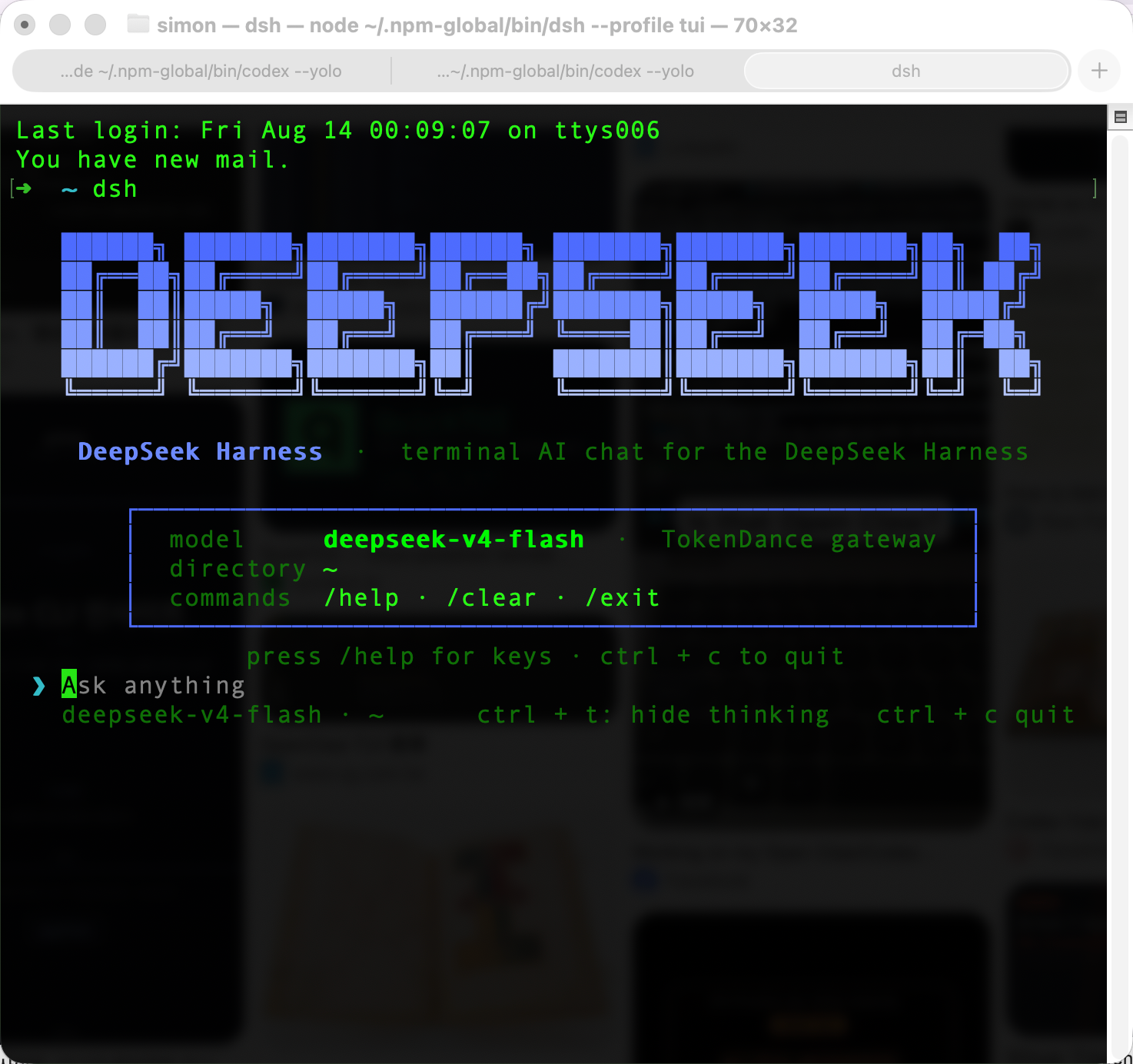
deepseek-harness-tui
Run the following command in DeepSeek Harness:
dsh plugin install gxinxing/deepseek-harness-tui
Paste the following prompt into your AI chat to install this plugin:
To install this plugin in DeepSeek Harness, run the command `dsh plugin install gxinxing/deepseek-harness-tui`, with the full source at https://github.com/gxinxing/deepseek-harness-tui.
About this plugin
Interacting with AI models in a terminal environment often presents challenges with clunky interfaces or poor compatibility. deepseek-harness-tui, a client plugin for DeepSeek Harness, addresses this by offering a terminal-native chat solution that allows users to engage seamlessly and efficiently right from their command line. Built with Ink, it features a zero-chrome UI with a bottom-anchored transcript, where tool calls and thinking traces can be folded into cells for a clean interface. The plugin automatically adapts themes via OSC 11 to match the terminal's background and supports full Markdown rendering, including proper wrapping for CJK characters, enhancing usability. Ideal for developers, terminal enthusiasts, and DeepSeek Harness users who prefer command-line workflows, it provides a lightweight, customizable interaction for daily tasks, debugging, or exploring AI models.
Screenshots
Use Cases
- Engage in real-time chat with DeepSeek models in the command line to boost productivity.
- Fold tool calls during development debugging to keep the interface tidy and readable.
- Automatically adapt to terminal themes for a personalized visual experience.
Best For
- Developers: Efficiently debug and test AI models in the terminal.
- Terminal enthusiasts: Users who prefer command-line workflows.
- DeepSeek Harness users: Those needing a lightweight chat interface.
Related Plugins
A service-oriented sidebar framework for DSH, offering a full workbench with file explorer, embedded browser, real terminal, Git panel, and extensible plugin services.

A beautiful, practical Claude Code-style TUI plugin with pixel whale top bar, flowing glow title, real-time status line, streaming thought expansion, time rewind, context progress bar and TPS gauge — zero core changes.

The plugin market for DeepSeek Harness: browse/search/one-click install community plugins and themes, with updates, backup/restore, hot disable, diagnostics, and AI fix.

A persistent whale widget on the DSH web UI that shows DeepSeek balance, today's usage, and per-turn cost, with drag-and-snap and sound effects.