dsh-latex-tools
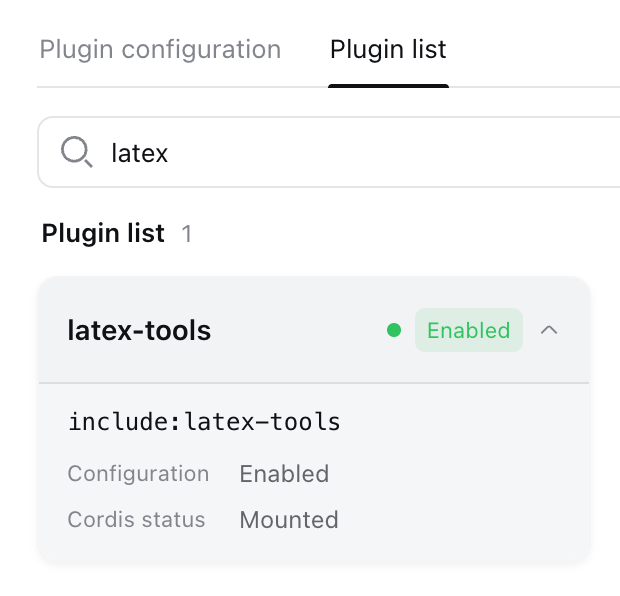
Run the following command in DeepSeek Harness:
dsh plugin install liuup/dsh-latex-tools
Paste the following prompt into your AI chat to install this plugin:
In DeepSeek Harness, you can install this plugin by running the command dsh plugin install liuup/dsh-latex-tools from https://github.com/liuup/dsh-latex-tools.
About this plugin
In academic research and teaching, we often encounter a scenario where we spot an insightful LaTeX formula in DeepSeek Harness and want to extract its source code for our papers or notes, or export it as a crisp vector image for PPT presentations and web design. However, manually copying source code is error-prone, and traditional screenshots or external tools are inefficient, especially when mathematical precision is required. The dsh-latex-tools plugin is designed to address these pain points, making formula handling intuitive and seamless.
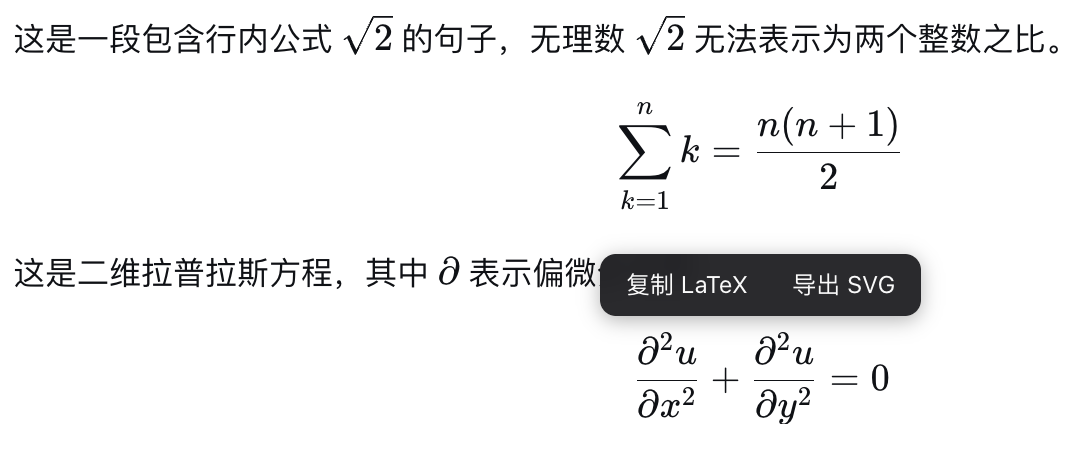
The core capability of this plugin is 'hover-to-use': when hovering over any LaTeX formula (whether inline or display), users can directly copy the TeX source code to the clipboard without extra steps. More importantly, it supports one-click export as self-contained SVG files, meaning formulas are rendered into vector graphics with all glyphs and styles embedded, fully offline and independent of external fonts or CDN services. This offline feature ensures stable operation in any environment, making it ideal for academic writing, educational material creation, or technical documentation.
Whether you are a researcher needing quick formula references, a student organizing study notes, or a teacher preparing course materials, dsh-latex-tools significantly boosts your productivity. It bridges the gap between reading and application, making LaTeX formula utilization simple and straightforward, and truly serving as a valuable assistant for DeepSeek Harness users.
Screenshots
Use Cases
- Quickly copy formula source code in academic papers.
- Export formula vector images for teaching PPTs or web pages.
- Conveniently integrate LaTeX expressions in technical documentation.
Best For
- Researchers and scholars.
- Teachers and educators.
- Students and technical document authors.
Related Plugins
A service-oriented sidebar framework for DSH, offering a full workbench with file explorer, embedded browser, real terminal, Git panel, and extensible plugin services.

A beautiful, practical Claude Code-style TUI plugin with pixel whale top bar, flowing glow title, real-time status line, streaming thought expansion, time rewind, context progress bar and TPS gauge — zero core changes.

The plugin market for DeepSeek Harness: browse/search/one-click install community plugins and themes, with updates, backup/restore, hot disable, diagnostics, and AI fix.

A persistent whale widget on the DSH web UI that shows DeepSeek balance, today's usage, and per-turn cost, with drag-and-snap and sound effects.