
dsh-power-button
Run the following command in DeepSeek Harness:
dsh plugin install YuYangOUC/dsh-power-button
Paste the following prompt into your AI chat to install this plugin:
Run dsh plugin install YuYangOUC/dsh-power-button in your terminal to install this plugin; the source repository is available at https://github.com/YuYangOUC/dsh-power-button
About this plugin
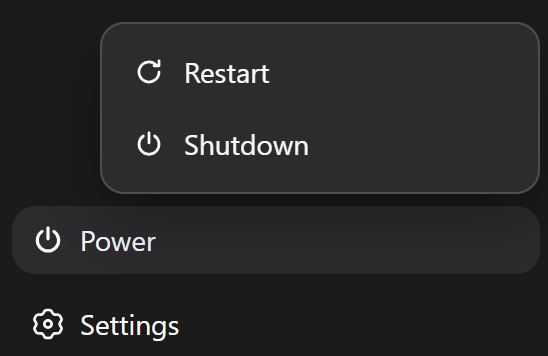
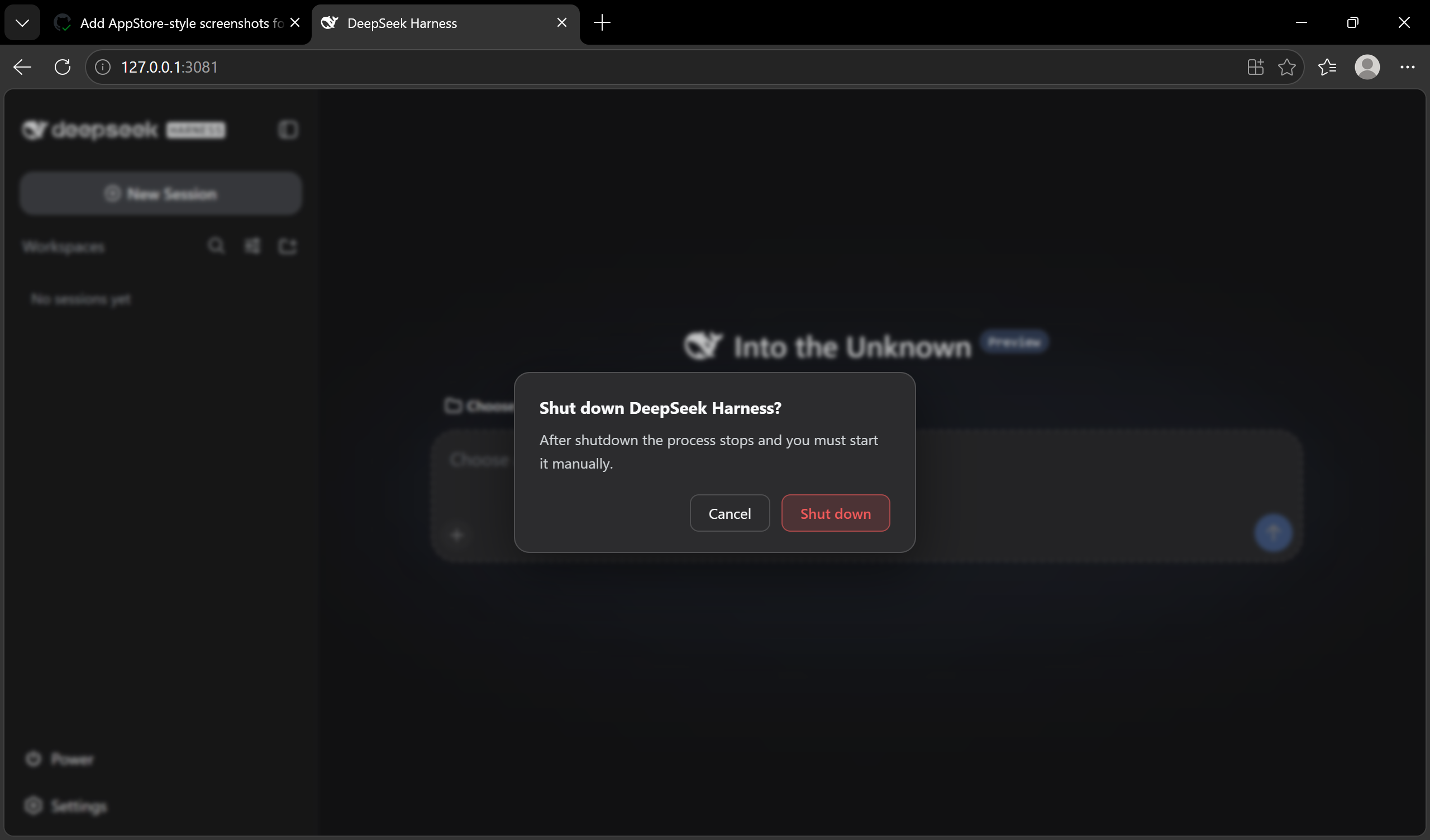
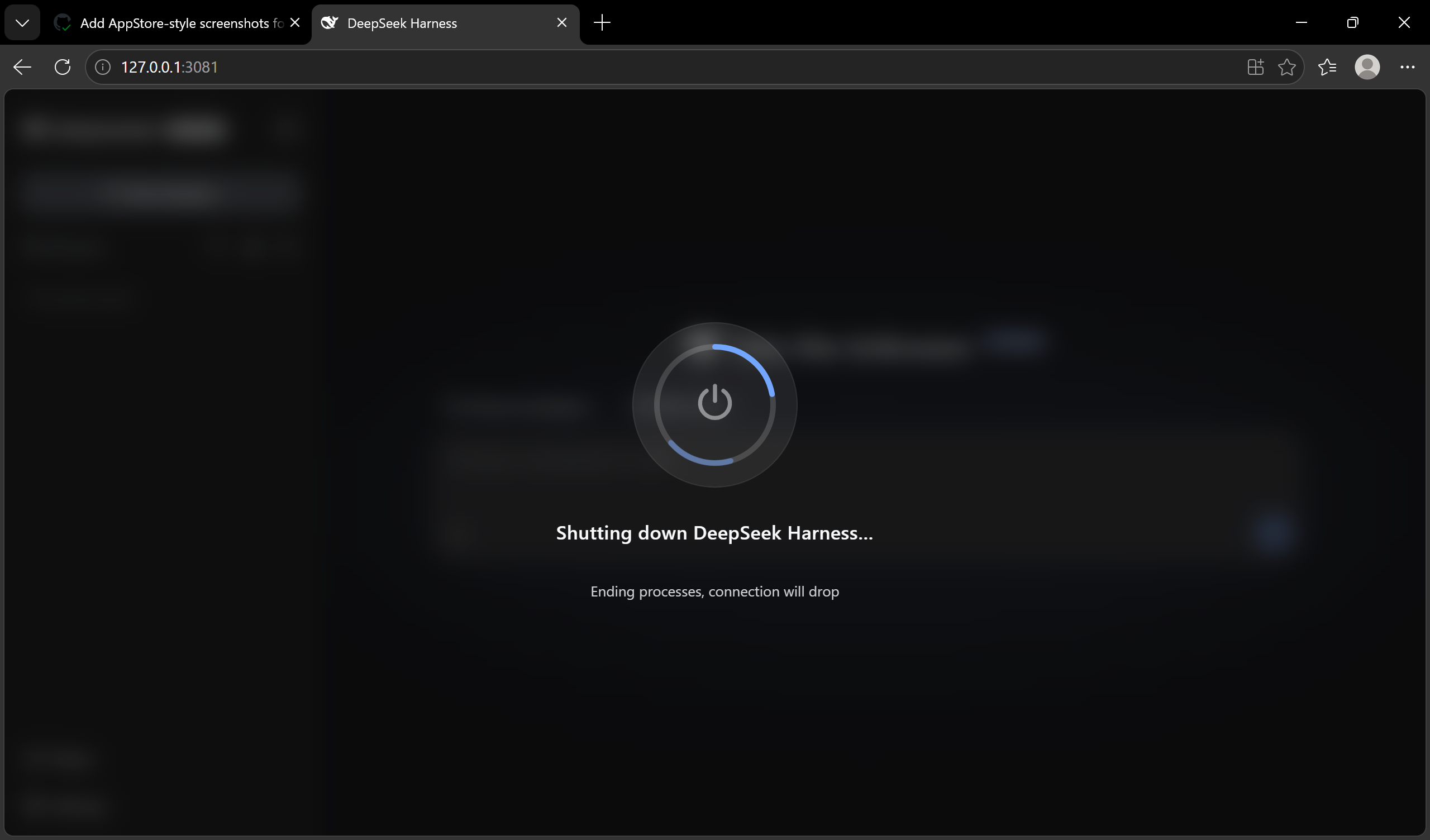
Restarting DeepSeek Harness used to mean killing a process by hand, waiting for the port to free up, and relaunching it with the exact same arguments. dsh-power-button collapses that entire procedure into a single sidebar power button: click it, pick Restart or Shutdown, and a Windows-style full-screen transition carries you through the handoff. No terminal, no memorized commands.
Under the hood the plugin ships a self-contained restart engine with zero third-party dependencies and no PowerShell or taskkill calls. It writes a detached CommonJS helper that runs outside the process tree, waits for the old process to exit and the port to release, then polls every session log until two consecutive samples report identical size and mtime, guaranteeing no in-flight write-behind buffer can interleave stale sequence numbers before the fresh instance starts. Alongside the GUI, the plugin registers /restart and /shutdown commands plus a restart_harness model tool so an AI conversation can also trigger a safe, delayed restart.
It is built for DSH users who want routine lifecycle changes to be one click away yet care that session integrity is preserved. Shutdown defaults its focus to Cancel and requires an explicit second confirmation before anything terminates; restart success is verified by a per-process instance ID that must change, so a brief outage never fakes a successful cycle. The interface is fully localized in Chinese and English, following the profile locale preference out of the box.
Screenshots

Use Cases
- Restart DSH with one click without opening a terminal or recalling launch arguments
- Trigger a delayed safe restart from within an AI conversation
- Prevent accidental process termination with a double-confirmation shutdown flow
Best For
- Developers who use DeepSeek Harness daily and want simplified lifecycle operations
- Administrators who prioritize session integrity and process safety
- Advanced users who prefer a GUI over command-line operations
Related Plugins
A service-oriented sidebar framework for DSH, offering a full workbench with file explorer, embedded browser, real terminal, Git panel, and extensible plugin services.

A beautiful, practical Claude Code-style TUI plugin with pixel whale top bar, flowing glow title, real-time status line, streaming thought expansion, time rewind, context progress bar and TPS gauge — zero core changes.

The plugin market for DeepSeek Harness: browse/search/one-click install community plugins and themes, with updates, backup/restore, hot disable, diagnostics, and AI fix.

A persistent whale widget on the DSH web UI that shows DeepSeek balance, today's usage, and per-turn cost, with drag-and-snap and sound effects.