dsh-open-folder
Run the following command in DeepSeek Harness:
dsh plugin install TussalZeus18028/dsh-open-folder
Paste the following prompt into your AI chat to install this plugin:
Run dsh plugin install TussalZeus18028/dsh-open-folder in the DeepSeek Harness terminal to install; the source is available at https://github.com/TussalZeus18028/dsh-open-folder .
About this plugin
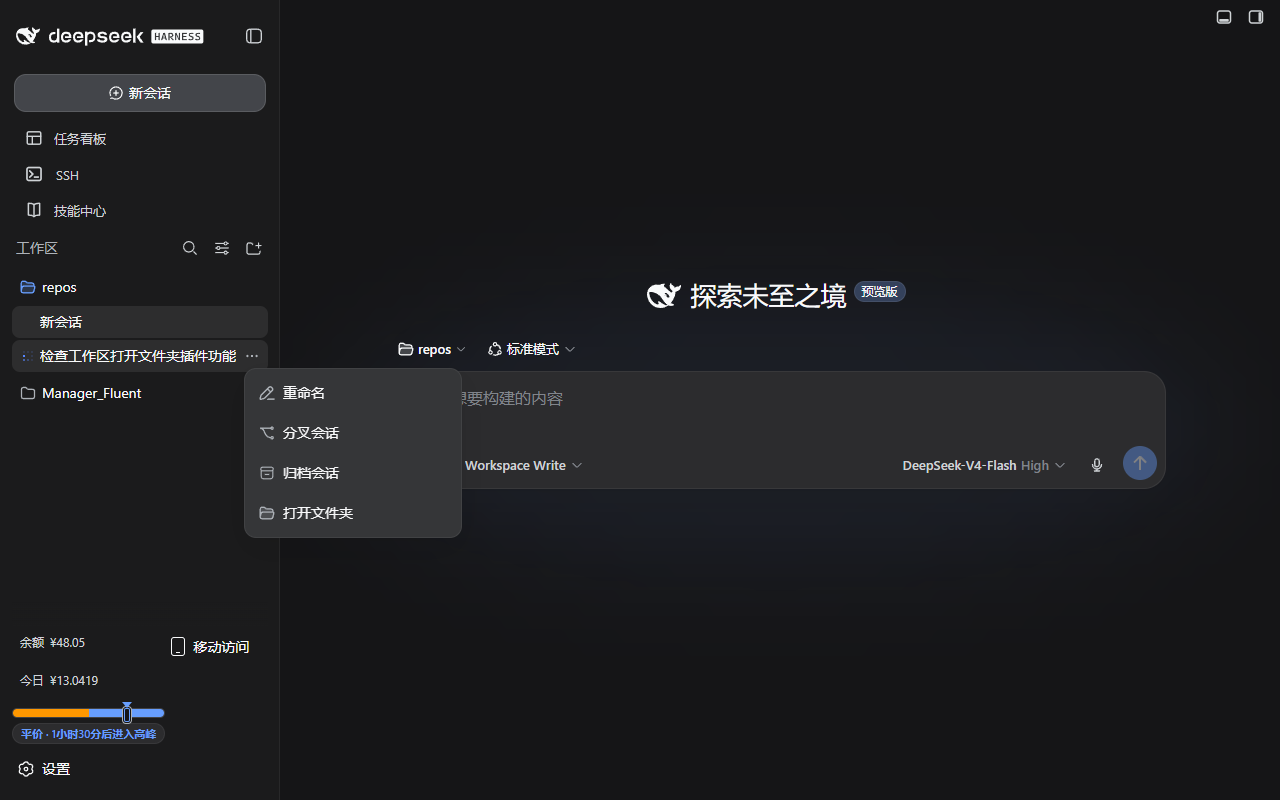
In the DeepSeek Harness sidebar you can rename, fork, or archive sessions from the overflow menu, yet there is no shortcut to simply jump to the folder on disk. dsh-open-folder closes that gap: a single "Open folder" entry appended to every session row's ⋯ menu. One click launches the host OS file manager pointed at the session's workspace directory — no path-copying or window-switching required.
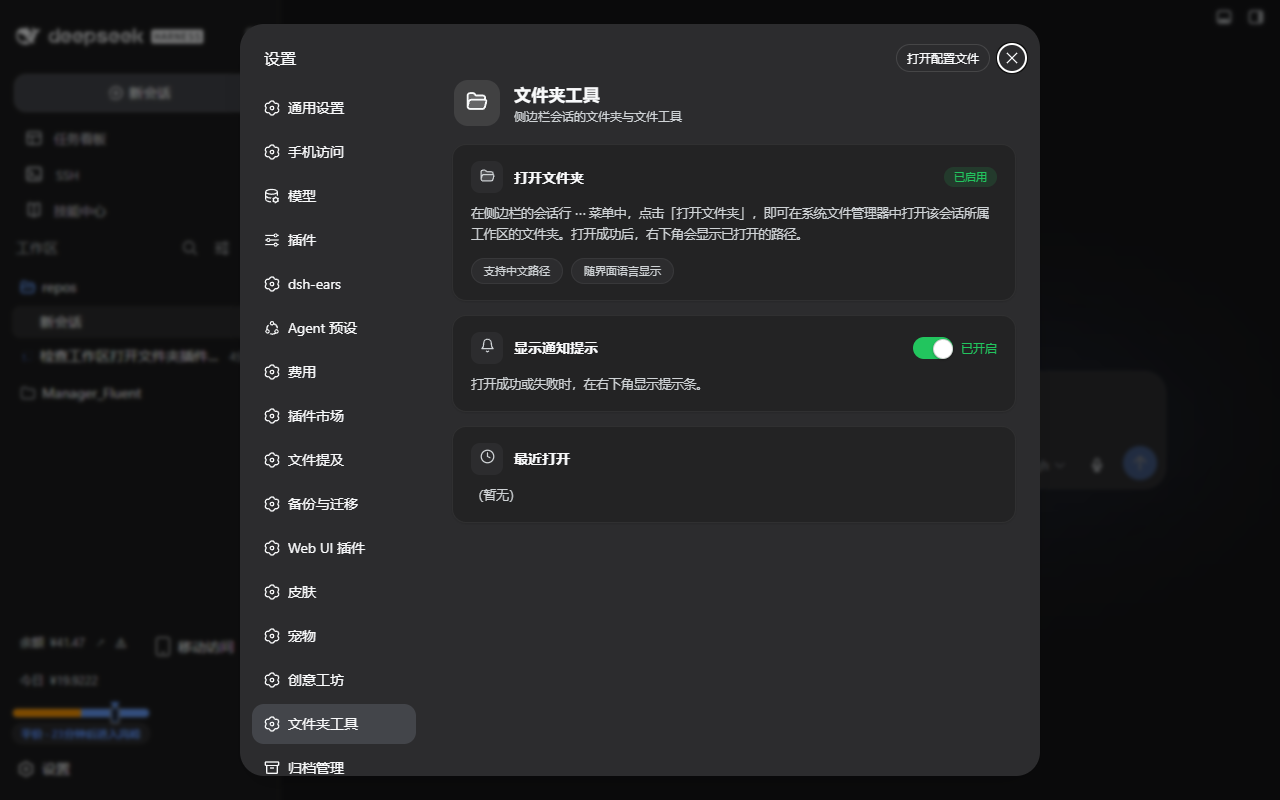
The plugin pays close attention to edge cases. On Windows, paths containing Chinese characters are a notorious pain point where the default RPC reports success while Explorer never appears. dsh-open-folder ships a dedicated endpoint that calls explorer.exe directly with UTF-16 arguments, making those paths open reliably, and falls back to the built-in RPC if the endpoint is unavailable. The menu item is fully localized (Chinese/English), adapts to both light and dark themes via real CSS tokens, and a small toast confirms the folder opened — useful even in remote-access sessions. A settings sub-page lets you toggle notifications, fix an overly long nav scrollbar, and review recently opened paths.
If you manage local workspaces in DSH Web and find yourself constantly switching to a file browser to inspect project files — especially on a Windows machine with Chinese directory names — this plugin removes that friction with a minimal, non-invasive injection into the existing menu. It performs no polling, mutates no data, and degrades gracefully when the host lacks path-opening support by simply not injecting the menu item.
Screenshots
Use Cases
- One-click open of the workspace folder from the session row menu
- Reliably opening workspace directories with Chinese-character paths on Windows
- Quickly locating project files across multiple local workspaces
Best For
- Developers managing local workspaces in DSH Web
- Windows users with Chinese-character directory names
- Power users who prefer jumping to the file system directly from the sidebar
Related Plugins
A service-oriented sidebar framework for DSH, offering a full workbench with file explorer, embedded browser, real terminal, Git panel, and extensible plugin services.

A beautiful, practical Claude Code-style TUI plugin with pixel whale top bar, flowing glow title, real-time status line, streaming thought expansion, time rewind, context progress bar and TPS gauge — zero core changes.

The plugin market for DeepSeek Harness: browse/search/one-click install community plugins and themes, with updates, backup/restore, hot disable, diagnostics, and AI fix.

A persistent whale widget on the DSH web UI that shows DeepSeek balance, today's usage, and per-turn cost, with drag-and-snap and sound effects.