dsh-restart
Run the following command in DeepSeek Harness:
dsh plugin install dujar/dsh-restart
Paste the following prompt into your AI chat to install this plugin:
Run dsh plugin install dujar/dsh-restart in DeepSeek Harness to install this plugin; the source code is available at https://github.com/dujar/dsh-restart .
About this plugin
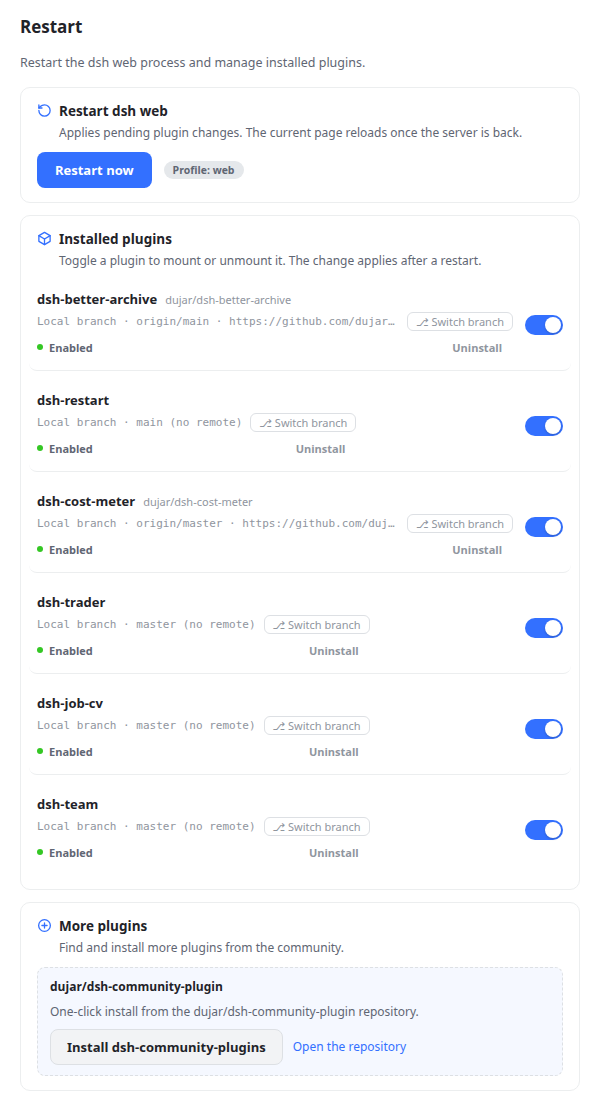
Running DeepSeek Harness in web mode means a lot of low-level chores: restarting the server after a config change, toggling plugins in and out of a profile, switching the branch of a local checkout, making sure a symlink still points to the right directory. dsh-restart pulls all of those into a single Settings sidebar card so you never have to leave the browser.
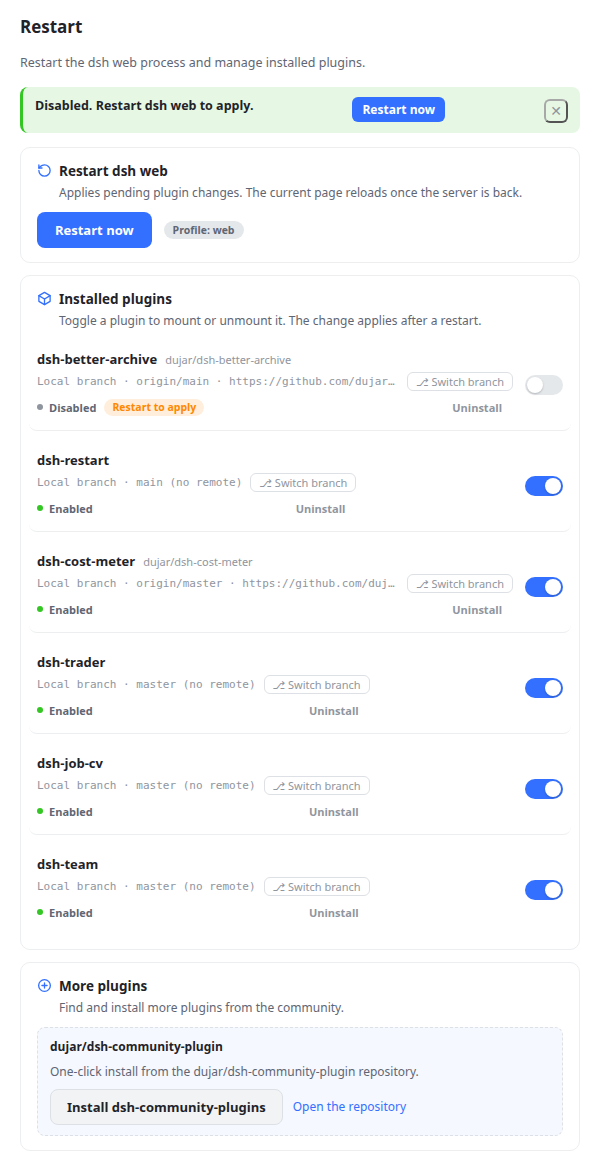
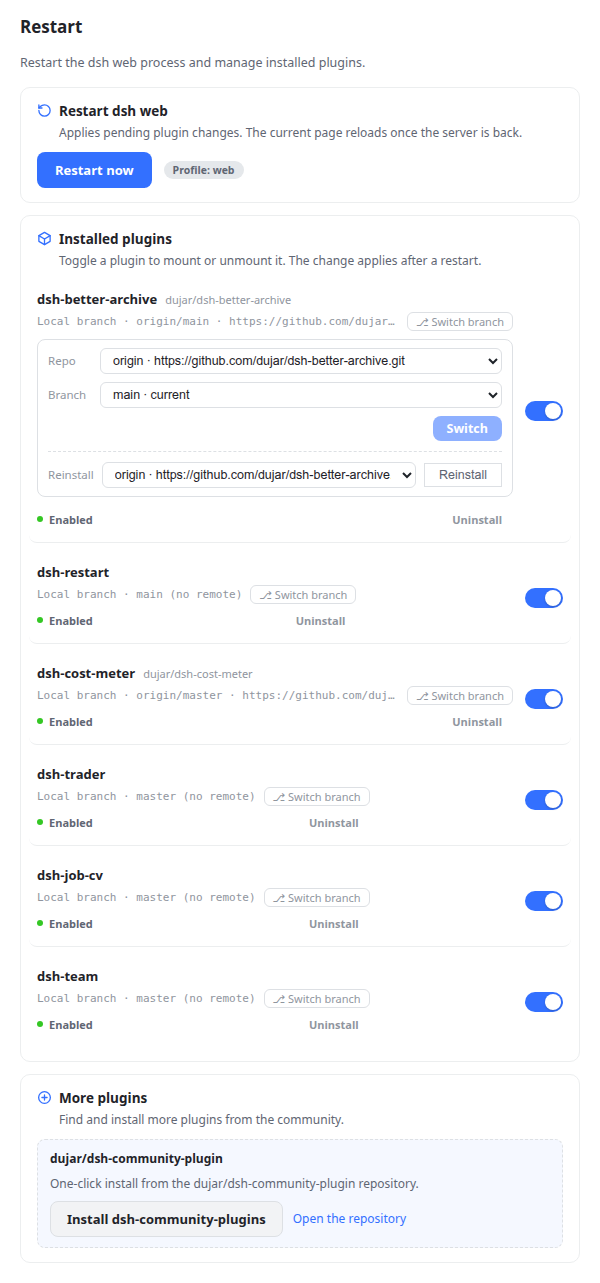
The restart button uses a detached helper that polls the port for up to twenty seconds before relaunching, which keeps a slow-shutting-down instance from killing the new one with EADDRINUSE; the page reloads itself once the server answers. Every installed third-party plugin gets a toggle with a green or gray status dot and a visible Restart to apply chip whenever the manifest has changed. Local git checkouts expose a lightweight git panel for branch switching across Local, origin, and upstream with tracking retargeting, plus a three-source reinstall (local reset, remote fetch-and-reset, or npm registry) that automatically restores node_modules and repairs any broken link. A link-health check compares node_modules against the manifest spec and surfaces a one-click Repair link button the moment the target drifts.
It is aimed at developers who already run several DSH plugins locally and want a visual, bilingual (English / Simplified Chinese) control surface instead of juggling dsh plugin add and pnpm install in a terminal. If your workflow is purely command-line, nothing forces you to open the card; but when you do, the card turns a string of profile-path and package-manager details into a few clear taps, and the page is back up before the coffee gets cold.
Screenshots
Use Cases
- Restart the DSH Web process with one click after config changes; the page reloads automatically.
- Switch branches on a local git checkout and reinstall, with automatic dependency restore and link repair.
- Detect a broken symlink and repair it in one click so DSH never loads a stale copy.
Best For
- Developers who run multiple third-party plugins under DSH Web.
- Plugin maintainers who frequently toggle between local checkouts and npm releases.
- DSH users who prefer a visual card over repetitive terminal commands.
Related Plugins
A service-oriented sidebar framework for DSH, offering a full workbench with file explorer, embedded browser, real terminal, Git panel, and extensible plugin services.

A beautiful, practical Claude Code-style TUI plugin with pixel whale top bar, flowing glow title, real-time status line, streaming thought expansion, time rewind, context progress bar and TPS gauge — zero core changes.

The plugin market for DeepSeek Harness: browse/search/one-click install community plugins and themes, with updates, backup/restore, hot disable, diagnostics, and AI fix.

A persistent whale widget on the DSH web UI that shows DeepSeek balance, today's usage, and per-turn cost, with drag-and-snap and sound effects.