dsh-community-plugins
Run the following command in DeepSeek Harness:
dsh plugin install dujar/dsh-community-plugins
Paste the following prompt into your AI chat to install this plugin:
Run dsh plugin install dujar/dsh-community-plugins in DeepSeek Harness; the source is at https://github.com/dujar/dsh-community-plugins. After installation, restart dsh web to see the Community plugins tab under Settings → Plugins.
About this plugin
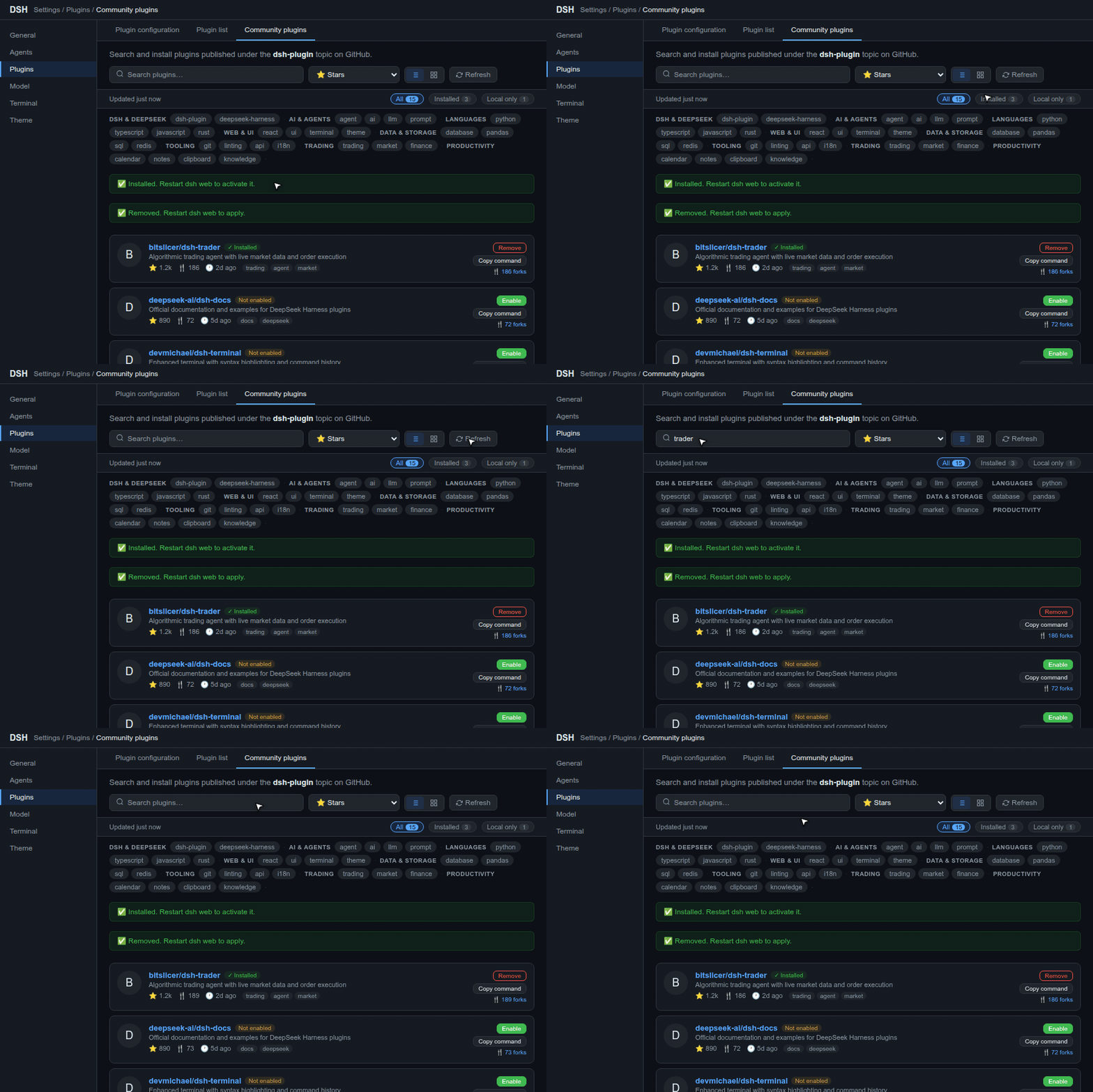
The built-in DSH plugin list only shows what is already installed, yet the dsh-plugin topic on GitHub holds a large number of community plugins scattered across repos. Finding, comparing, and installing a new one usually means manually searching GitHub and trial-and-error-testing each candidate. dsh-community-plugins adds a Community plugins tab under Settings → Plugins, bringing the whole ecosystem directly into the DSH settings panel.
At its core sits a local SQLite catalog: at startup it pulls popular and recently active repo metadata from GitHub, and afterwards all browsing, searching, tag aggregation, and sorting read from that local cache so everything works instantly, even offline. Every plugin card supports list and grid views, categorized tag filters, and sorting by stars, forks, or update time; the fork count on a card opens a dialog to compare forks against upstream. A pre-flight check validates the dsh.bundle declaration in package.json and rejects repos that lack it, preventing confusing install errors. Local plugins are added via a folder picker that walks the disk, validates the manifest, and runs a dry run before committing. Installed plugins carry status badges and can be enabled, disabled, or uninstalled in one click, with an optional one-click dsh web restart to apply changes.
Ideal for developers who rely on multiple third-party DSH plugins and want a fast, discoverable, manageable plugin ecosystem-especially those who also maintain community plugins or self-built local ones and work across English and Chinese interfaces. It does not change the DSH core workflow; it simply relocates the find-it, try-it, manage-it loop from a browser tab into the settings panel.
Screenshots
Use Cases
- Browse GitHub community plugins in DSH settings and filter by category tags to find the right tool
- Compare plugin forks against upstream to install a version with desired improvements
- Add a self-built local plugin from disk with manifest validation before one-click install
Best For
- Developers running multiple third-party plugins in DSH
- Users who maintain community plugins or want to quickly try new ones
- Teams that manage both custom local plugins and community plugins
Related Plugins
A service-oriented sidebar framework for DSH, offering a full workbench with file explorer, embedded browser, real terminal, Git panel, and extensible plugin services.

A beautiful, practical Claude Code-style TUI plugin with pixel whale top bar, flowing glow title, real-time status line, streaming thought expansion, time rewind, context progress bar and TPS gauge — zero core changes.

The plugin market for DeepSeek Harness: browse/search/one-click install community plugins and themes, with updates, backup/restore, hot disable, diagnostics, and AI fix.

A persistent whale widget on the DSH web UI that shows DeepSeek balance, today's usage, and per-turn cost, with drag-and-snap and sound effects.