dsh-plugin-browser-memory
Run the following command in DeepSeek Harness:
dsh plugin install wantosure/dsh-plugin-browser-memory
Paste the following prompt into your AI chat to install this plugin:
Search for dsh-plugin-browser-memory (GitHub source: https://github.com/wantosure/dsh-plugin-browser-memory) in the DeepSeek Harness plugin marketplace, click Install, and restart your session to start recalling your local browser memory.
About this plugin
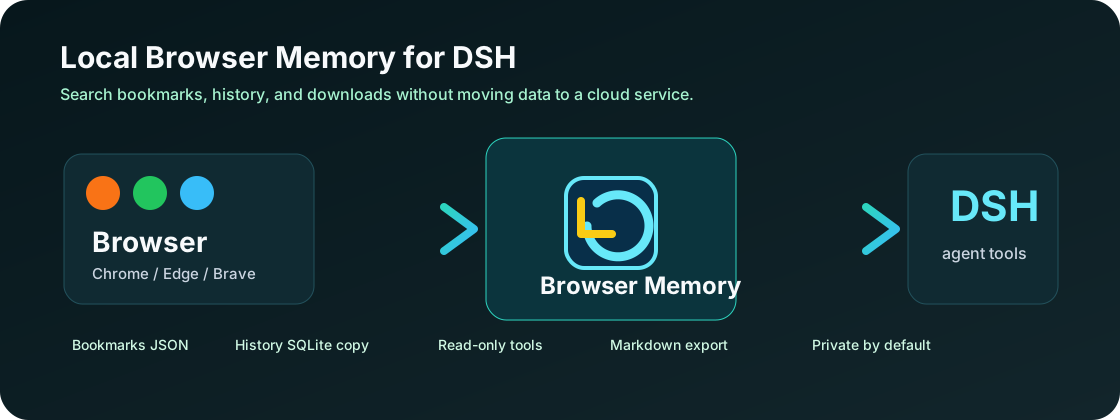
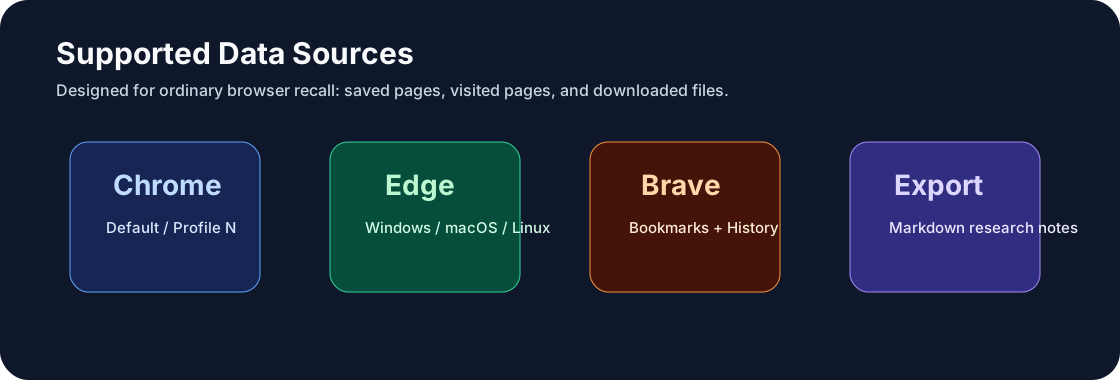
Finding an old web page is rarely about the exact URL. In your head it is "that AI pricing doc I read last week" or "the PDF I grabbed from the paper site," and a browser's built-in search bar is a poor match for that kind of fuzzy recall. dsh-plugin-browser-memory closes that gap: inside a DeepSeek Harness session you can describe what you remember in plain language and have the plugin search your local Chrome, Edge, or Brave bookmarks, browsing history, and download records in one shot.
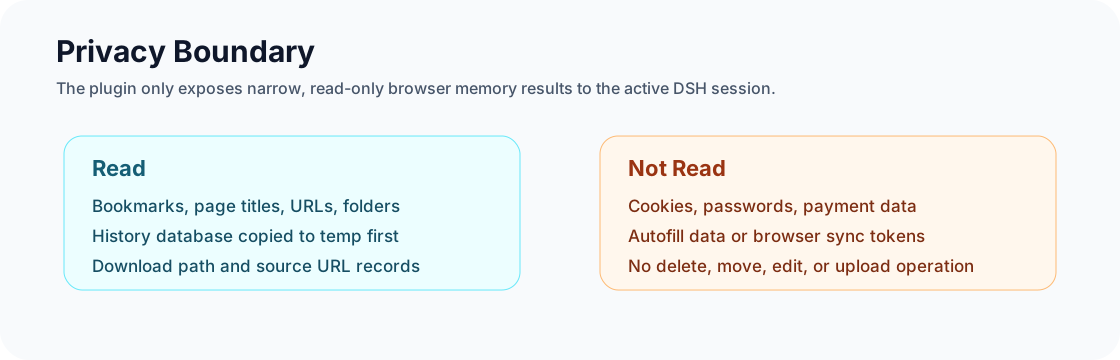
The plugin is strictly read-only. It queries titles, URLs, folder paths, and file paths across the three major Chromium-based browsers, and can export any matched set as clean Markdown ready for your research notes. It never touches cookies, passwords, or autofill data. Before every query it copies the SQLite History database to a temporary file first, so a running browser stays untouched and no data ever leaves the machine. There is no API key, no cloud database, and no native build step required.
It is aimed at researchers, writers, and technical bloggers who accumulate a lot of material in their browsers and want to recall it the way they actually remember it. You do not need another bookmark manager; you need a local assistant that lets you search the browser the way your brain files things. Install the plugin and start recalling by memory.
Screenshots
Use Cases
- Recall a webpage from yesterday with a single natural-language prompt
- Search local Chrome, Edge, or Brave bookmarks by topic
- Track down a specific PDF previously downloaded from a site
Best For
- Researchers and technical writers who accumulate heavy material in their browsers
- Everyday users who recall webpages by context rather than exact URLs
- Privacy-conscious users who refuse to upload browser data to third parties
Related Plugins
A service-oriented sidebar framework for DSH, offering a full workbench with file explorer, embedded browser, real terminal, Git panel, and extensible plugin services.

A beautiful, practical Claude Code-style TUI plugin with pixel whale top bar, flowing glow title, real-time status line, streaming thought expansion, time rewind, context progress bar and TPS gauge — zero core changes.

The plugin market for DeepSeek Harness: browse/search/one-click install community plugins and themes, with updates, backup/restore, hot disable, diagnostics, and AI fix.

A persistent whale widget on the DSH web UI that shows DeepSeek balance, today's usage, and per-turn cost, with drag-and-snap and sound effects.