dsh-chat-outline
Run the following command in DeepSeek Harness:
dsh plugin install liliuCourier/dsh-chat-outline
Paste the following prompt into your AI chat to install this plugin:
Install this plugin by running `dsh plugin install liliuCourier/dsh-chat-outline` in your terminal. Source: https://github.com/liliuCourier/dsh-chat-outline
About this plugin
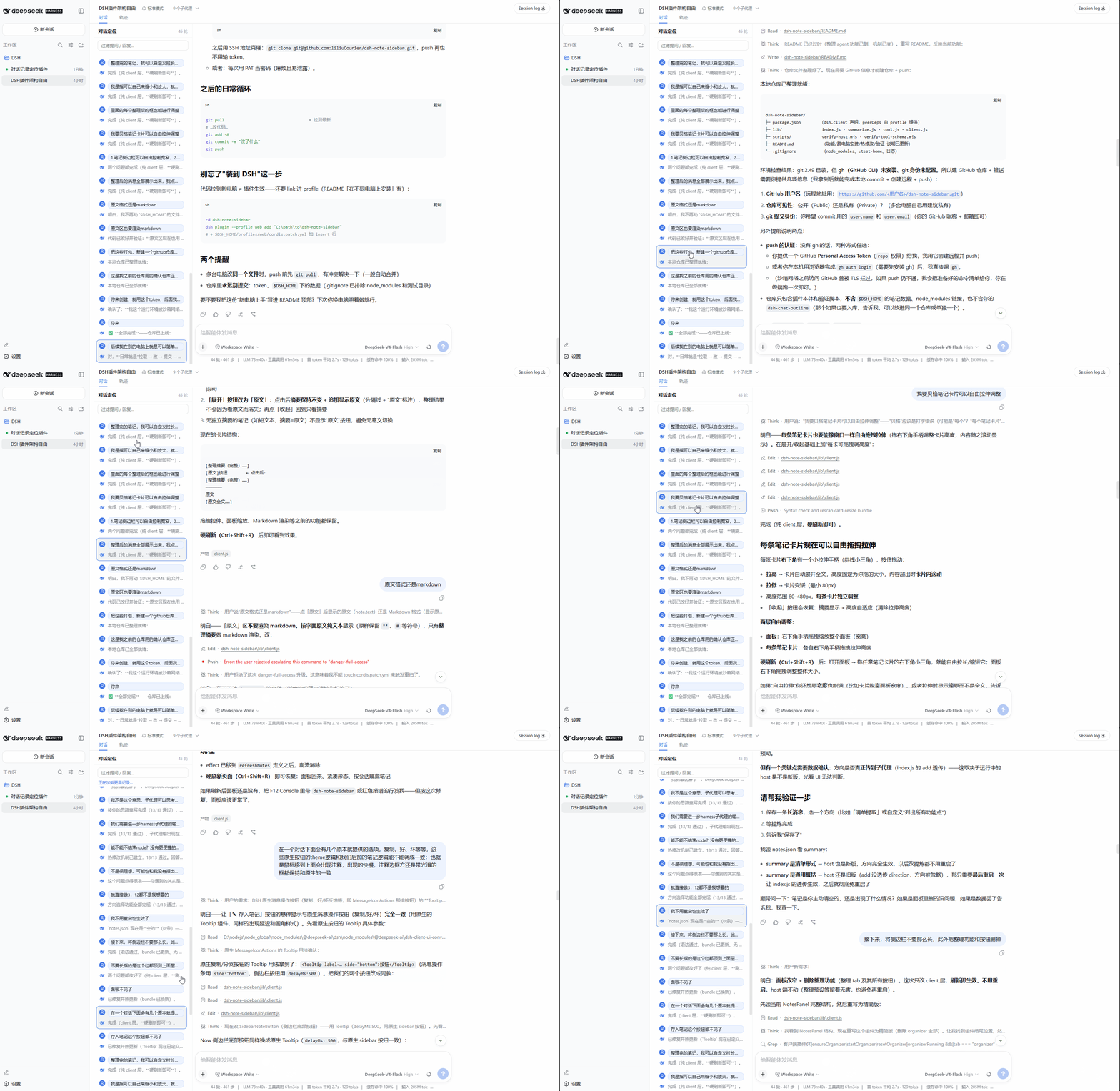
When using DeepSeek Harness for lengthy, multi-turn conversations, scrolling back and forth through accumulating content becomes cumbersome and it’s easy to lose context. The dsh-chat-outline plugin is designed to solve this core pain point. It adds a persistent sidebar to the left of the chat interface, automatically organizing the entire conversation into a clear "question-reply" turn outline, giving you an at-a-glance structure of the session.
The plugin’s core capability lies in providing fast, precise conversation navigation. A single click on any entry in the sidebar scrolls the view to the corresponding message, with a blue frame marking your current reading position. For deeper analysis, holding Ctrl/Shift while clicking jumps directly to the same position in the Trajectory view, making it easy to correlate the conversation with execution details. The plugin also offers two modes: "Light" for zero-overhead browsing of only the loaded portion, and "Full" which proactively loads the entire history to cover the whole session, allowing users to choose based on session length and performance needs.
This plugin is especially suited for power users of DeepSeek Harness who regularly handle long and complex dialogues. This includes developers conducting in-depth technical debugging, researchers engaged in multi-turn scholarly discussions, or project managers who need to repeatedly refer back to key information. It significantly boosts information retrieval efficiency, helping users quickly locate critical points within verbose conversations, allowing them to focus more on the content itself rather than wasting time on endless scrolling.
Screenshots

Use Cases
- Quickly locate historical questions and replies in long conversations.
- Jump to specific interaction points during technical debugging.
- Occasions requiring comparison between chat and execution trajectories.
Best For
- DeepSeek Harness users who regularly handle lengthy conversations.
- Developers or researchers needing to efficiently review multi-turn discussions.
- Efficiency-focused workers who value structured browsing and information extraction from chats.
Related Plugins
A service-oriented sidebar framework for DSH, offering a full workbench with file explorer, embedded browser, real terminal, Git panel, and extensible plugin services.

A beautiful, practical Claude Code-style TUI plugin with pixel whale top bar, flowing glow title, real-time status line, streaming thought expansion, time rewind, context progress bar and TPS gauge — zero core changes.

The plugin market for DeepSeek Harness: browse/search/one-click install community plugins and themes, with updates, backup/restore, hot disable, diagnostics, and AI fix.

A persistent whale widget on the DSH web UI that shows DeepSeek balance, today's usage, and per-turn cost, with drag-and-snap and sound effects.