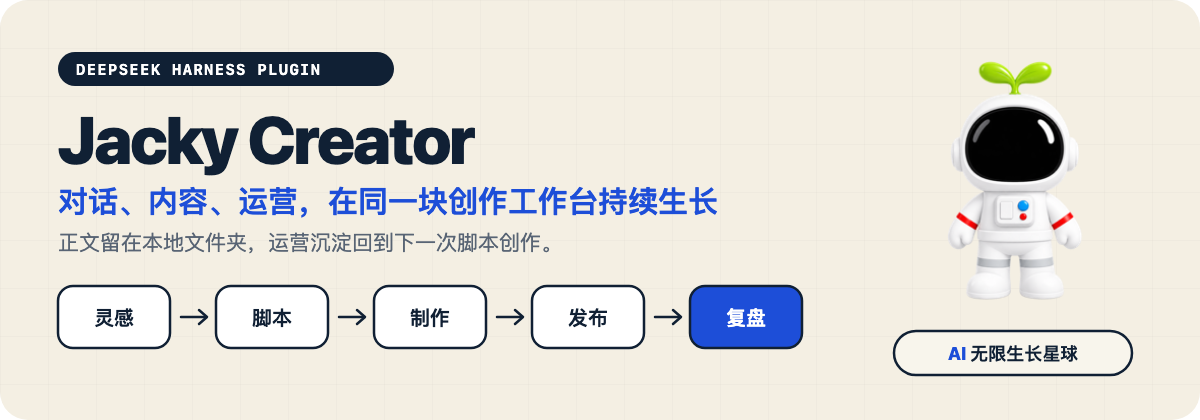
DSH-Creator
Run the following command in DeepSeek Harness:
dsh plugin install Jackywxsz/DSH-Creator
Paste the following prompt into your AI chat to install this plugin:
Run dsh plugin install Jackywxsz/DSH-Creator in the DSH Desktop built-in terminal to install this plugin; the source repository is at https://github.com/Jackywxsz/DSH-Creator .
About this plugin
Content creation usually means shuttling between idea notes, script docs, editing tools, publishing dashboards, and post-publish spreadsheets, while the AI assistant sits in yet another tab. Jacky Creator wires DeepSeek Harness conversation power directly into your local content folder, so a single piece of content can move from topic selection and drafting through production, publishing, and retrospective inside one unified workbench. Every piece remains a plain folder that the AI, your editor, and you can read and write freely at any time.
Four tightly linked workspaces cover the full pipeline. The Idea Board captures and grades sparks, then promotes confirmed ones into real content projects with one click. The Content workspace tracks scripts, videos, subtitles, thumbnails, articles, and publishing status. The Ops Dashboard surfaces today progress, scheduling, pipeline stages, phase goals, and post-publish reviews at a glance. Conversations run through the DSH Agent with current content and ops knowledge injected automatically, eliminating manual copy-paste. Subtitles, thumbnail generation, demo animations, and multi-platform publishing are optional extensions; the core workbench functions fully even without them.
All body text and deliverables stay in whatever local directory you choose. The plugin only stores workbench settings, ops state, and publish records on your machine, never migrating content into a closed database. It is best suited for independent video and long-form creators, small content teams, and Chinese-language producers who want AI across the entire workflow without being locked into a SaaS product.
Screenshots
Use Cases
- Turn a raw idea into a scripted draft through AI conversation in one workspace
- Manage scripts, subtitles, thumbnails, and publish status without juggling multiple tools
- Track schedules, goals, and post-publish reviews to continuously refine content cadence
Best For
- Independent video or long-form creators
- Small content teams
- Chinese-language producers who want AI across the full creation workflow
Related Plugins
A service-oriented sidebar framework for DSH, offering a full workbench with file explorer, embedded browser, real terminal, Git panel, and extensible plugin services.

A beautiful, practical Claude Code-style TUI plugin with pixel whale top bar, flowing glow title, real-time status line, streaming thought expansion, time rewind, context progress bar and TPS gauge — zero core changes.

The plugin market for DeepSeek Harness: browse/search/one-click install community plugins and themes, with updates, backup/restore, hot disable, diagnostics, and AI fix.

A persistent whale widget on the DSH web UI that shows DeepSeek balance, today's usage, and per-turn cost, with drag-and-snap and sound effects.