dsh-git-bash
Run the following command in DeepSeek Harness:
dsh plugin install inmny/dsh-git-bash
Paste the following prompt into your AI chat to install this plugin:
To install this plugin in DeepSeek Harness, run the command: dsh plugin install inmny/dsh-git-bash, or visit the source repository at https://github.com/inmny/dsh-git-bash for details.
About this plugin
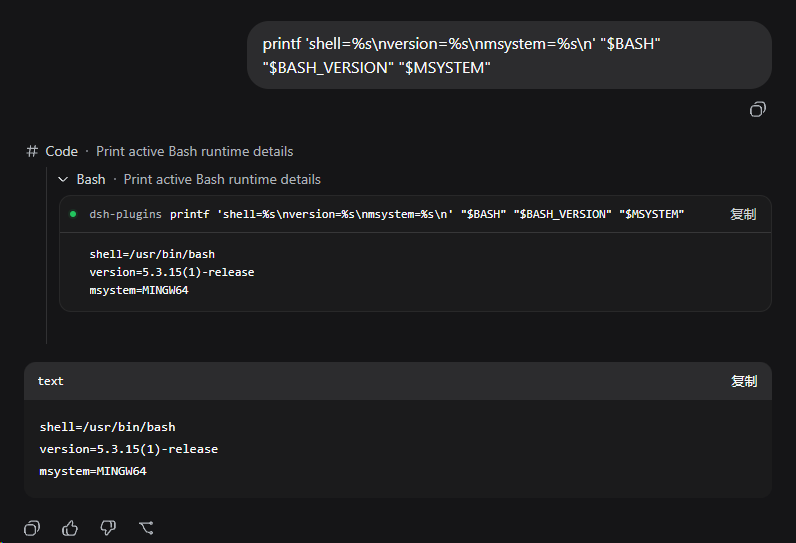
When using DeepSeek Harness on Windows, the default PowerShell may not suit all developers, especially those accustomed to Git for Windows. The dsh-git-bash plugin addresses this by seamlessly switching DSH to use Git Bash as the default shell, while preserving the original read-only, workspace-write, and danger-full-access permission semantics for secure and controlled execution. Its core capabilities include automatic switching of standard, code, cordis, and minimal presets to Git Bash, flexible configuration of permission modes, and customizable Git Bash path settings to fit various installation scenarios. As a lightweight bundle layer, it installs without modifying the DSH core directory and offers a Web interface for easy command detail viewing. Ideal for Windows developers using DeepSeek Harness, Git Bash enthusiasts, and security-conscious teams, it enhances both development efficiency and system safety.
Screenshots
Use Cases
- Execute DeepSeek Harness commands with Git Bash on Windows
- Ensure operation safety via read-only or workspace-write modes
- Customize Git Bash path to fit different installation environments
Best For
- DeepSeek Harness users on Windows platforms
- Developers who prefer Git Bash workflows
- Development teams focused on security isolation
Related Plugins
A service-oriented sidebar framework for DSH, offering a full workbench with file explorer, embedded browser, real terminal, Git panel, and extensible plugin services.

A beautiful, practical Claude Code-style TUI plugin with pixel whale top bar, flowing glow title, real-time status line, streaming thought expansion, time rewind, context progress bar and TPS gauge — zero core changes.

The plugin market for DeepSeek Harness: browse/search/one-click install community plugins and themes, with updates, backup/restore, hot disable, diagnostics, and AI fix.

A persistent whale widget on the DSH web UI that shows DeepSeek balance, today's usage, and per-turn cost, with drag-and-snap and sound effects.