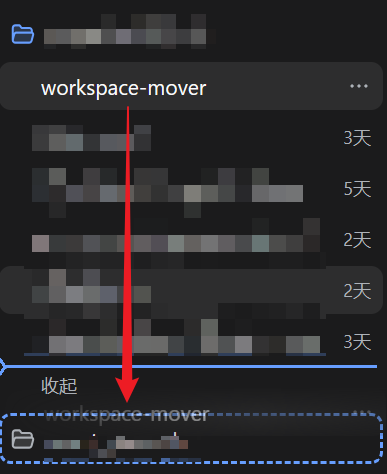
dsh-workspace-mover
Run the following command in DeepSeek Harness:
dsh plugin install PianoPrince/dsh-workspace-mover
Paste the following prompt into your AI chat to install this plugin:
Run dsh plugin install PianoPrince/dsh-workspace-mover in the DeepSeek Harness terminal to install this plugin (no build authorization required); see https://github.com/PianoPrince/dsh-workspace-mover for full source.
About this plugin
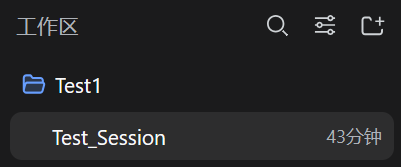
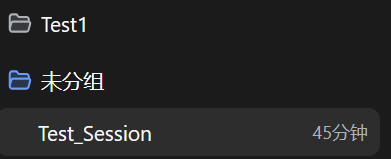
The DeepSeek Harness sidebar lets you drag reorder sessions within a single workspace, but dropping a session onto another workspace is silently ignored because the official RPC exposes no cross-workspace move endpoint. Rename or relocate a project folder and the corresponding workspace breaks instantly, its sessions vanishing from the sidebar with no easy manual recovery.
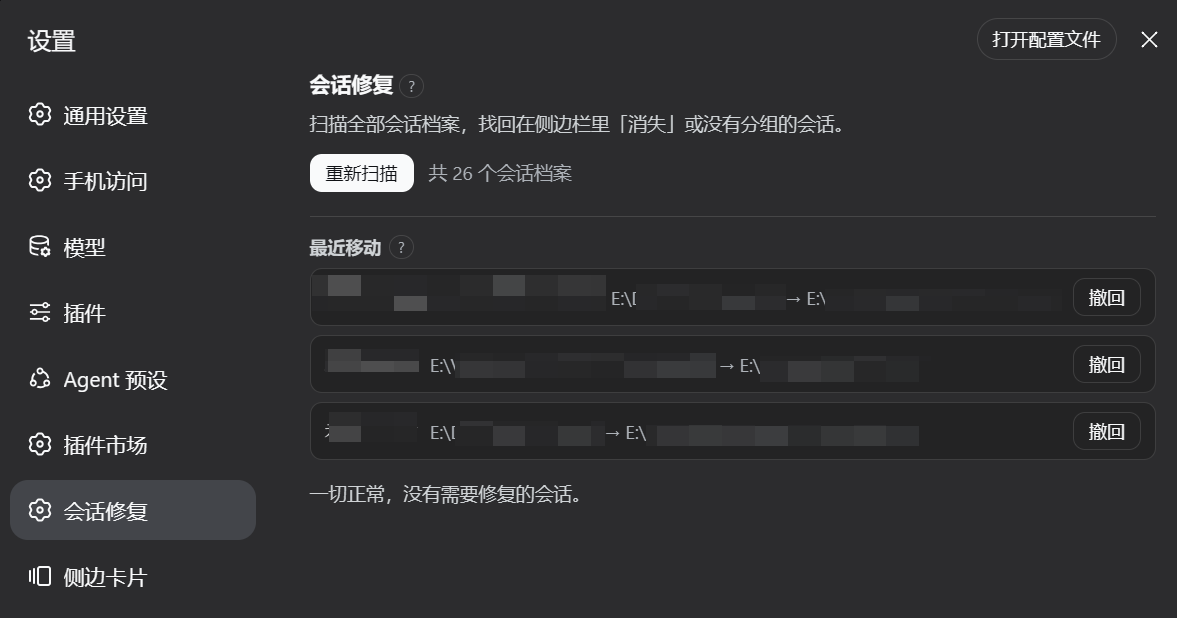
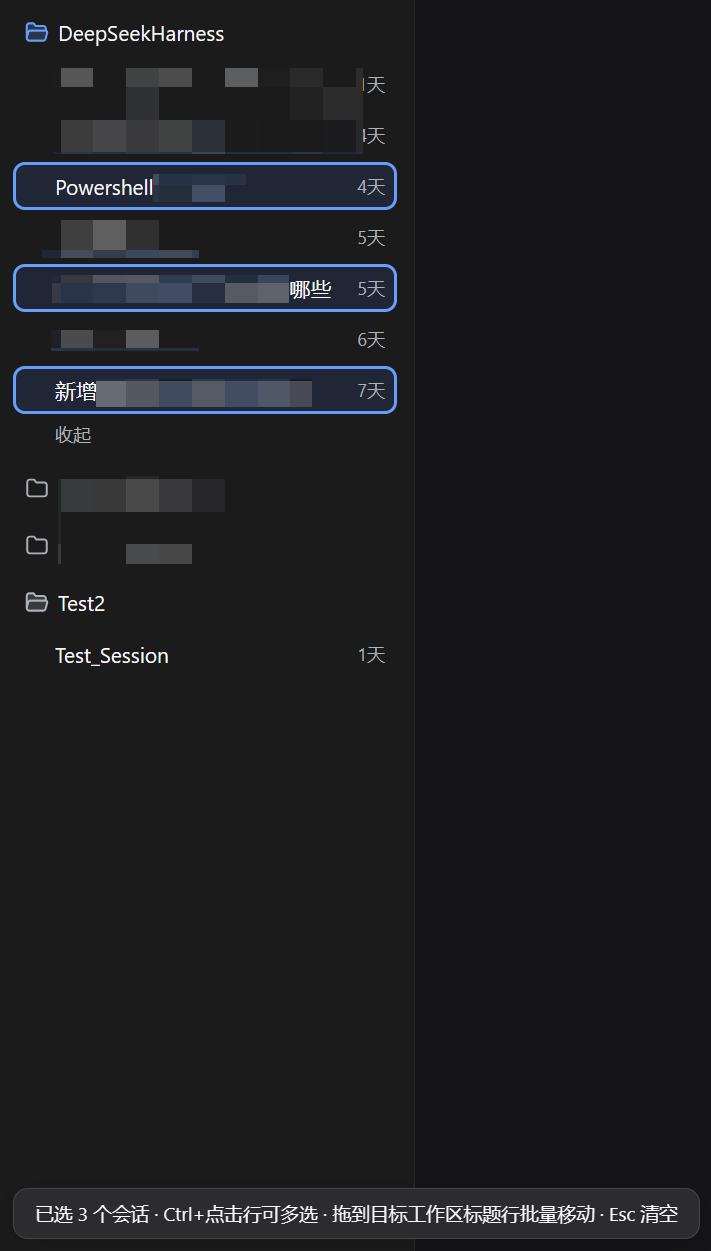
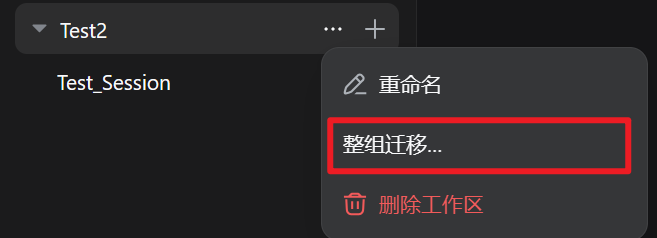
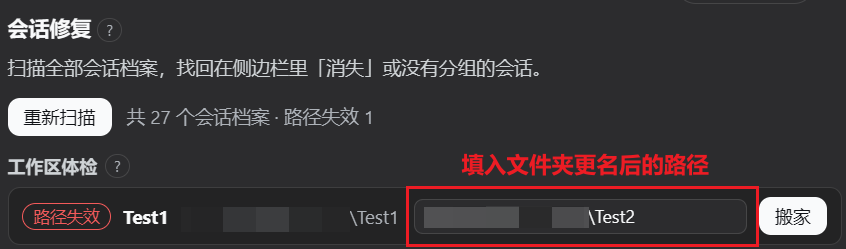
This plugin fills that gap: drag any idle session row onto a target workspace title and, after confirmation, the original session archive is physically relocated with the session ID and full history preserved, no duplicate created, no context re-injection, and zero token cost. On top of that it provides multi-select batch moves (up to 50 per batch, each with independent backup and rollback), a one-click workspace re-pointing wizard for folder relocations, an orphan session rescue panel covering orphaned, unregistered, misfiled, and archived sessions, plus full backup management and a 100-entry move history with one-click undo.
Ideal for power users juggling multiple project workspaces, anyone who reorganizes folder structure regularly, or teams who treat the Harness sidebar as a daily project management surface. Zero npm dependencies, no build step required, and designed to coexist cleanly with the wider plugin ecosystem.
Screenshots

Use Cases
- After renaming a project folder, re-point the broken workspace to the new path and recover all sessions in one click
- Drag a session row onto another workspace title to physically migrate the archive with zero token cost
- Sessions vanish from the sidebar? Open the rescue panel for an auto-scan and one-click recovery
Best For
- Power users managing multiple project workspaces who reorganize folder structure regularly
- Developers who treat DeepSeek Harness as a daily project management surface
- Users who have experienced session loss and want a full backup and rollback safety net
Related Plugins
A service-oriented sidebar framework for DSH, offering a full workbench with file explorer, embedded browser, real terminal, Git panel, and extensible plugin services.

A beautiful, practical Claude Code-style TUI plugin with pixel whale top bar, flowing glow title, real-time status line, streaming thought expansion, time rewind, context progress bar and TPS gauge — zero core changes.

The plugin market for DeepSeek Harness: browse/search/one-click install community plugins and themes, with updates, backup/restore, hot disable, diagnostics, and AI fix.

A persistent whale widget on the DSH web UI that shows DeepSeek balance, today's usage, and per-turn cost, with drag-and-snap and sound effects.