dsh-usage-stats
Run the following command in DeepSeek Harness:
dsh plugin install xfqz86/dsh-usage-stats
Paste the following prompt into your AI chat to install this plugin:
Run dsh plugin install xfqz86/dsh-usage-stats in your DeepSeek Harness terminal to install this plugin, source at https://github.com/xfqz86/dsh-usage-stats
About this plugin
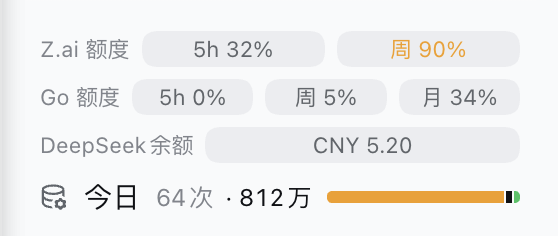
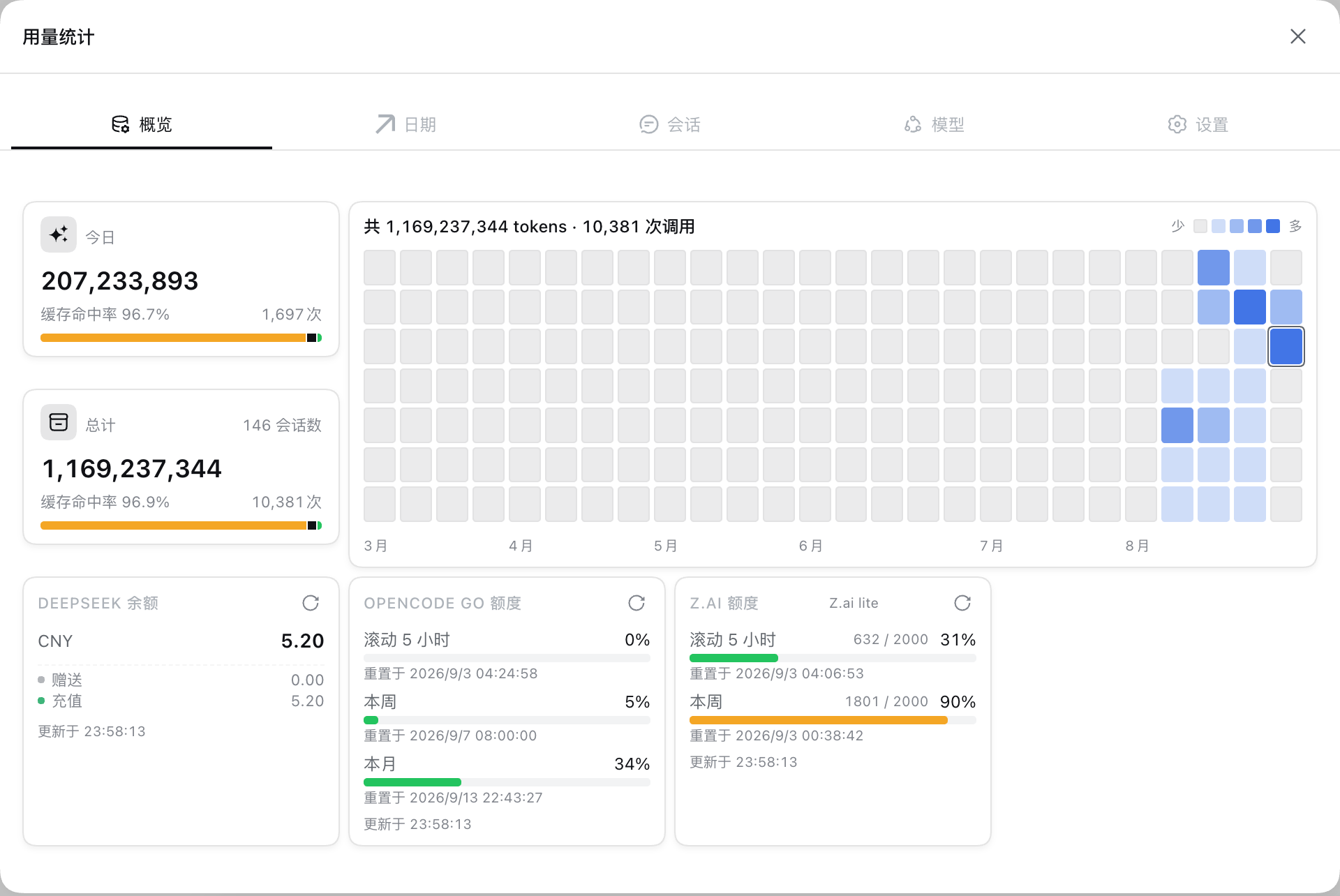
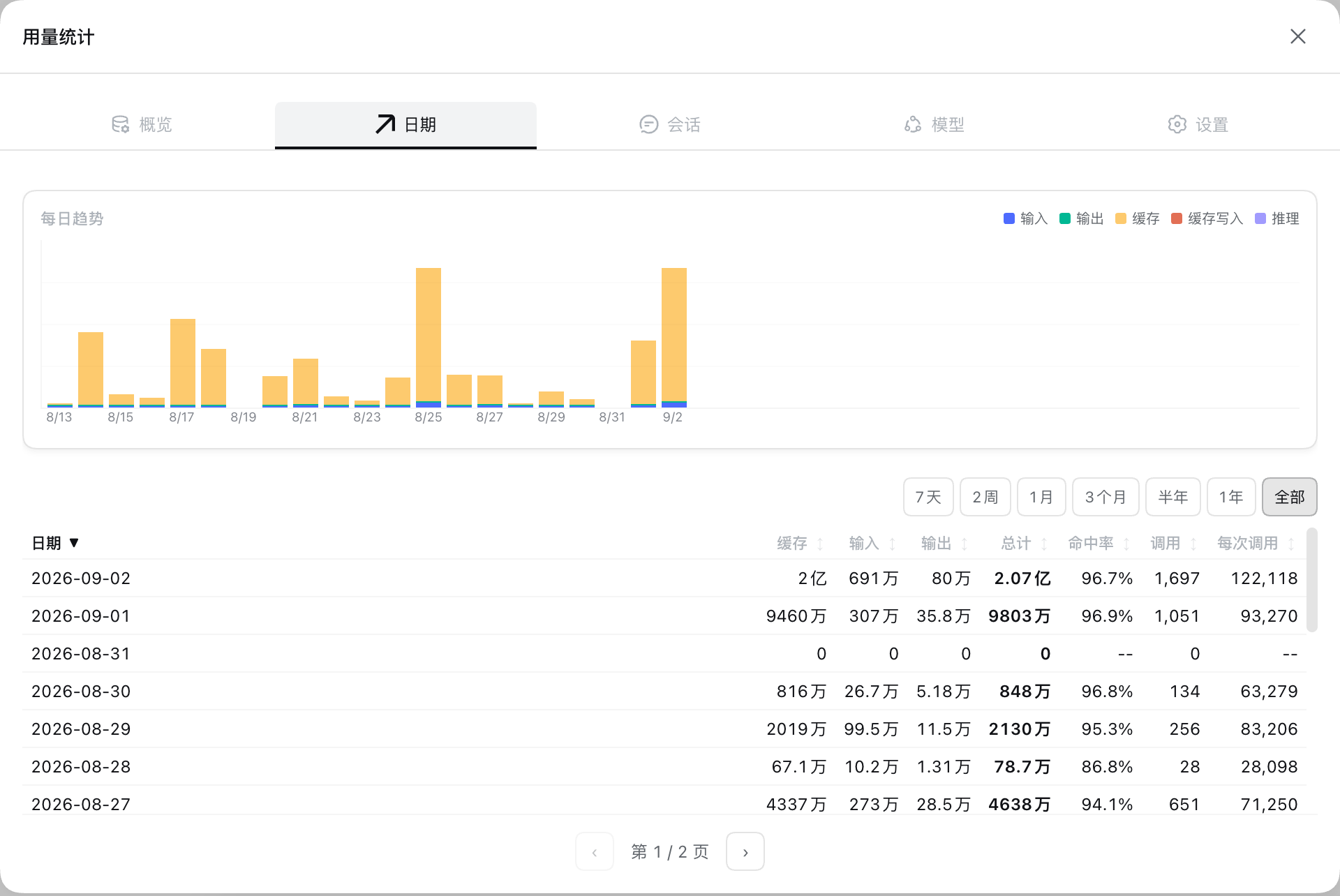
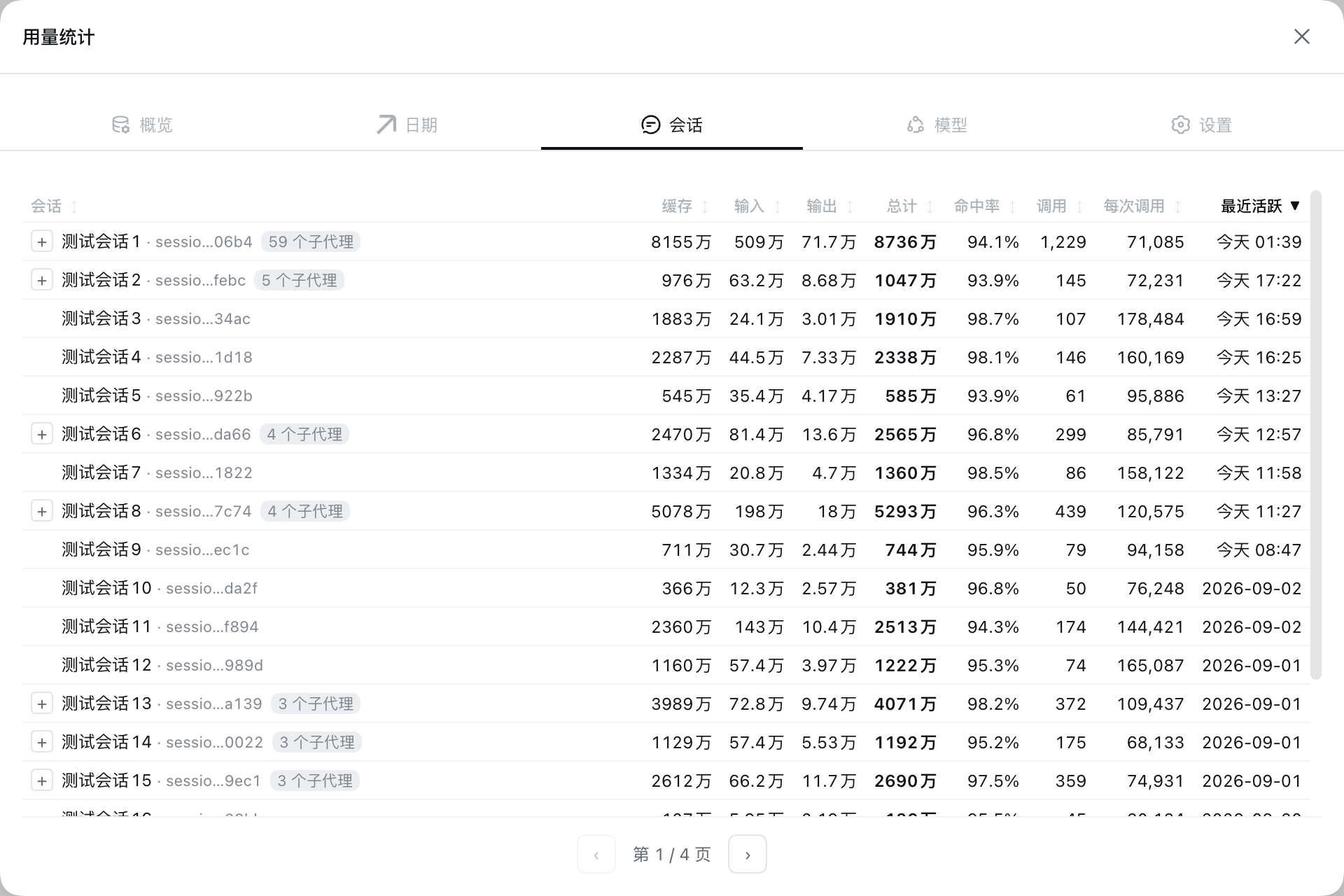
Jumping between multiple providers inside DSH means your token spend is scattered across event streams — which model burns the most, which session is the heaviest, how much quota is left this month — and there is no single dashboard to answer those questions. dsh-usage-stats fills that gap: it collects data.usage from DSH assistant/message events and books them along three dimensions (model, session, local calendar day), giving you a consolidated, always-current view of consumption.
A persistent today-usage chip sits at the bottom of the sidebar, adapting seamlessly between wide layouts and the 56px rail. Click it to open a detail panel with Overview, Date, Session, and Model tabs plus Settings. Every record is written in real time to a local SQLite ledger that survives restarts. Beyond raw usage, the plugin polls three vendor quotas — OpenCode Go rolling-5-hour, weekly, and monthly remaining credits; DeepSeek multi-currency balance; Z.ai rolling-5-hour and weekly percentage — with per-provider toggles and configurable polling intervals (default 5 min, floor 3 min) in Settings. Disabling a provider immediately stops all polling and hides the chip.
If you run a mix of DeepSeek, Z.ai, and OpenCode Go models daily inside DSH, care about per-session and per-model cost, and want an early heads-up before quotas dry up, this plugin is built for you. All data lives in a local SQLite file, all settings persist in browser local storage, and nothing is sent to any third-party service. It works out of the box and shuts down cleanly the moment you turn it off.
Screenshots
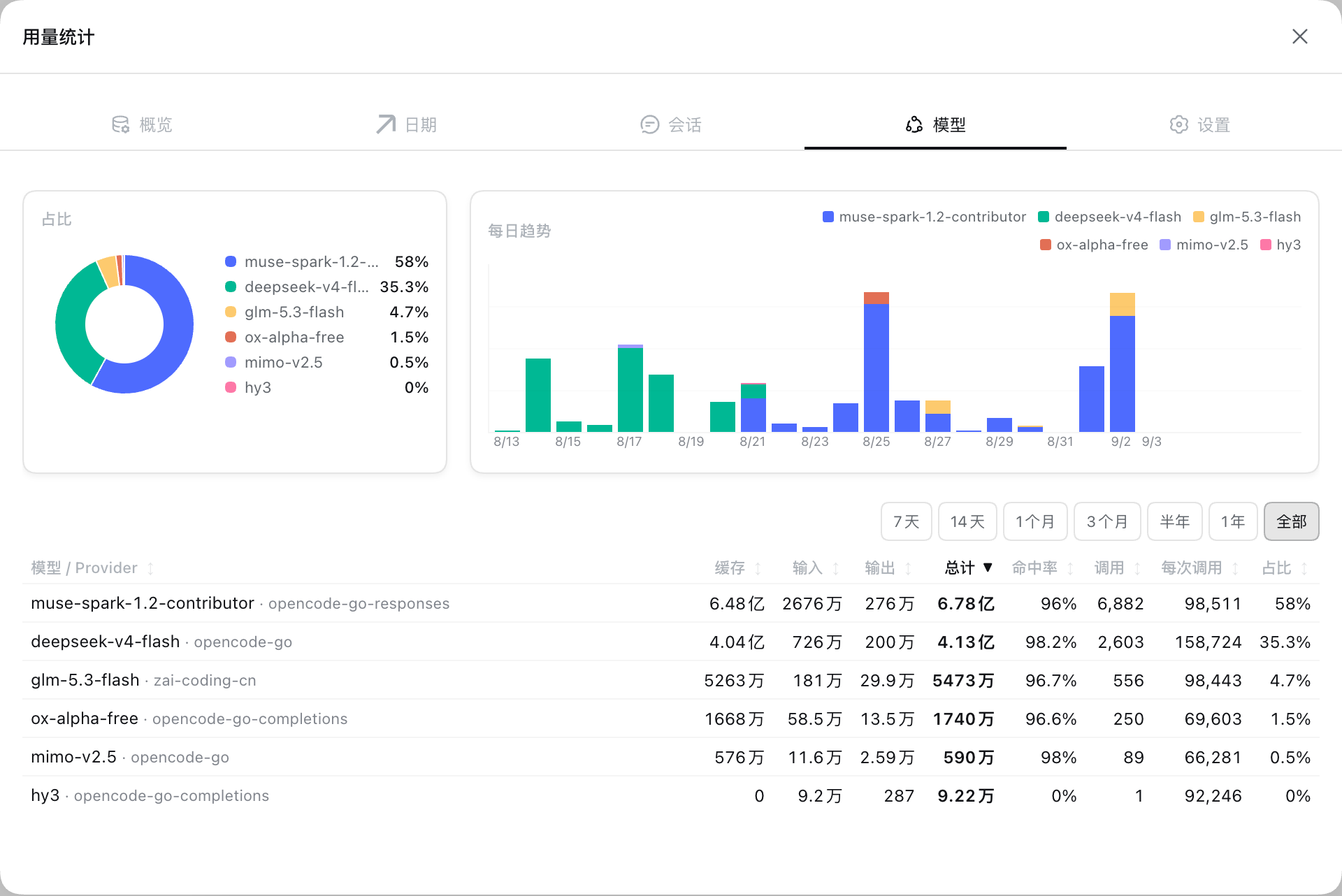
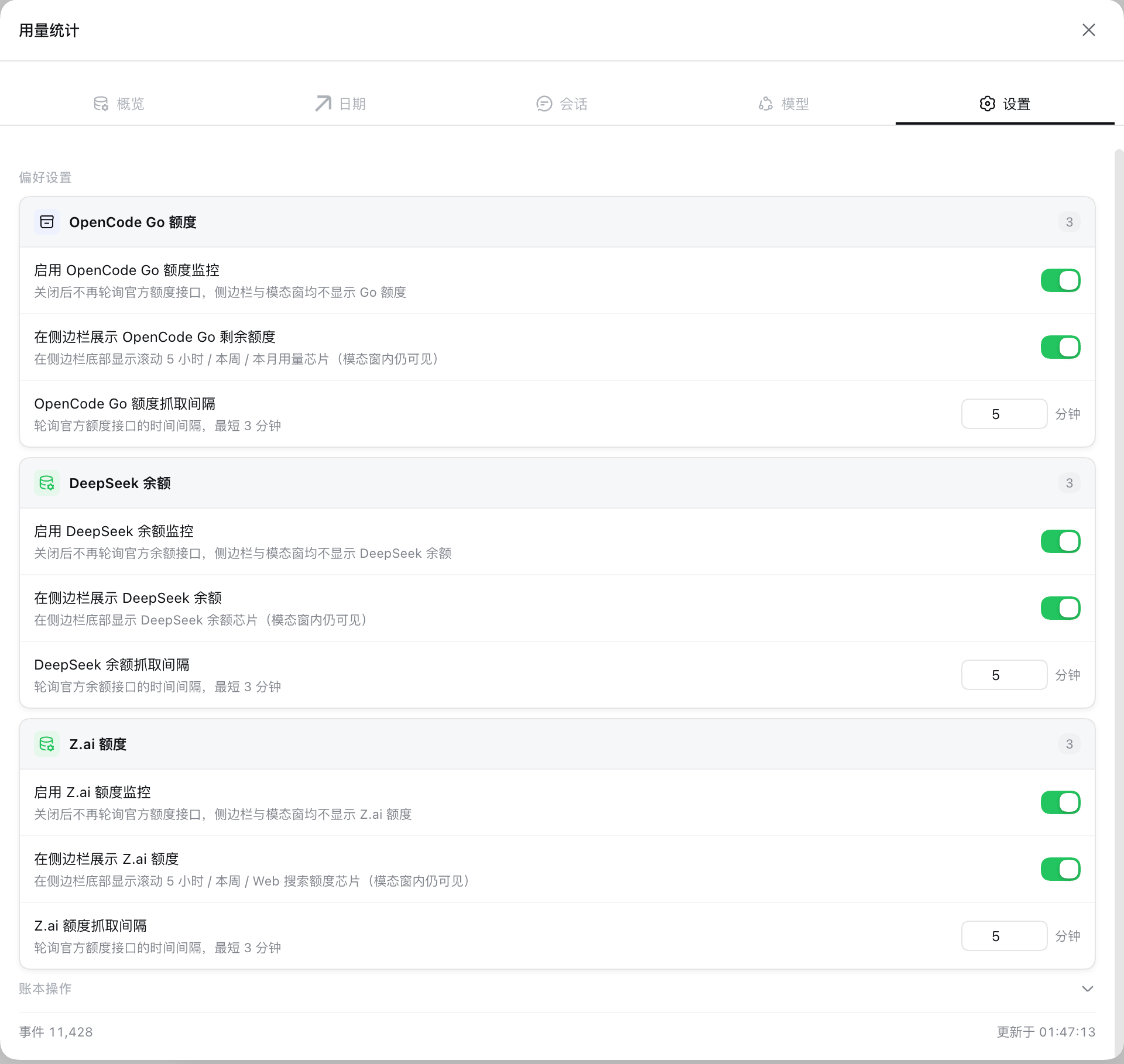
Use Cases
- Track daily token consumption and call counts by model and session when running multiple LLMs in parallel
- Monitor remaining OpenCode Go, DeepSeek, and Z.ai quotas in the sidebar before rolling windows close
- Restore full usage history from a local SQLite ledger after restarting DSH, with no re-collection needed
Best For
- Developers using multiple LLM providers in DSH who need a unified cost overview
- Heavy users who want to break down token spend by session and model for budgeting
- Teams or individuals needing quota headroom alerts to avoid service gaps when rolling windows close
Related Plugins
A service-oriented sidebar framework for DSH, offering a full workbench with file explorer, embedded browser, real terminal, Git panel, and extensible plugin services.

A beautiful, practical Claude Code-style TUI plugin with pixel whale top bar, flowing glow title, real-time status line, streaming thought expansion, time rewind, context progress bar and TPS gauge — zero core changes.

The plugin market for DeepSeek Harness: browse/search/one-click install community plugins and themes, with updates, backup/restore, hot disable, diagnostics, and AI fix.

A persistent whale widget on the DSH web UI that shows DeepSeek balance, today's usage, and per-turn cost, with drag-and-snap and sound effects.