dsh-starter-pack
Run the following command in DeepSeek Harness:
dsh plugin install Dariandai/dsh-starter-pack
Paste the following prompt into your AI chat to install this plugin:
Run dsh plugin install Dariandai/dsh-starter-pack in the DeepSeek Harness terminal to install the plugin; the source repository is hosted at https://github.com/Dariandai/dsh-starter-pack .
About this plugin
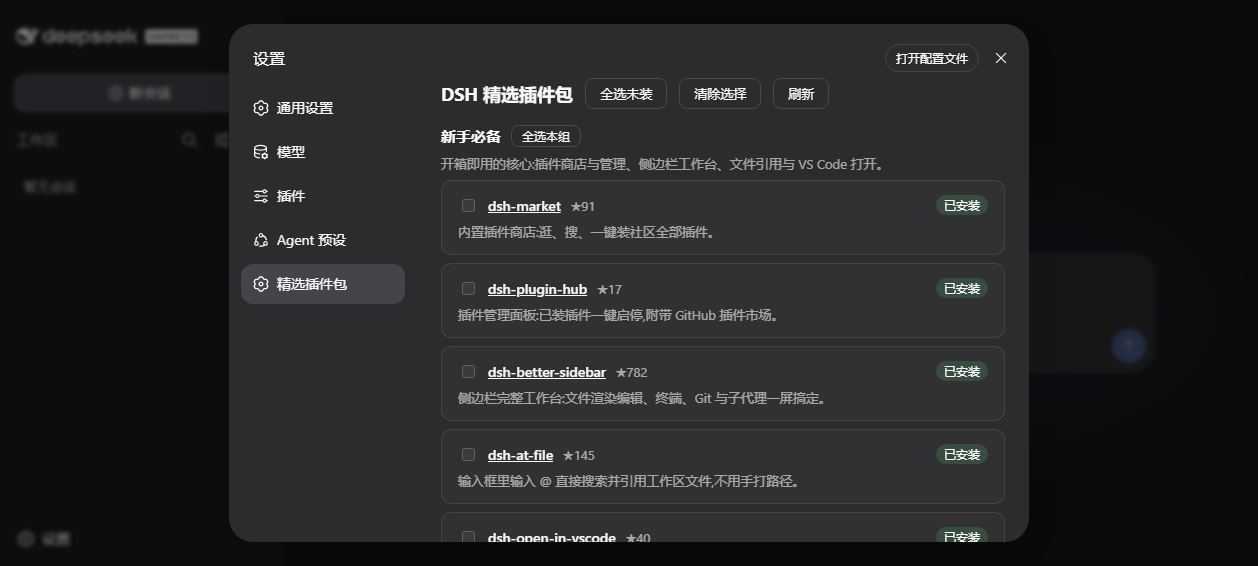
New DeepSeek Harness users face a familiar wall: hundreds of community plugins with no clear signal about which are worth installing. dsh-starter-pack closes that gap by curating a vetted, grouped shortlist and installing plus configuring them all in a single pass, removing the need to mine READMEs and issue trackers one by one.\n\nThe pack organizes recommendations into four groups: Essentials (plugin store, sidebar workbench, @file mentions, VS Code integration, security sandbox), External Capabilities (vision, web search, MCP bundle, context-insight panel), Memory and Skills (persistent cross-session memory, skill manager), and Productivity and Look (multi-provider spend wallet, turn notifications, skin switcher). Each entry carries a brief rationale and a link to its repository, and the curation deliberately excludes plugins that cannot install reliably. Under the hood the pack handles pnpm build-approval prompts automatically, writes merge-only recommended configs where a plugin exposes a verified host-side key, and skips anything already present so repeated runs stay idempotent.\n\nIt is built for solo developers who want a polished DSH workspace up and running in minutes rather than hours of forum-reading, and for tech leads who need a single, reproducible starter baseline to roll out across a small team.
Screenshots
Use Cases
- Setting up a ready-to-use dsh workspace after a fresh install
- Rolling out a consistent, reproducible plugin baseline across a small team
- Avoiding the trial-and-error of picking and installing plugins one by one
Best For
- Newcomers to DeepSeek Harness who want a fast start
- Tech leads needing a unified toolchain baseline for a small team
- Developers who want to cut plugin-selection overhead and focus on coding
Related Plugins
A service-oriented sidebar framework for DSH, offering a full workbench with file explorer, embedded browser, real terminal, Git panel, and extensible plugin services.

A beautiful, practical Claude Code-style TUI plugin with pixel whale top bar, flowing glow title, real-time status line, streaming thought expansion, time rewind, context progress bar and TPS gauge — zero core changes.

The plugin market for DeepSeek Harness: browse/search/one-click install community plugins and themes, with updates, backup/restore, hot disable, diagnostics, and AI fix.

A persistent whale widget on the DSH web UI that shows DeepSeek balance, today's usage, and per-turn cost, with drag-and-snap and sound effects.