
dsh-android
Run the following command in DeepSeek Harness:
dsh plugin install ZSeven-W/dsh-android
Paste the following prompt into your AI chat to install this plugin:
Install the plugin inside DeepSeek Harness by running dsh plugin install ZSeven-W/dsh-android; the full source repository is available at https://github.com/ZSeven-W/dsh-android.
About this plugin
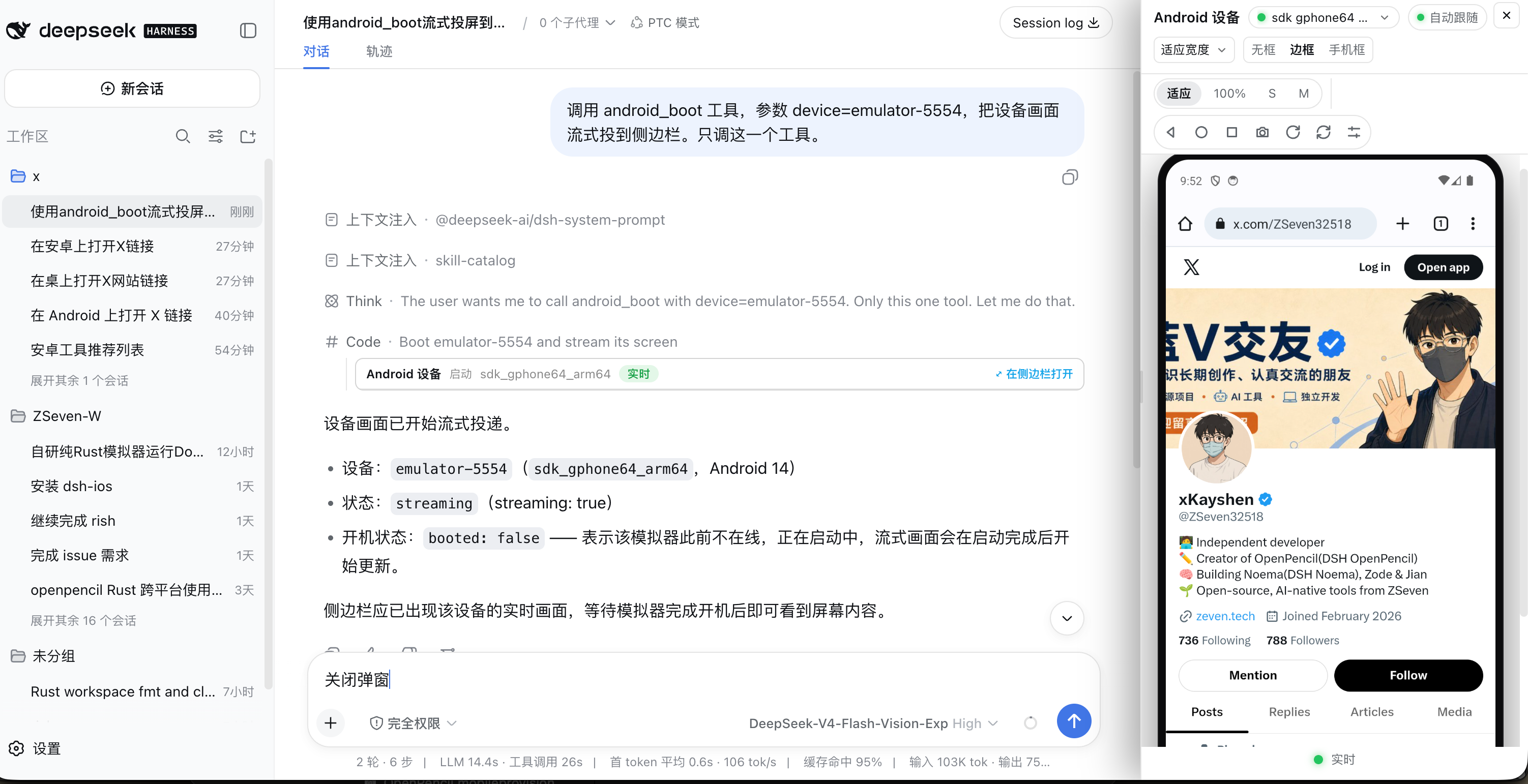
Operating a real Android device from an AI conversation is usually clumsy: screenshot-and-guess coordinates, or maintaining two separate automation stacks for emulators versus physical phones. DSH Android puts a live Android device right inside a DeepSeek Harness conversation — emulator or USB phone, driven uniformly through adb — with a persistent sidebar panel streaming the device in real time where you can tap, drag, rotate, and press Back/Home/Recents directly on the video. Visual bytes reach the UI only through signed, expiring local URLs, never as image blocks or screen-recording files.
The plugin ships 20 agent tools covering device discovery and boot/shutdown, Gradle build-install-run, app management, the uiautomator UI tree with element tapping, list/feed row actions, Vision OCR find/tap/wait, logcat, process listing, ANR/crash backtraces, memory info, and app info. The live stream is produced in-process with no external stream helper or inner ports; image-capable models see screenshots directly as image blocks, while text-only models keep a clean JSON summary.
There is exactly one adb code path: a serial is a device's only identity, so emulators, USB devices, and ip:port targets behave identically with no simulator/real-device split. Coordinates are normalized 0..1 of the streamed frame everywhere and follow display rotation, so no client-side rotation math exists. Routes enforce loopback peer, loopback Host, and Fetch-Metadata/Origin checks before any capability is consulted, and HMAC-SHA256 capabilities expire within 10 minutes.
DSH Android is for developers who want a full Android development loop inside the conversation (build → install → launch → interact → verify), UI automation engineers, anyone debugging crashes or memory issues, and anyone who simply wants their AI agent to see — and truly operate — a real device.
Screenshots
Use Cases
- Build, install, and launch a Gradle Android project inside the conversation while watching the device live
- Tap UI elements by resource-id, text, or Vision OCR to complete end-to-end interaction flows
- Debug crashes and memory issues via logcat, ANR/crash backtraces, meminfo, and process inspection
Best For
- Developers who want a full Android development loop inside an AI conversation
- Engineers automating UI tests across emulators and physical devices
- Debuggers investigating Android crashes, ANR, and memory issues
Related Plugins
A service-oriented sidebar framework for DSH, offering a full workbench with file explorer, embedded browser, real terminal, Git panel, and extensible plugin services.

A beautiful, practical Claude Code-style TUI plugin with pixel whale top bar, flowing glow title, real-time status line, streaming thought expansion, time rewind, context progress bar and TPS gauge — zero core changes.

The plugin market for DeepSeek Harness: browse/search/one-click install community plugins and themes, with updates, backup/restore, hot disable, diagnostics, and AI fix.

A persistent whale widget on the DSH web UI that shows DeepSeek balance, today's usage, and per-turn cost, with drag-and-snap and sound effects.