
dsh-extension-hub
Run the following command in DeepSeek Harness:
dsh plugin install Relistencode/dsh-extension-hub
Paste the following prompt into your AI chat to install this plugin:
Within DeepSeek Harness, you can install this extension hub by running the command `dsh plugin install Relistencode/dsh-extension-hub`. The full source code is available at https://github.com/Relistencode/dsh-extension-hub.
About this plugin
As the official extension hub for DeepSeek Harness, dsh-extension-hub fundamentally transforms how users manage their AI skills and tool ecosystem. It solves the core pain points of context-switching between CLI commands and GUIs, and the difficulty of migrating configurations across different AI coding tools, by consolidating the entire management experience into a single, intuitive console.
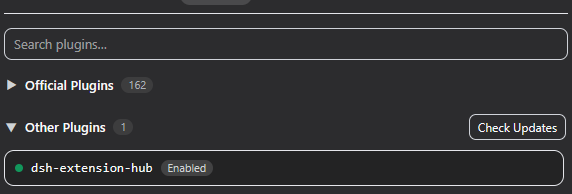
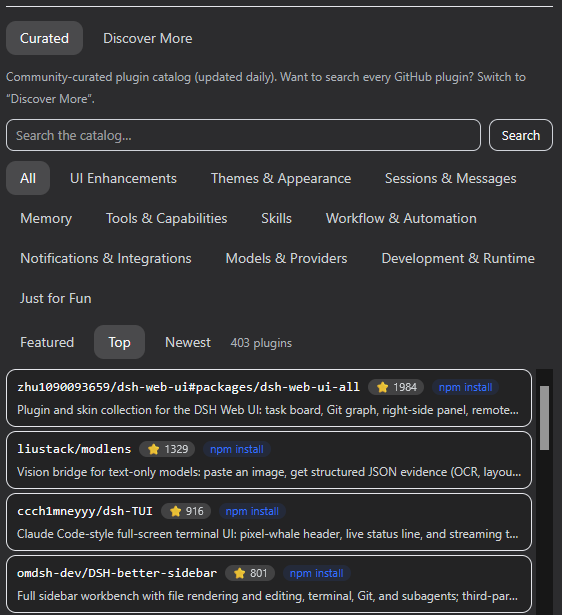
Its core strength lies in offering "full-stack" management: you can create, edit, and toggle any skill or MCP server via a graphical interface or command line. More powerfully, it features one-click imports from configurations of leading tools like Claude Code or OpenAI Codex, drastically reducing migration effort. The built-in plugin marketplace curates hundreds of community plugins with secure installation, while the extensible "Add-ons" ecosystem (including vision toolkits, conversation history recall, mobile mirroring, etc.) that updates seamlessly with the main plugin represents its ever-growing capabilities.
Whether you are a power user fine-tuning workflows or a newcomer rapidly building a personalized AI development environment, this plugin serves as an indispensable central hub. It is especially ideal for developers and teams managing multiple projects, relying on diverse AI-assisted capabilities, or looking to smoothly migrate existing toolchains to DeepSeek Harness, making "management" as simple and direct as using AI itself.
Screenshots
Use Cases
- When needing to centrally manage the skill library and MCP servers within DeepSeek Harness
- When looking to migrate configurations from tools like Claude Code or OpenAI Codex with one click
- When wanting to browse, install, or update community-curated plugins to extend DSH functionality
Best For
- Developers and engineers who are heavy users of DeepSeek Harness
- Teams needing to unify the configuration management of multiple AI coding tools
- AI technology enthusiasts looking to quickly extend their DSH workflows
Related Plugins
A service-oriented sidebar framework for DSH, offering a full workbench with file explorer, embedded browser, real terminal, Git panel, and extensible plugin services.

A beautiful, practical Claude Code-style TUI plugin with pixel whale top bar, flowing glow title, real-time status line, streaming thought expansion, time rewind, context progress bar and TPS gauge — zero core changes.

The plugin market for DeepSeek Harness: browse/search/one-click install community plugins and themes, with updates, backup/restore, hot disable, diagnostics, and AI fix.

A persistent whale widget on the DSH web UI that shows DeepSeek balance, today's usage, and per-turn cost, with drag-and-snap and sound effects.