dsh-turn-navigator
Run the following command in DeepSeek Harness:
dsh plugin install xiaoso456/dsh-turn-navigator
Paste the following prompt into your AI chat to install this plugin:
Run dsh plugin install xiaoso456/dsh-turn-navigator in the DeepSeek Harness terminal to install; the source repository is at https://github.com/xiaoso456/dsh-turn-navigator
About this plugin
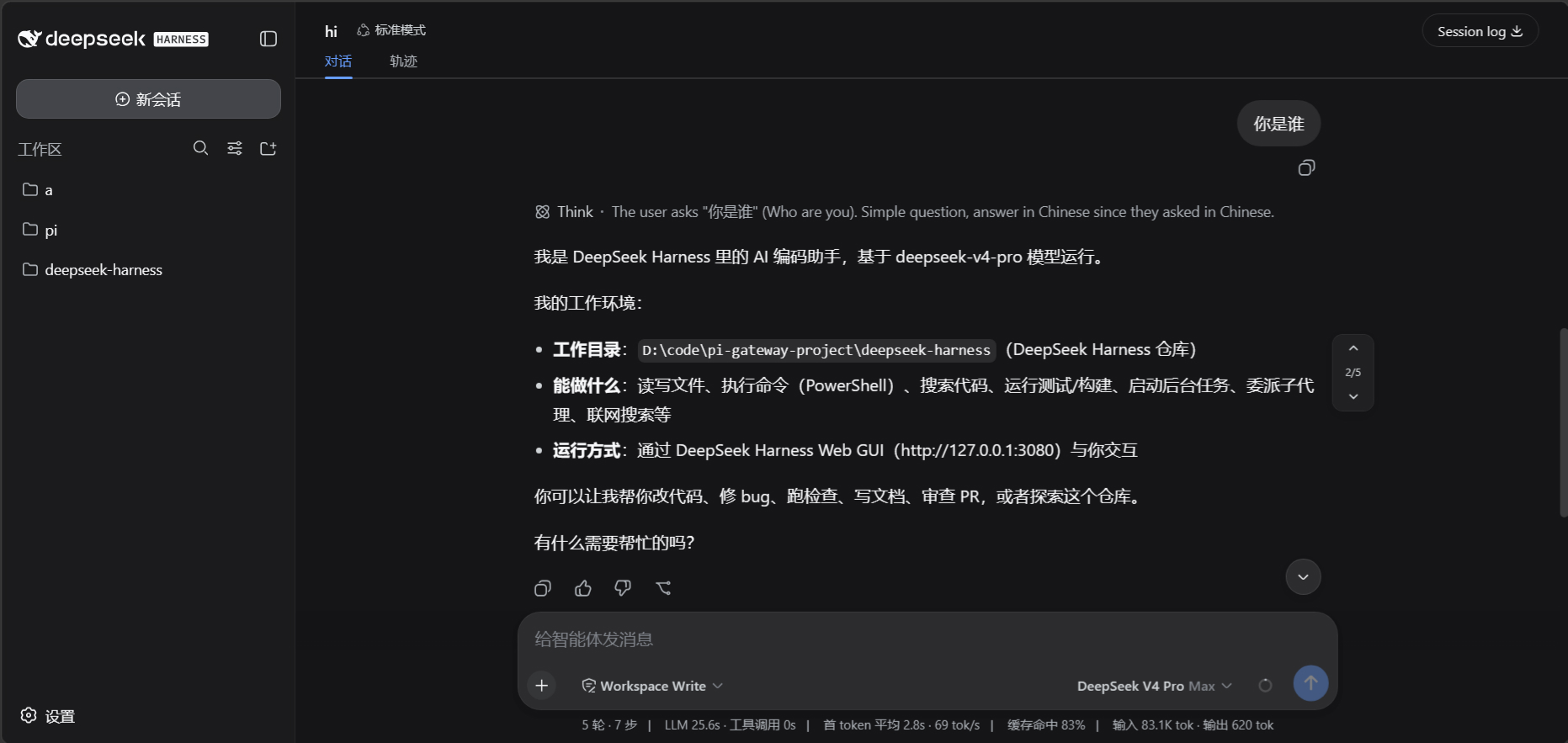
In DeepSeek Harness Web, multi-turn conversations pile up messages vertically. Scrolling back and forth to revisit an earlier turn is tedious and breaks your flow.
dsh-turn-navigator is a lightweight client-side plugin that adds a conversation turn navigation panel to the sidebar. You can click directly on any turn to jump there instantly, without hunting through stacked messages. The plugin stays minimal and decoupled from the main interface logic, so it installs cleanly and gets out of your way.
If you rely on DeepSeek Harness Web for multi-turn debugging, long-form writing, or iterative code work and frequently need to switch between turns, this plugin cuts down your navigation overhead. It currently targets dsh v0.1.0-rc.5; interfaces are pre-release and may shift with subsequent updates.
Screenshots
Use Cases
- Jump to a specific turn in a multi-turn conversation
- Revisit early turns in long conversations
- Switch between turns quickly while debugging
Best For
- Users working with multi-turn conversations in DeepSeek Harness Web
- Developers who frequently revisit historical turns
- Power users doing long-form writing or iterative development
Related Plugins
A service-oriented sidebar framework for DSH, offering a full workbench with file explorer, embedded browser, real terminal, Git panel, and extensible plugin services.

A beautiful, practical Claude Code-style TUI plugin with pixel whale top bar, flowing glow title, real-time status line, streaming thought expansion, time rewind, context progress bar and TPS gauge — zero core changes.

The plugin market for DeepSeek Harness: browse/search/one-click install community plugins and themes, with updates, backup/restore, hot disable, diagnostics, and AI fix.

A persistent whale widget on the DSH web UI that shows DeepSeek balance, today's usage, and per-turn cost, with drag-and-snap and sound effects.