dsh-git-panel
Run the following command in DeepSeek Harness:
dsh plugin install a792883583/dsh-git-panel
Paste the following prompt into your AI chat to install this plugin:
Find dsh-git-panel in the DeepSeek Harness plugin marketplace (source: https://github.com/a792883583/dsh-git-panel) and run dsh plugin install a792883583/dsh-git-panel to complete the installation.
About this plugin
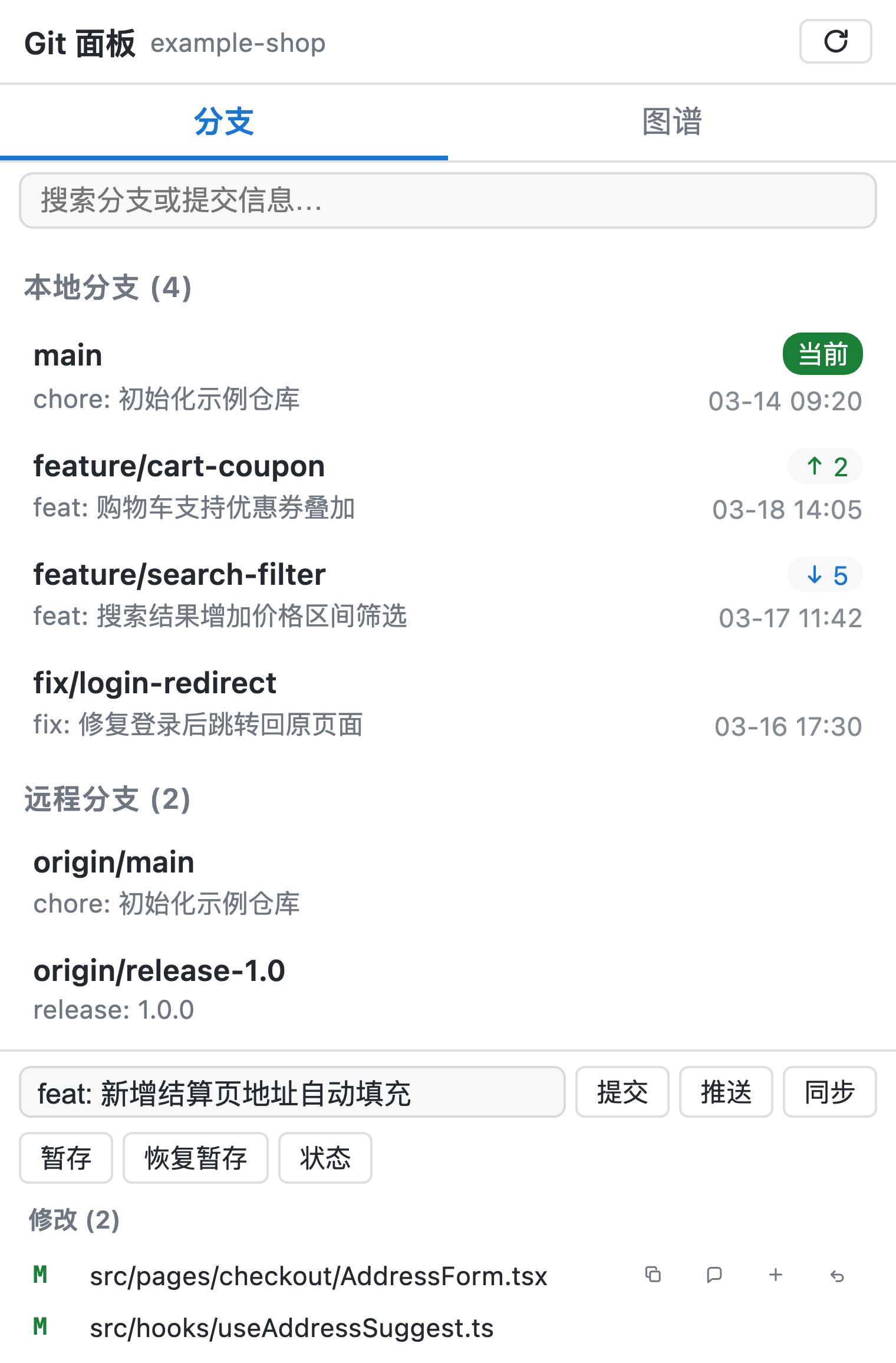
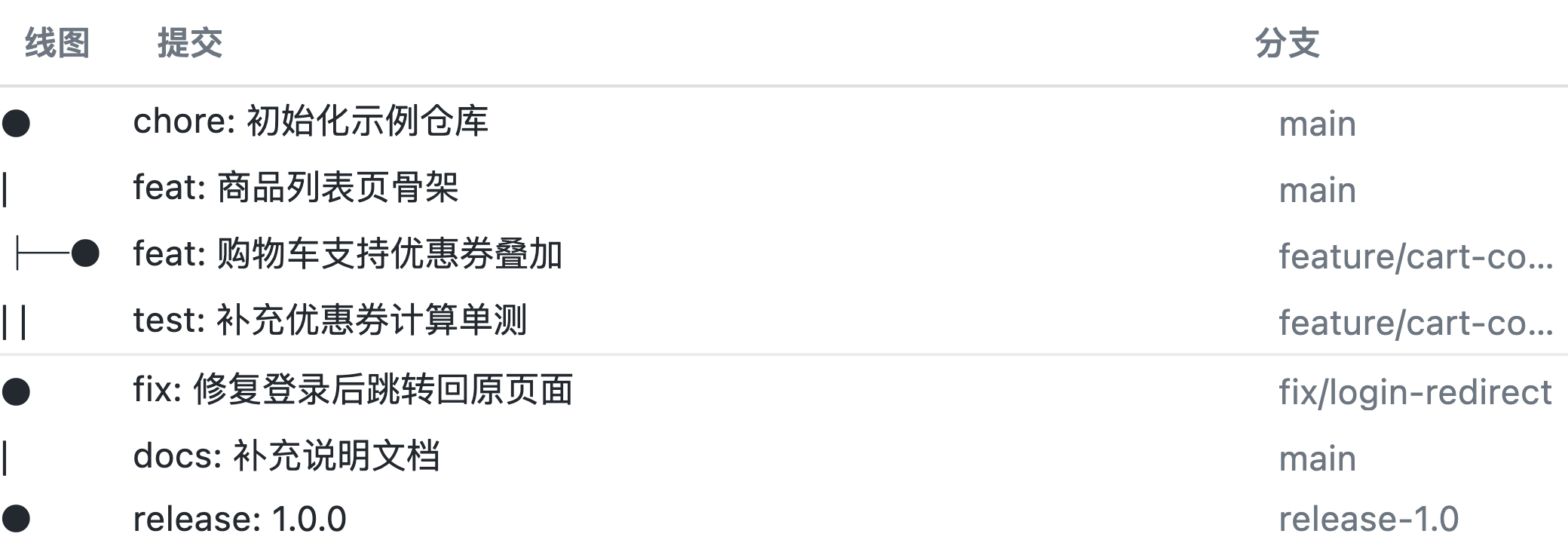
Writing code and prompting agents inside the DSH Web GUI chat window, only to keep switching to a terminal for routine git commands, is a familiar friction point. dsh-git-panel brings a complete Git workflow into the panel on the right side of the chat area. The branch panel uses a two-line card layout for local and remote branches with real-time search, double-click checkout, right-click rename/delete/merge, and one-click pull or fetch-all. A branch capsule above the input box makes switching branches a single click away. The GitLens-style commit DAG swim-lane diagram offers three draggable, persistently sized columns, virtualized rendering that stays smooth even in large repositories, and per-node actions including view details, cherry-pick, and revert.
The write-operation bar at the top of the panel covers commit, push, stash push/pop, and workspace status. Below it, uncommitted change files are listed with inline coloured diffs — green for additions, red for deletions, blue for hunk headers — so you can review every line before committing. A standout feature is one-click session context injection: send the current change list or a full file diff straight into the chat input, letting the Agent perform a code review or draft a well-formatted commit message on the spot.
The plugin automatically follows the GUI language (Chinese, English, or Spanish) and dark/light theme, and re-binds the working directory whenever you switch project sessions. It is well suited for solo developers or small teams who do most of their development through DSH conversations and want branch management, diff review, and AI-assisted code auditing all in one place, without ever leaving the browser.
Screenshots

Use Cases
- Switch branches, push, and review diffs without leaving the DSH chat browser
- Inject a full file diff into the conversation so the Agent can run a code review
- Browse the commit DAG and cherry-pick or revert any commit with one click
Best For
- Solo developers who code and prompt agents daily inside DSH Web GUI
- Small teams wanting branch management and diff review in a single pane
- Anyone who wants AI to assist with code reviews and commit message drafting
Related Plugins
A service-oriented sidebar framework for DSH, offering a full workbench with file explorer, embedded browser, real terminal, Git panel, and extensible plugin services.

A beautiful, practical Claude Code-style TUI plugin with pixel whale top bar, flowing glow title, real-time status line, streaming thought expansion, time rewind, context progress bar and TPS gauge — zero core changes.

The plugin market for DeepSeek Harness: browse/search/one-click install community plugins and themes, with updates, backup/restore, hot disable, diagnostics, and AI fix.

A persistent whale widget on the DSH web UI that shows DeepSeek balance, today's usage, and per-turn cost, with drag-and-snap and sound effects.