dsh-board
Run the following command in DeepSeek Harness:
dsh plugin install dfkai/dsh-board
Paste the following prompt into your AI chat to install this plugin:
To install the dsh-board plugin in DeepSeek Harness, visit the full source URL https://github.com/dfkai/dsh-board for details and run the command 'dsh plugin install dfkai/dsh-board'.
About this plugin
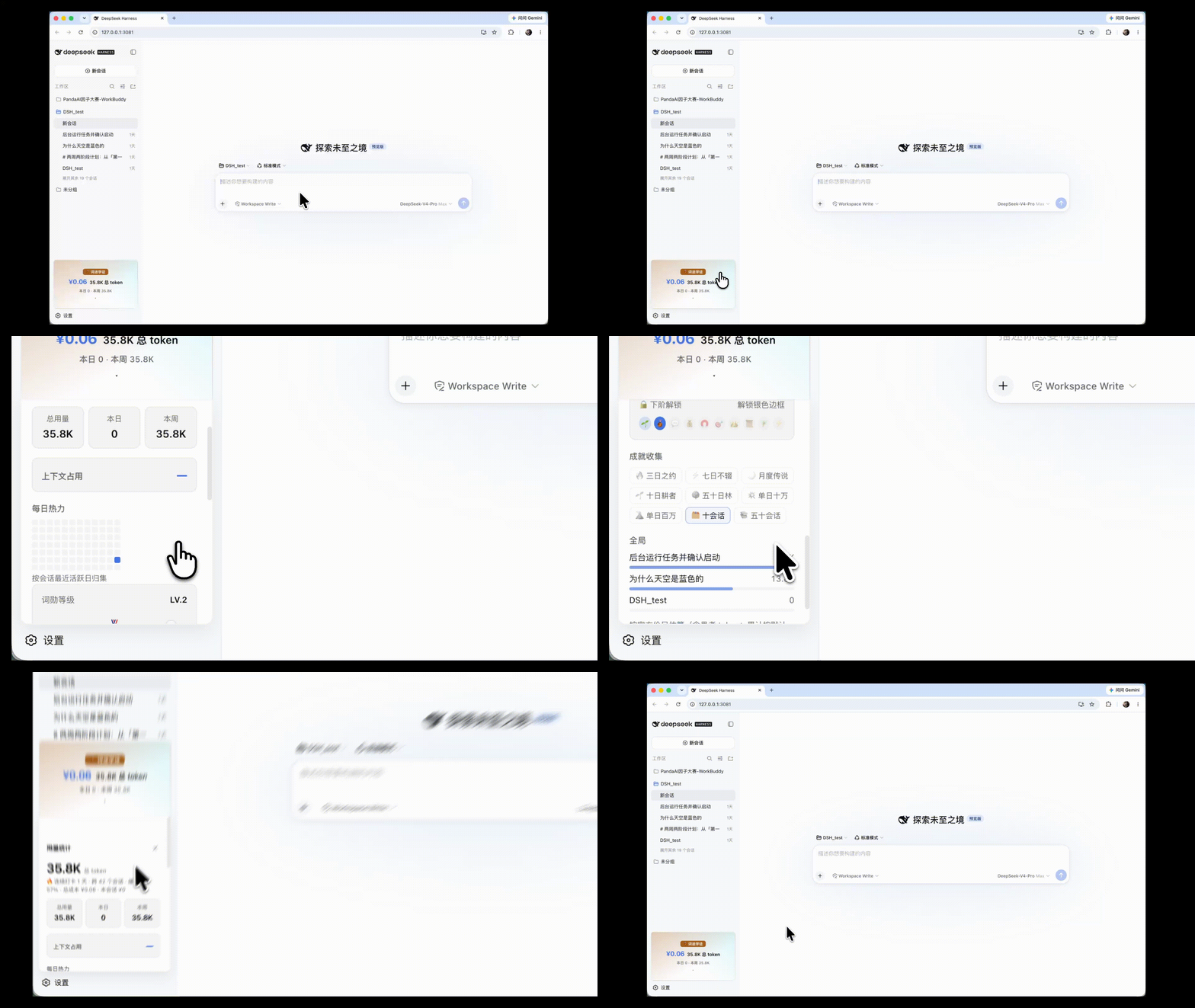
DeepSeek Harness users often face challenges in tracking API usage and managing costs, with manual checks being time-consuming and error-prone. The dsh-board plugin solves this by seamlessly integrating a sidebar panel into the Web GUI, offering real-time billing estimation that automatically adjusts for peak and off-peak hours based on Beijing time. It visualizes key metrics like 1M context usage, input/output trends, and cumulative curves, alongside a gamified achievement system with ten tiered ranks for added engagement. Ideal for all DeepSeek Harness users—especially developers, data scientists, and frequent API callers—it enables efficient resource monitoring, cost optimization, and an immersive experience.
Screenshots
Use Cases
- When real-time tracking of DeepSeek API usage and costs is needed
- For optimizing API call budgets and monitoring context occupancy
- To enhance the experience through charts and achievement systems
Best For
- Developers and data scientists who frequently use the DeepSeek API
- Team managers needing to monitor resource usage and control costs
- Individual users seeking a gamified way to manage usage
Related Plugins
A service-oriented sidebar framework for DSH, offering a full workbench with file explorer, embedded browser, real terminal, Git panel, and extensible plugin services.

A beautiful, practical Claude Code-style TUI plugin with pixel whale top bar, flowing glow title, real-time status line, streaming thought expansion, time rewind, context progress bar and TPS gauge — zero core changes.

The plugin market for DeepSeek Harness: browse/search/one-click install community plugins and themes, with updates, backup/restore, hot disable, diagnostics, and AI fix.

A persistent whale widget on the DSH web UI that shows DeepSeek balance, today's usage, and per-turn cost, with drag-and-snap and sound effects.