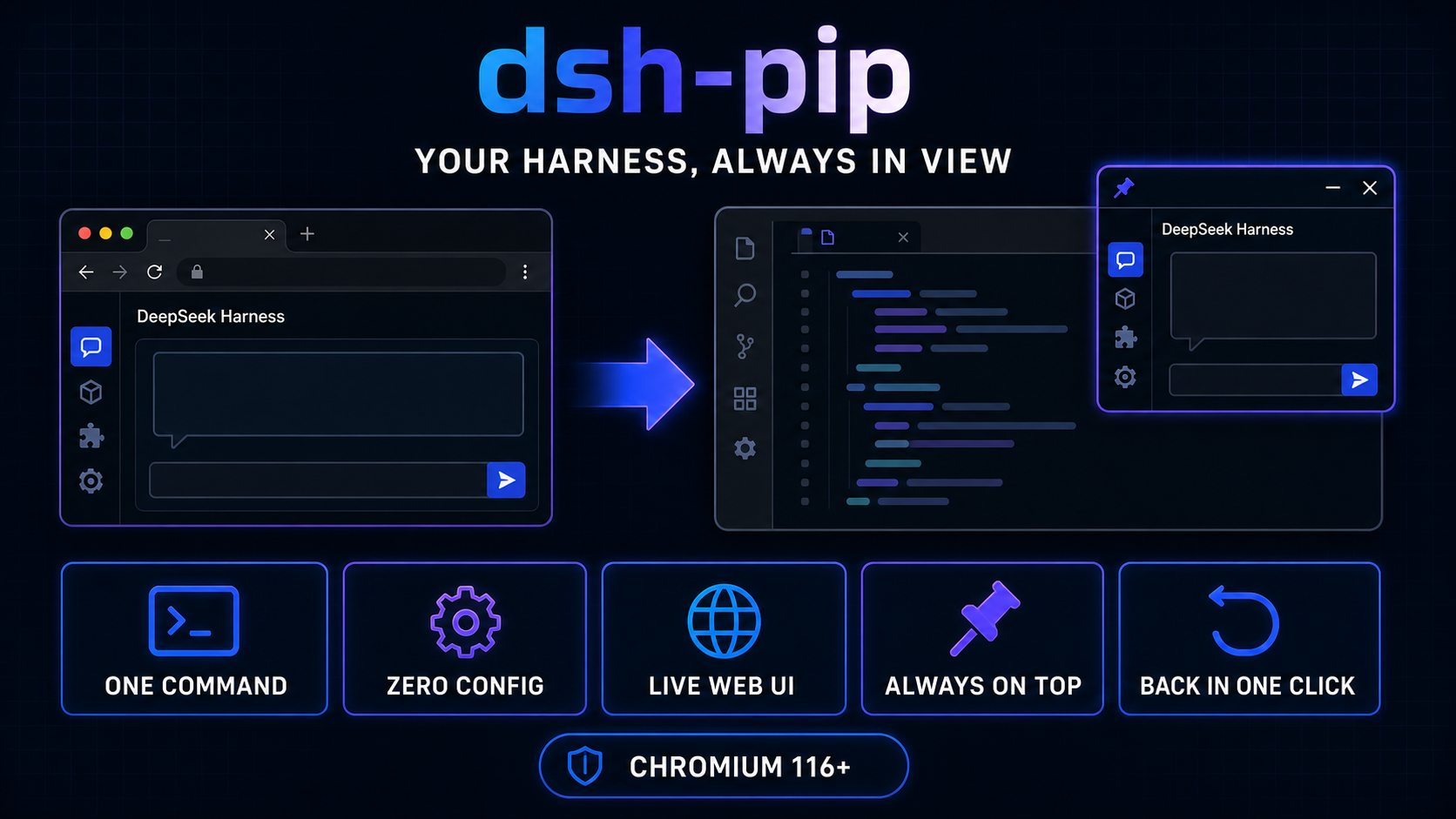
dsh-pip
Run the following command in DeepSeek Harness:
dsh plugin install extension-hunter/dsh-pip
Paste the following prompt into your AI chat to install this plugin:
Run dsh plugin install extension-hunter/dsh-pip in your DeepSeek Harness terminal to install; the project source code is hosted at https://github.com/extension-hunter/dsh-pip
About this plugin
Keeping an eye on the agent's live output while you code means your thumb never stops bouncing between the editor and a browser tab — a small context switch that quietly drains your focus all day long. dsh-pip eliminates that friction using the browser-native Document Picture-in-Picture API: one click detaches the entire DSH web app from its tab into a system-level, always-on-top floating window that parks itself right beside your editor, and one more click puts it exactly where it was. No split-screen juggling, no extra window manager, just a single button.\n\nWhat you get in the floating window is not a screenshot but the fully interactive application itself — stylesheets, theme, and React state all travel with the app root into the new window. There is zero configuration to write: restart dsh web and a small Independent Window button appears in the UI corner; click it to detach, and closing the window or clicking Back to Tab restores everything in the original tab. The entire mechanism is a purely additive injection into the DSH bundle, and uninstalling it leaves nothing behind.\n\nWho is this for? If your dsh web setup is already stable, you do not want to swap in an Electron build or rebuild your runtime, and all you need is the smallest possible change to keep the web UI floating next to your editor, dsh-pip was built for exactly that. It does not manage the Harness service lifecycle, does not package a desktop application, and does not add remote channels — it does one thing well: turn your web UI into a companion window you can pin beside your code. It requires Chrome or Edge (Chromium 116 or later); on Safari and Firefox, where the Document PiP API does not exist, the plugin silently no-ops and the button never appears.
Screenshots
Use Cases
- Floating the agent output beside your editor while coding to eliminate tab-switching
- Steady-state monitoring of agent logs or results without leaving the editor view
- Bringing the DSH Web UI to the front as a lightweight, non-intrusive companion window
Best For
- Developers with a stable dsh web setup who just want one floating window
- Users who prefer the smallest possible change over an Electron desktop build
- Chrome or Edge users looking for a zero-config web UI enhancement
Related Plugins
A service-oriented sidebar framework for DSH, offering a full workbench with file explorer, embedded browser, real terminal, Git panel, and extensible plugin services.

A beautiful, practical Claude Code-style TUI plugin with pixel whale top bar, flowing glow title, real-time status line, streaming thought expansion, time rewind, context progress bar and TPS gauge — zero core changes.

The plugin market for DeepSeek Harness: browse/search/one-click install community plugins and themes, with updates, backup/restore, hot disable, diagnostics, and AI fix.

A persistent whale widget on the DSH web UI that shows DeepSeek balance, today's usage, and per-turn cost, with drag-and-snap and sound effects.