dsh-theme-center
Run the following command in DeepSeek Harness:
dsh plugin install dac114514/dsh-theme-center
Paste the following prompt into your AI chat to install this plugin:
Run dsh plugin install dac114514/dsh-theme-center in DeepSeek Harness to install; full source URL: https://github.com/dac114514/dsh-theme-center
About this plugin
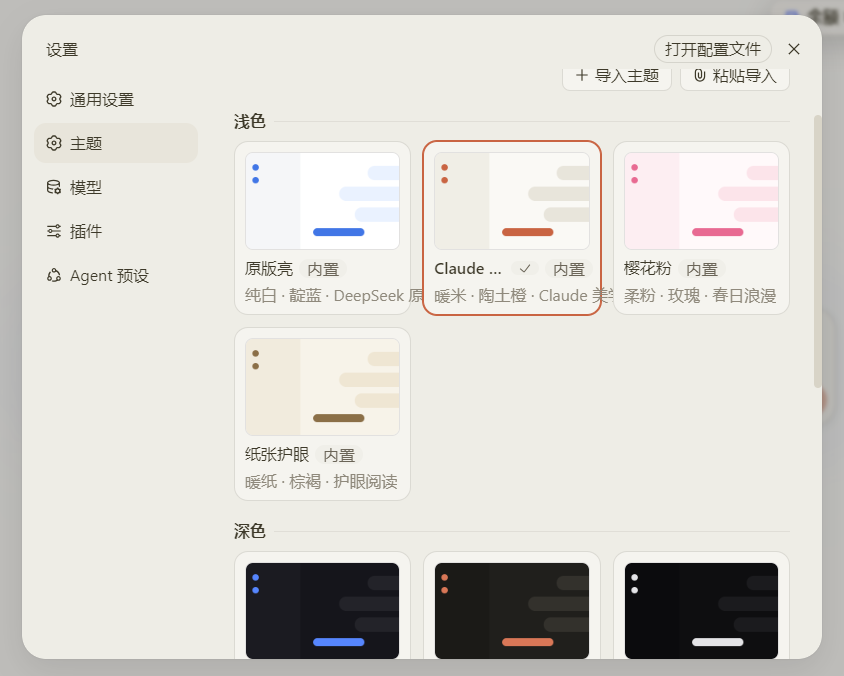
When working in DeepSeek Harness, the interface palette is either stuck on one look or manual tweaks vanish on restart. dsh-theme-center brings theme management into the Settings menu: 11 curated themes grouped by light and dark, displayed in a three-column gallery where a single click switches instantly, and the selection persists across reloads.
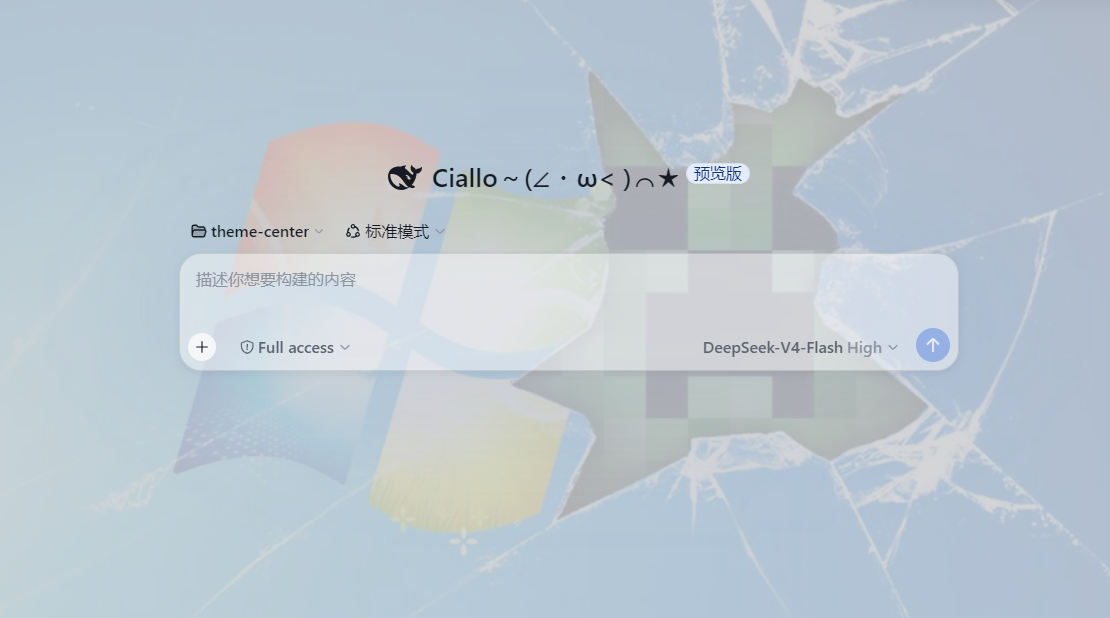
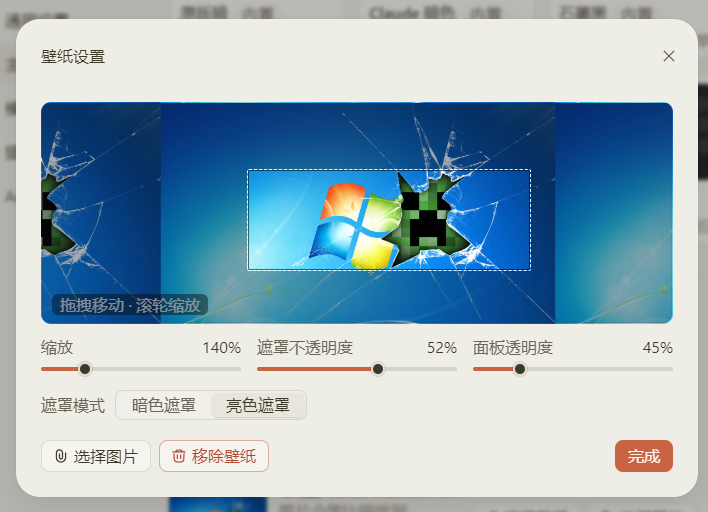
Beyond switching themes, you can set any image as the interface wallpaper. The image is downscaled locally to 1440px and stored in settings. Pan by dragging, zoom with the scroll wheel (100% to 300%), and fine-tune readability with overlay opacity and surface translucency sliders. A dashed frame marks the exact on-screen crop so the preview is a true what-you-get view.
The plugin also ships a portable dsh-theme JSON format: import theme files authored by others via paste or file drop, and export your own palettes for sharing. Fourteen themes not in the shipped catalog are kept as archived files and can be restored in one click. It is ideal for developers and everyday users who want a fresh face for Harness with persistent settings and shareable themes.
Screenshots

Use Cases
- Switch between light and dark themes in Harness with one click
- Set a favorite image as the UI background and tweak crop and tint
- Import a shared theme file or export your own palette
Best For
- Developers who want a personalized interface
- Design enthusiasts who enjoy tweaking colors and palettes
- Harness users who value persistent, shareable theme settings
Related Plugins

whale-girl is a desktop pet in the DSH Web GUI (bottom-right for instant companionship) — draggable, feedable, playable; completed tasks, sessions and companionship time accrue into seniority levels, titles, and memories.

A WebGPU ocean skin for DeepSeek Harness with five-wave Gerstner waves, translucent theme, day/night cycle, and quick controls, installable as plugin or extension.

A Galgame-style conversation view and visual scene editor for DSH web sessions, with a real-time editing mode.

A native skinning plugin for DeepSeek Harness: 8 designer themes, wallpapers, accent colors, and shareable theme packs, built purely on design tokens.