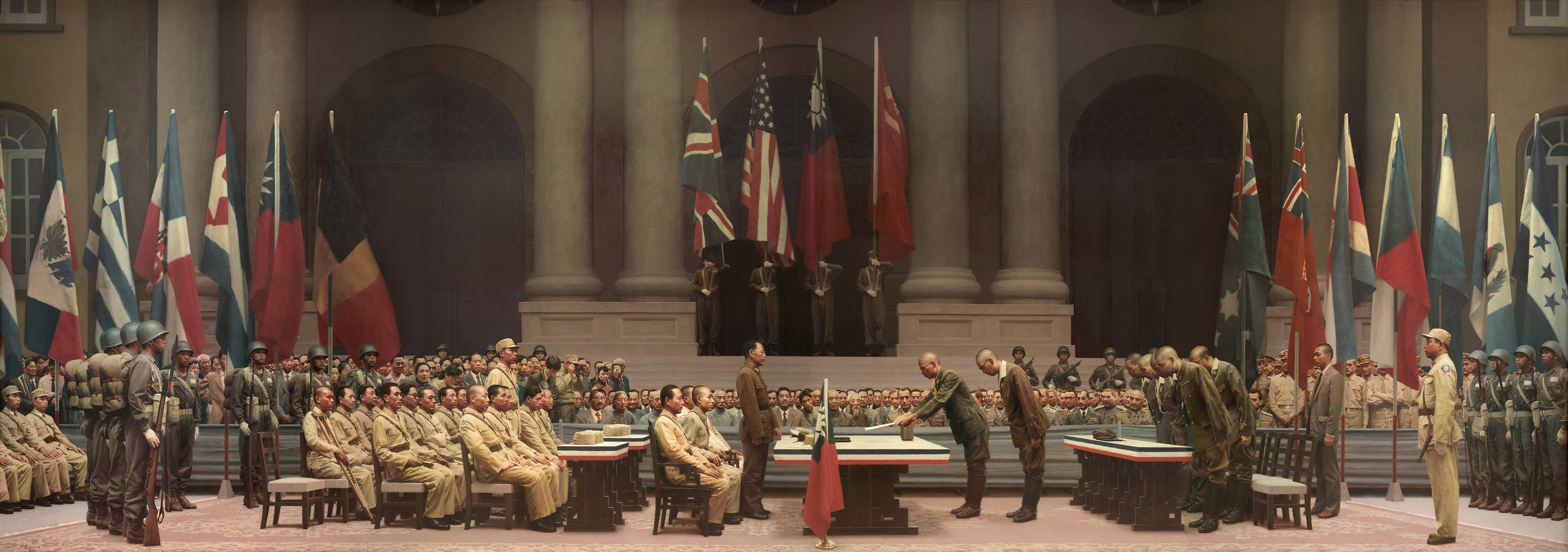
dsh-815-skin
Run the following command in DeepSeek Harness:
dsh plugin install lengduan/dsh-815-skin
Paste the following prompt into your AI chat to install this plugin:
Run dsh plugin install lengduan/dsh-815-skin in the terminal to add the plugin to the current web profile; the source repository is https://github.com/lengduan/dsh-815-skin .
About this plugin
The dsh Web GUI ships with a clean, light-coloured default. dsh-815-skin does one thing: it replaces the chat-area background with Chen Jian's oil painting of the 1945 Nanjing surrender, adds a small flag mark to the selected session rows in the sidebar, and pins a historical-brand badge to the title bar. It does not alter any session logic, does not invoke the model, and does not fire a single network request.
The technical boundary is tight. Every visual change lives in the client bundle's DOM attributes and embedded CSS; the artwork is baked in as a data URL at build time, so at runtime the plugin reads nothing from disk and contacts no external host. Uninstall runs the Cordis effect disposer—detach observers, restore styles, remove every node tagged data-skin-owner, clear session-row marks—and the browser shows no trace that the skin was ever there.
It is for one kind of person: you run dsh web locally and would like that blank space behind the chat bubbles to be a historical masterpiece instead. It is not a theme engine, exposes no colour variables, and does not alter agent behaviour or tool permissions. If you are in a TUI or headless environment, or you need to adjust theme-token configuration, this is not your tool. In short, it is a small ornament you hang on the Web GUI window frame—put it on and you see the painting, take it off and the frame is empty again.
Screenshots
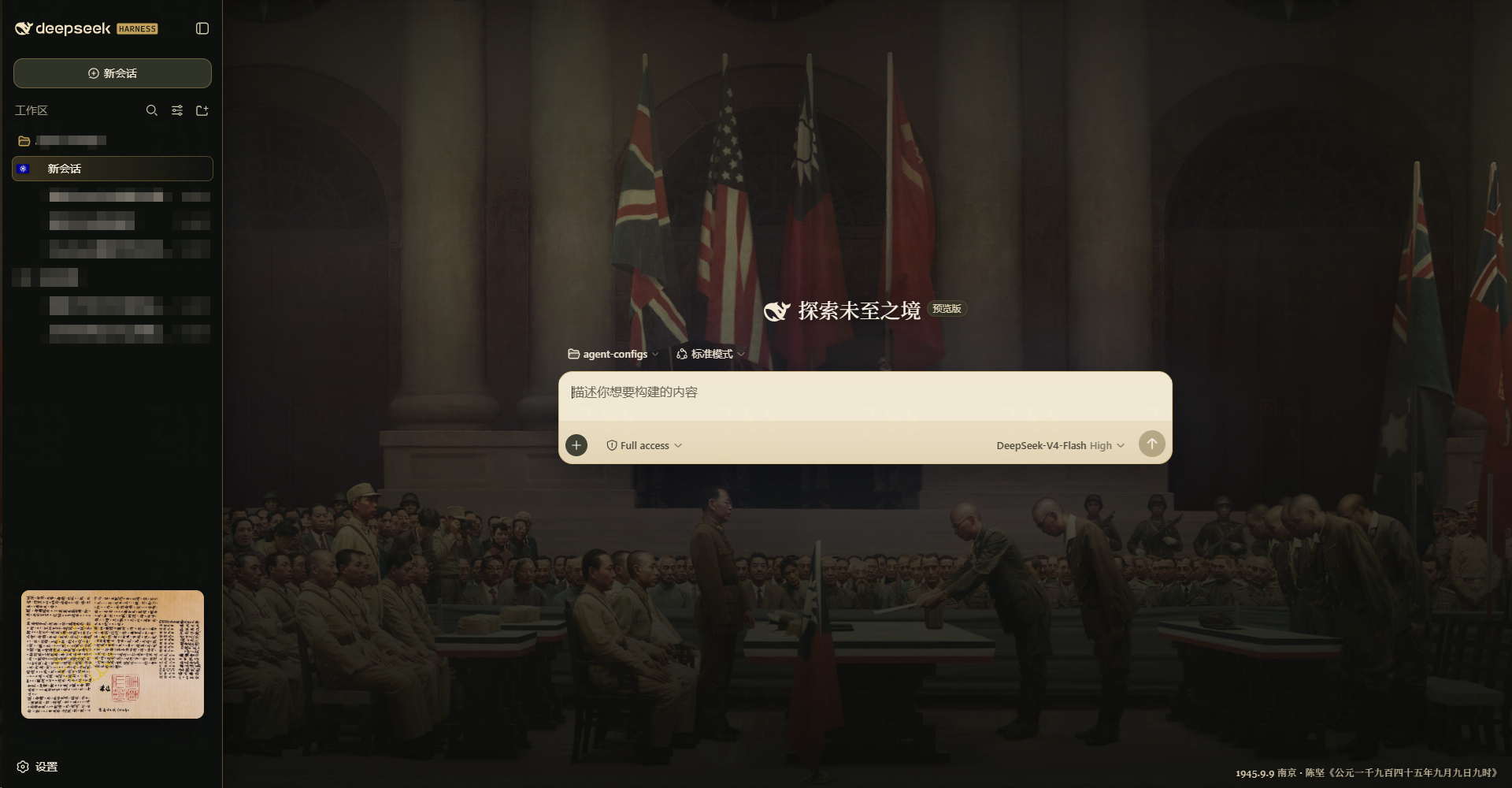
Use Cases
- Open the dsh web chat UI and swap the default light background for a historical oil painting in the chat area
- Add a story-rich visual layer to the local Web GUI without touching any functional logic
- Try the skin for a bit, then uninstall and see zero residue left in the browser
Best For
- Individual developers or enthusiasts running dsh web locally
- Anyone who cares about interfaceappearance and does not plan to modify agent behaviour or tool permissions
- People who like to give their tools a personal, playful touch and enjoy switching styles around
Related Plugins

whale-girl is a desktop pet in the DSH Web GUI (bottom-right for instant companionship) — draggable, feedable, playable; completed tasks, sessions and companionship time accrue into seniority levels, titles, and memories.

A WebGPU ocean skin for DeepSeek Harness with five-wave Gerstner waves, translucent theme, day/night cycle, and quick controls, installable as plugin or extension.

A Galgame-style conversation view and visual scene editor for DSH web sessions, with a real-time editing mode.

A native skinning plugin for DeepSeek Harness: 8 designer themes, wallpapers, accent colors, and shareable theme packs, built purely on design tokens.