dsh-doc-share
Run the following command in DeepSeek Harness:
dsh plugin install dawsondx/dsh-doc-share
Paste the following prompt into your AI chat to install this plugin:
Run dsh plugin install dawsondx/dsh-doc-share in the DeepSeek Harness terminal to install the plugin; the source code is at https://github.com/dawsondx/dsh-doc-share. Restart dsh web after installation to activate it.
About this plugin
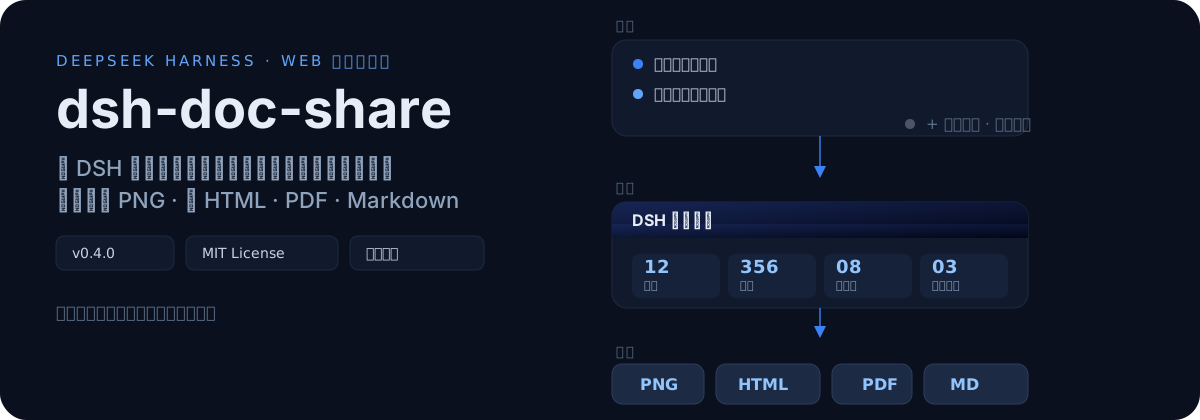
Pasting an AI conversation out of the browser usually gives you a wall of unstructured messages—code blocks, tool calls, and images jumbled together with no title, no summary, no chapters. If you need earlier turns, you are stuck scrolling and waiting for lazy-loaded content. dsh-doc-share solves exactly this: it turns a raw conversation into a properly typeset report with a customizable cover page, content summary statistics, and chapter-by-chapter Q&A layout, so the output is something you can hand to a colleague, print, or archive rather than a pile of raw chat screenshots.
The workflow centers on a turn-selection dialog that lists every completed turn as a card (turn number, timestamp, question/answer excerpt, image and tool badges). You can search by keyword, select all, clear all, and load earlier history directly from the dialog with no page scrolling. In the generated report, code blocks are rendered as standalone blocks, tables keep their formatting, and tool calls are collapsed into summary lines. A single generation lets you download as a PNG image, a self-contained single HTML file, an A4 auto-paginated PDF, or structured Markdown. Layout width and font size are adjustable in three levels, dark theme follows system preference, and the UI automatically adapts to Chinese or English.
It suits anyone who treats AI conversations as work artifacts: researchers archiving reasoning chains into a knowledge base, developers sharing debugging sessions with teammates who have no reason to install the tool, students compiling lecture Q&A into study documents, or product teams turning design discussions into printable briefs. The conversation is over, but you still need a proper document at the end of the day—dsh-doc-share is built for exactly that.
Screenshots
Use Cases
- Turn AI debugging sessions into polished reports for teammates
- Export lecture Q&A as PDF for knowledge-base archiving
- Export design discussions as Markdown for further editing
Best For
- Researchers turning AI dialogues into deliverable documents
- Developers sharing debugging sessions with teammates who do not install the tool
- Students compiling lecture Q&A into study materials
Related Plugins
A service-oriented sidebar framework for DSH, offering a full workbench with file explorer, embedded browser, real terminal, Git panel, and extensible plugin services.

A beautiful, practical Claude Code-style TUI plugin with pixel whale top bar, flowing glow title, real-time status line, streaming thought expansion, time rewind, context progress bar and TPS gauge — zero core changes.

The plugin market for DeepSeek Harness: browse/search/one-click install community plugins and themes, with updates, backup/restore, hot disable, diagnostics, and AI fix.

A persistent whale widget on the DSH web UI that shows DeepSeek balance, today's usage, and per-turn cost, with drag-and-snap and sound effects.