dsh-computer-use
Run the following command in DeepSeek Harness:
dsh plugin install ThreeBody6666/dsh-computer-use
Paste the following prompt into your AI chat to install this plugin:
Run dsh plugin install ThreeBody6666/dsh-computer-use in your terminal (source repo https://github.com/ThreeBody6666/dsh-computer-use) and restart DSH after installation.
About this plugin
In DeepSeek Harness, letting a model directly interact with the Windows desktop has lacked a lightweight, native option. dsh-computer-use fills that gap: it plugs straight into the DSH Cordis tool registry with no MCP middle layer, giving the model a ready-to-use set of desktop-control tools.
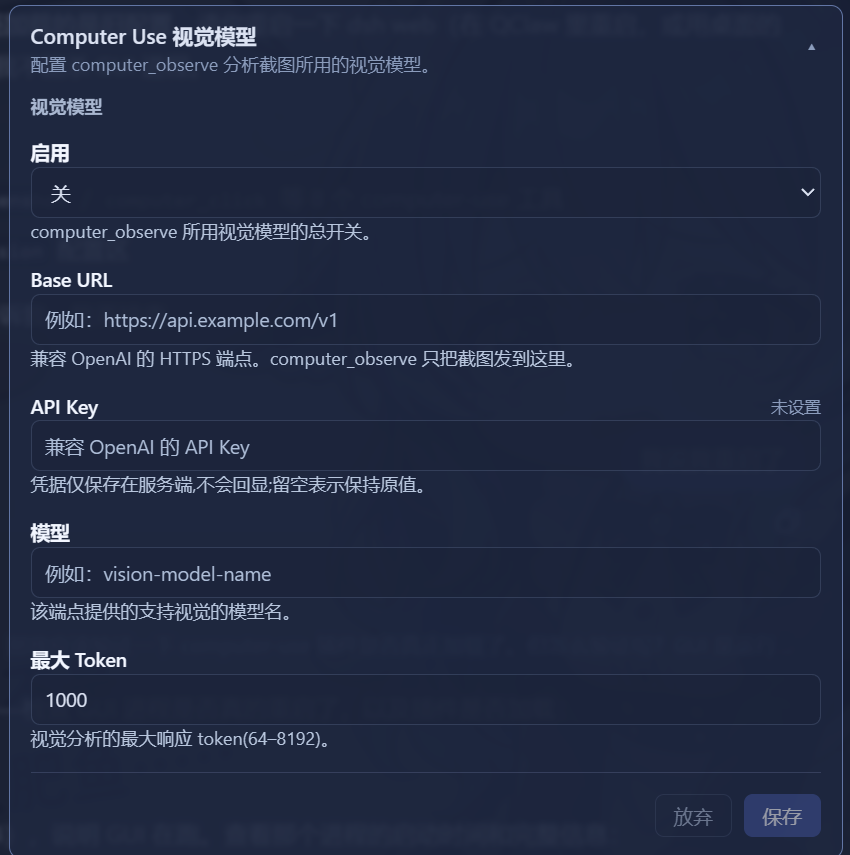
The capability set covers the full loop of everyday desktop interaction—capturing the virtual desktop as an image attachment, performing bounded-coord clicks, drags, and scrolls, sending Unicode text and supported keyboard shortcuts to the active control, waiting for an application to settle, and, when the current model cannot inspect images, forwarding the screenshot to a user-configured vision endpoint for analysis. Under the hood it relies on user32.dll for input and System.Drawing for capture; it installs no global hook and runs no background process.
Security is a first-class design concern. Every computer_* call passes through DSH's native approval service, and illegal inputs such as empty text, unsupported keys, excessive durations, or out-of-bounds coordinates are rejected before anything is sent. Two independent gates reinforce the safeguard: a master On/Off pill on the composer side that denies all tools with an explicit reason when off, and an approval gate that adopts a fail-closed, auto-reject strategy when approval is set to never—eliminating the risk of unintended actions.
It is built for Windows users of DSH who want their model to genuinely perceive and operate the desktop. No screen-recording software or virtualisation layer is required; a single DSH restart after installation is all it takes.
Screenshots
Use Cases
- Let the DSH model capture and analyze the Windows desktop in real time
- Perform desktop clicks, drags, and text input driven by model instructions
- Forward screenshots to a separate vision model when the active model cannot inspect images
Best For
- Developers on Windows who want their DSH model to operate the desktop natively
- Users seeking a lightweight integration via the Cordis tool registry without an MCP layer
- Power users who require explicit approval gating and fail-closed safety for desktop automation
Related Plugins
A service-oriented sidebar framework for DSH, offering a full workbench with file explorer, embedded browser, real terminal, Git panel, and extensible plugin services.

A beautiful, practical Claude Code-style TUI plugin with pixel whale top bar, flowing glow title, real-time status line, streaming thought expansion, time rewind, context progress bar and TPS gauge — zero core changes.

The plugin market for DeepSeek Harness: browse/search/one-click install community plugins and themes, with updates, backup/restore, hot disable, diagnostics, and AI fix.

A persistent whale widget on the DSH web UI that shows DeepSeek balance, today's usage, and per-turn cost, with drag-and-snap and sound effects.