dsh-offpeak
Run the following command in DeepSeek Harness:
dsh plugin install AlexShang1992/dsh-offpeak
Paste the following prompt into your AI chat to install this plugin:
Install by running dsh plugin install AlexShang1992/dsh-offpeak in DeepSeek Harness; the source is at https://github.com/AlexShang1992/dsh-offpeak .
About this plugin
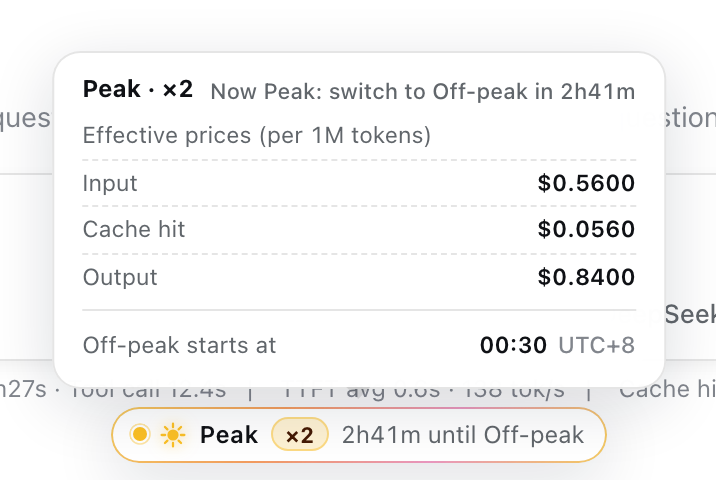
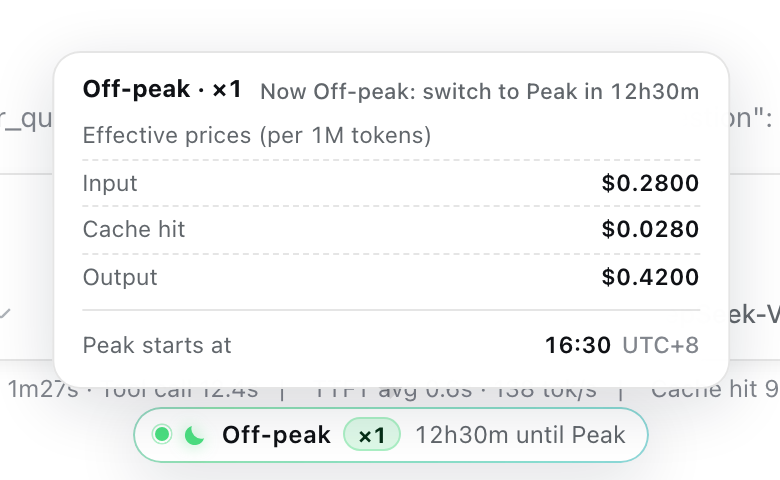
DeepSeek splits each day (UTC) into a peak window (08:30-16:30, 2x price) and an off-peak window (16:30-08:30, 1x price). That information is buried in pricing docs and easy to miss mid-session. dsh-offpeak places a single status pill right under the composer in the DeepSeek Harness Web GUI, showing the current window, the price multiplier, and a live countdown to the next switch. On hover or keyboard focus a detail panel expands with the effective per-1M prices for input, cache-hit, and output tokens plus the next switch time in your local timezone.
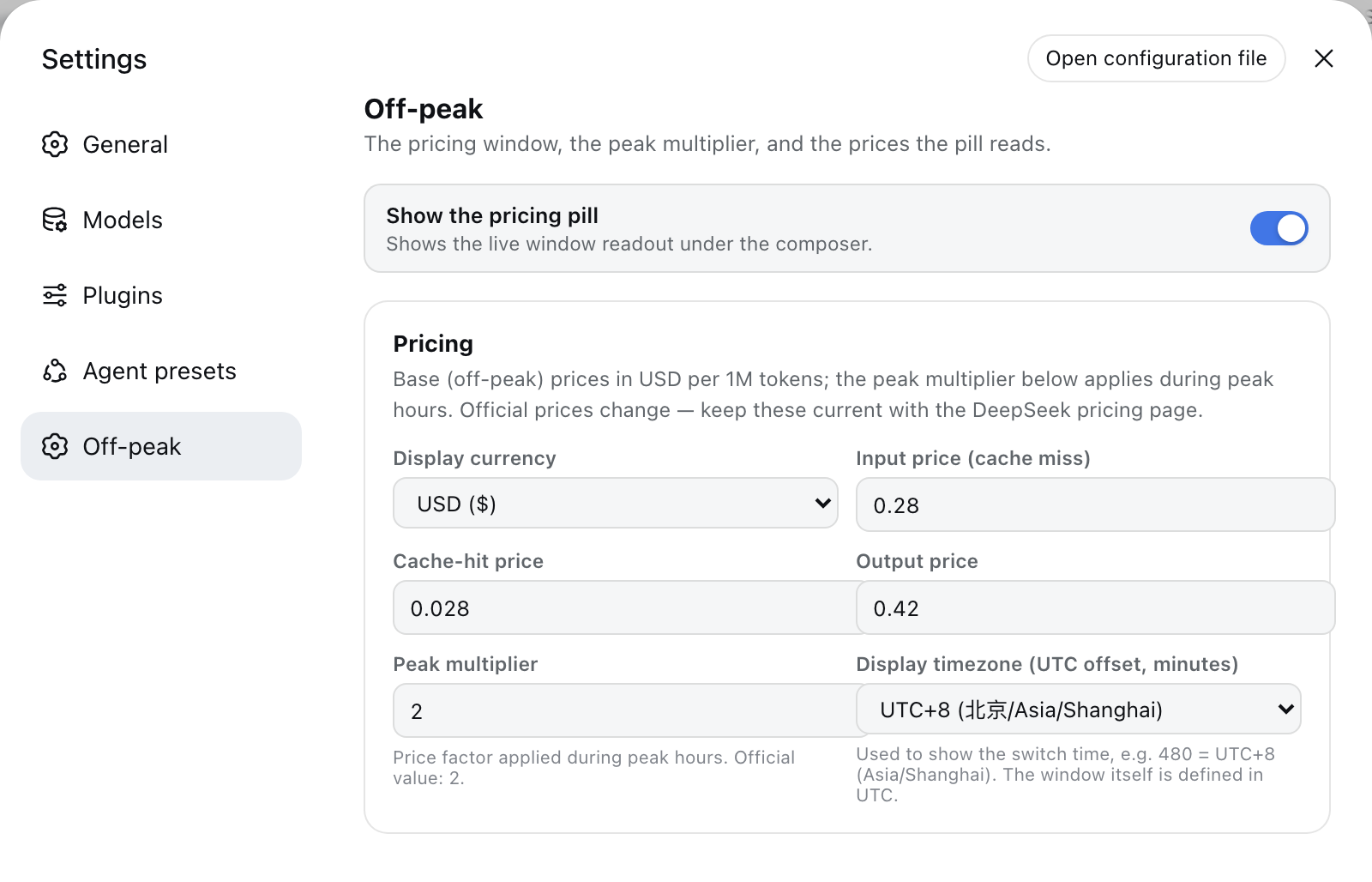
Everything is computed in the browser from prices you type into the settings panel. The plugin registers no tools, no commands, no system-prompt text, makes no network calls, and has zero token cost on every request. Setting changes take effect instantly with no restart. Uninstalling it leaves nothing behind beyond its own settings section.
Built for developers who call the DeepSeek API regularly and want to check the current billing tier at a glance while writing code or iterating on prompts. If you do not care about the peak-vs-off-peak split, or work exclusively through the CLI rather than the Web interface, this plugin adds nothing for you.
Screenshots
Use Cases
- Glance at the current peak or off-peak tier while writing a prompt
- Plan a long API session to start during the off-peak window and cut cost
- Verify effective per-token prices before kicking off a batch job
Best For
- Developers who call the DeepSeek API on a daily basis
- Users who prefer the Web GUI over the CLI
- Cost-sensitive teams that want to shift workloads to off-peak hours
Related Plugins
A service-oriented sidebar framework for DSH, offering a full workbench with file explorer, embedded browser, real terminal, Git panel, and extensible plugin services.

A beautiful, practical Claude Code-style TUI plugin with pixel whale top bar, flowing glow title, real-time status line, streaming thought expansion, time rewind, context progress bar and TPS gauge — zero core changes.

The plugin market for DeepSeek Harness: browse/search/one-click install community plugins and themes, with updates, backup/restore, hot disable, diagnostics, and AI fix.

A persistent whale widget on the DSH web UI that shows DeepSeek balance, today's usage, and per-turn cost, with drag-and-snap and sound effects.